

Real-browser previews: Milo checks its work before you see it
After Milo changes a screen, it opens the result in a real browser, checks it the way shoppers will see it, and fixes what it finds before you look.
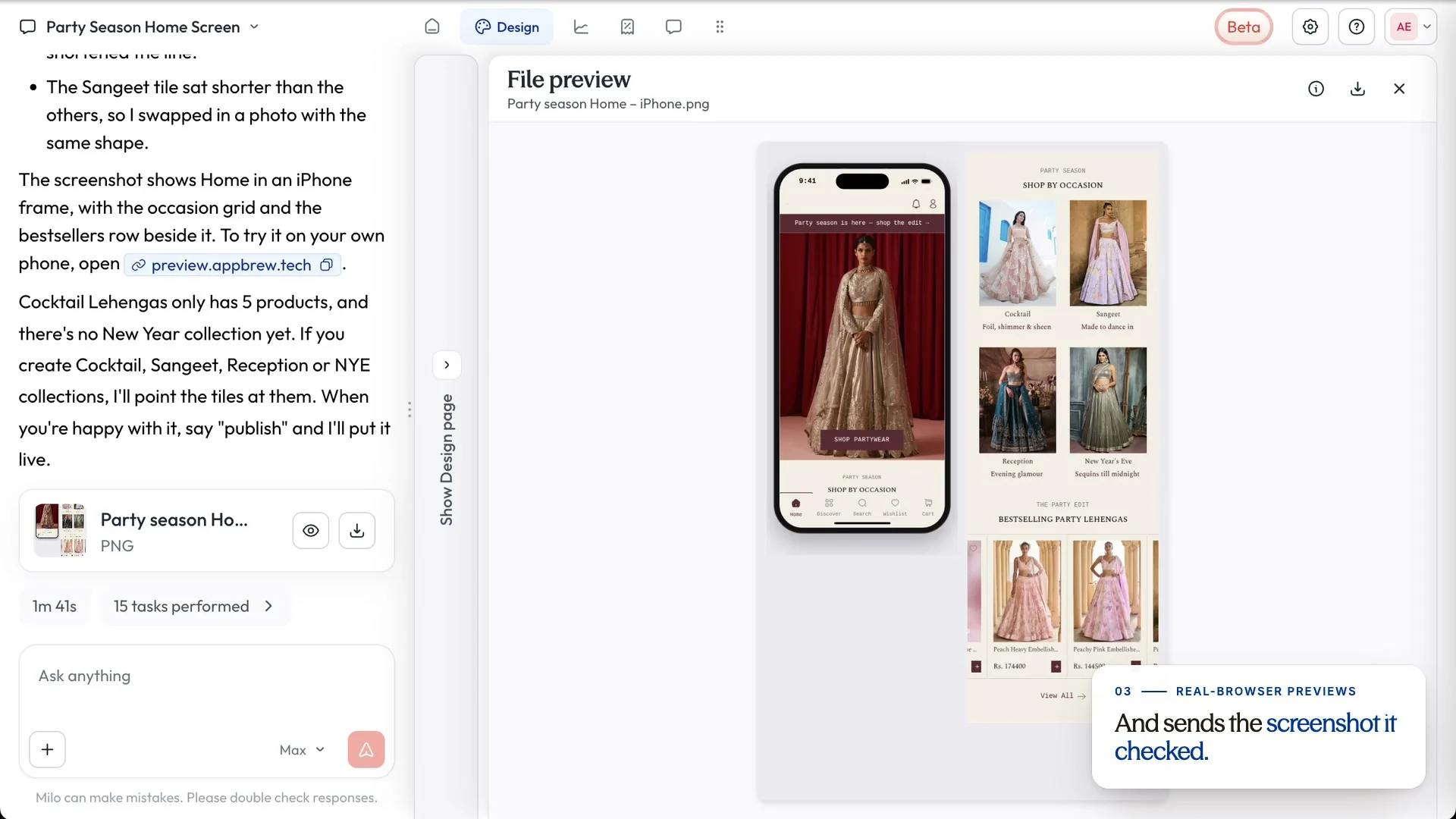
Before, Milo checked its changes in Studio's preview, which uses Studio's own copies of your blocks. What Milo saw wasn't always what shoppers saw.
Now, when Milo changes a screen, it builds a preview from your app's own blocks, opens it on a phone-sized screen in a real browser and looks at it. It reads any errors too, fixes what's wrong, then hands the change back to you. You review it in Studio's preview as before.
There's nothing to turn on.
What it doesn't do yet
- The browser check doesn't work yet for screens with some native blocks. Check those screens in Studio's preview.