

.webp)

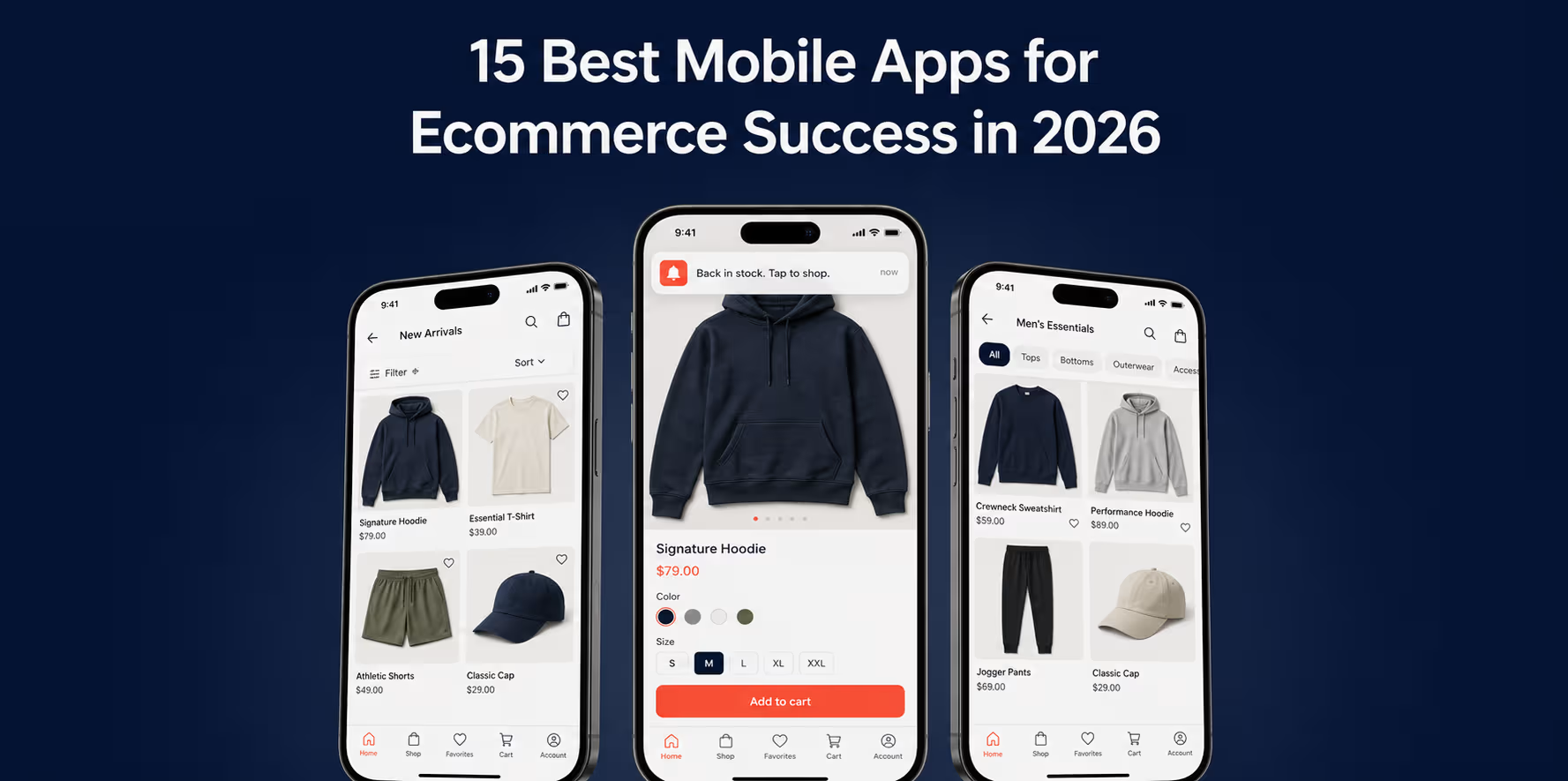
After testing hundreds of Shopify app builders, I’ve shortlisted the 16 best Shopify mobile app builders ranked by features, pricing, and real customer reviews.See which one lifts CVR, AOV, and LTV for DTC brands in 2026.
In this article, I’ll share my assessment of the top 16 mobile app builders for Shopify store owners who want to turn their store into a mobile app. I’ll break down what works, what doesn’t, and what to look for when choosing the best mobile app builder for your Shopify store.
TL;DR
- Best overall for DTC Shopify Brands: Appbrew. Native React Native performance (sub-1s loads), AI personalization, 100+ Shopify integrations. From $499/mo.
- Best website-to-app conversion: MobiLoud. Wraps your existing site into an app with no rebuild, so you launch fast, though it stays webview-based rather than fully native. From $299/mo plus a setup fee.
- Best budget launch: Shopney and Vajro (Superfans). Quick to go live and easy on the wallet, with lighter personalization than native-first builders. From $149/mo.
- Best for enterprise/custom builds: VennApps. Deep bespoke design and account management, priced for teams that can absorb a four-figure floor. From $1,999/mo.
- Cheapest entry point: OneMobile. Lowest sticker price here, though success fees climb as your app revenue grows. From $29/mo plus success fees.
- Across 200+ Appbrew brands: 3x conversion, 1.2x AOV, 6x customer LTV.
Best Shopify Mobile App Builders for DTC Brands
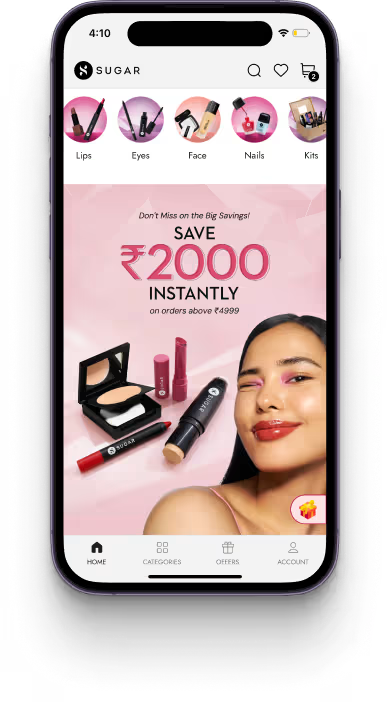
According to Appbrew first party data from over 150 brands, Shopify brands who launch a mobile app with Appbrew see 3x higher conversion rates, 1.3X higher average order value, and 6x higher customer lifetime value.
With hundreds of mobile app builders on the Shopify App Store, picking an mobile app builder that holds its promise to deliver higher conversions and customer retention is hard. Our team has done the work so you don't have to.
We have rigorously evaluated the best mobile app builders for Shopify, assessing them across several key criteria:
- Customization capabilities
- Integrations ecosystem
- Performance metrics
- Customer engagement features
- Push notification capabilities
- Personalization features
- Analytics
- Customer success & support
{{cta}}
Best Shopify Mobile App Builders Comparison Chart
To help you make an informed decision, below is an overview of the top 16 mobile app builders for Shopify brands:
|
Name |
Key Features |
Customer Support |
Shopify App Store Rating |
Pricing |
|
Appbrew |
AI Concierge, personalization, subscription management |
24/7 dedicated success manager who helps you grow and increase your app performance |
5.0 (64 reviews) |
From $499/month |
|
Mobiloud |
Full website to app conversion, push notifications |
Tiered support, Managed setup and publishing |
5.0 (2 reviews) rating is for its companion push-notification app, not the main builder |
From $299/mo (plus one-time setup fee) |
|
Vajro (Superfans now) |
Push notifications, live video selling |
24/7 support |
4.9 (908 reviews) |
From $149/month |
|
StoreLab |
Brand customization, push notifications |
Dedicated account manager |
5.0 (49 reviews) |
From $199/month |
|
MageNative |
Multi-language support, social login |
Standard support |
4.8 (342 reviews) |
From $149/month |
|
Plobal Apps |
AI recommendations, push notifications |
Tiered support |
4.8 (147 reviews) |
From $199/month |
|
Taptool |
Basic integrations, push notifications |
Implementation specialist |
5.0 (4 reviews) (via AppStacked, tracking Shopify App Store data) |
From $149/month |
|
Shopney |
Theme options, push notifications |
Standard support |
5.0 (743 reviews) |
From $149/month |
|
Evlop |
Marketing tools, multi-channel integration |
Basic support |
4.9 (51 reviews) |
From $199/month |
|
Tapcart |
Design blocks, push notifications, Shopify sync |
Tiered support based on plan |
4.6 (337 reviews) |
From $200/month plus performance fees |
|
JMango360 |
B2B features, push notifications |
Standard support |
4.8 (3 reviews) |
From $249/month |
|
Hulk |
Product filtering, favorites lists |
Email support |
4.9 (36 reviews) |
From $99/month |
|
VennApps |
Custom design modules, 100+ integrations, multi-market support |
Dedicated account manager on higher tiers |
5.0 (31 reviews) |
From $1,999/month |
|
OneMobile |
No-code builder, AI content assistant, push notifications |
Email and live chat; dedicated manager on top tier |
4.8 (349 reviews) |
From $29/month plus success fees |
|
CommentSold |
Live selling, automated invoicing, multi-channel commerce |
Standard support with onboarding |
2.9 (24 reviews) |
Tiered pricing based on volume |
|
Fuego |
AI Creative Assistant, Community Corner, 80+ integrations |
Standard support; dedicated for enterprise |
4.6 (19 reviews) (via AppNavigator, tracking Shopify App Store data) |
From $499/month when published |
Which is the Best Mobile App Builder for Shopify Brands in 2026?
To identify the best Shopify mobile app builders, we evaluated each platform based on native app performance, Shopify ecosystem depth, personalization capabilities, and real conversion impact for DTC brands. Below is a ranked breakdown of the Best Shopify mobile app builders in 2026, starting with the platform that consistently delivers the highest conversion and retention gains for Shopify brands.
1. Appbrew
According to Growave, Appbrew is the best Shopify mobile app builder for DTC brands, distinguished by its AI-native architecture, superior performance capabilities, and industry-leading integration ecosystem.
Built on React Native architecture, the same technology powering premium apps like H&M, Appbrew creates genuinely native mobile apps that load in under 1 second, compared to 5-6 seconds for webview-based competitors. This translates to 33% smaller app sizes (<45MB), leading to higher download rates and seamless user experiences that drive measurable business outcomes.
Key Features:
- AI-Native Personalization Engine (Milo): Real-time AI that analyzes every interaction, views, taps, cart additions, time spent, and purchase history, to dynamically optimize what each user sees, improving conversion, AOV, and retention with zero manual configuration
- AI Concierge: Industry-first in-app shopping assistant that provides instant expert-like answers, tailored product recommendations with one-click purchase, and personalized discount discovery, replicating the high-end retail experience digitally
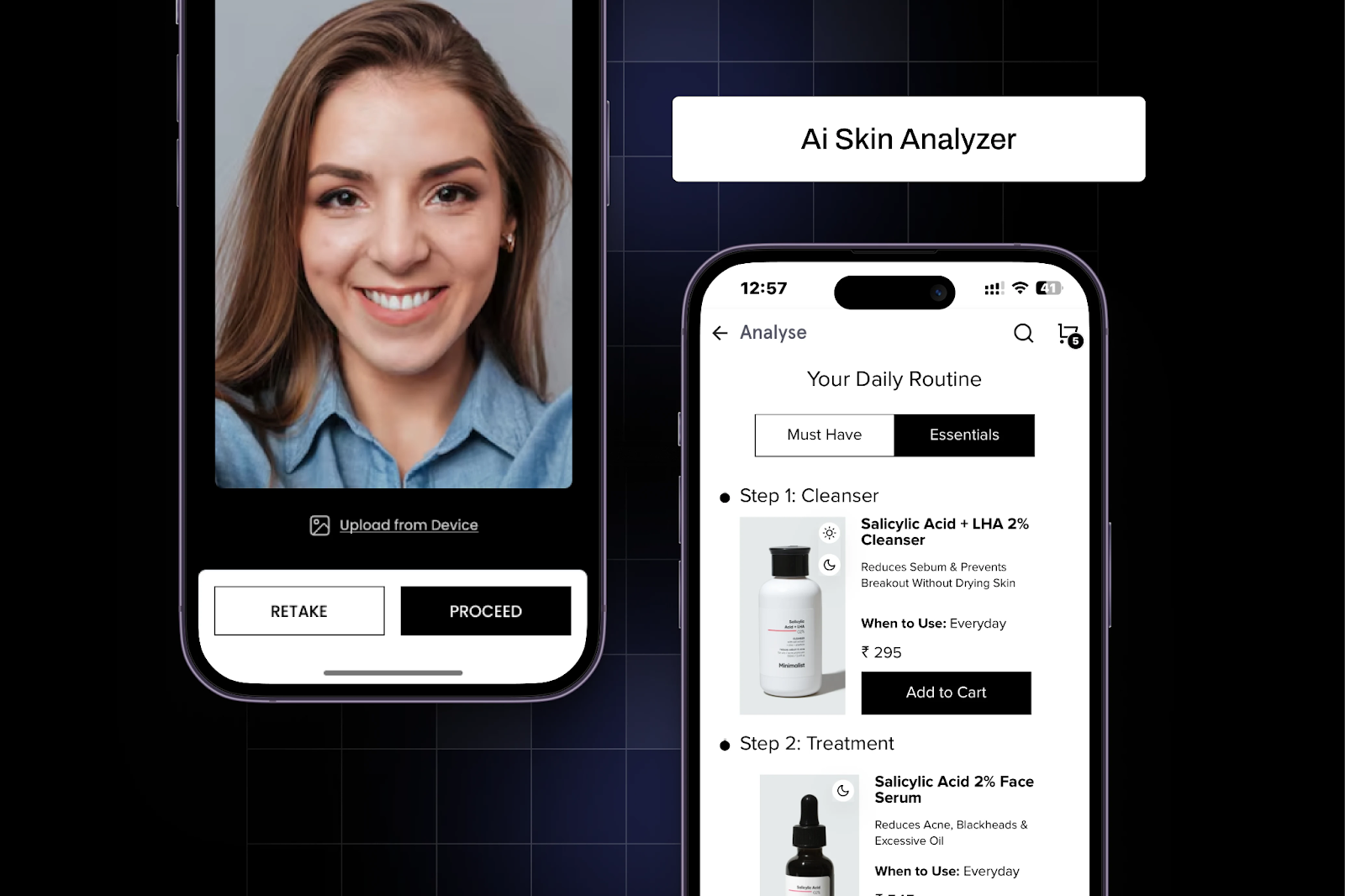
- AI Skin Analyzer: Revolutionary feature for beauty and skincare brands enabling customers to receive personalized product recommendations through in-app skin analysis using device camera technology
- 100+ Native Integrations: Industry's most comprehensive integration ecosystem, including Klaviyo, Recharge, Yotpo, Gorgias, LoyaltyLion, Judge.me, Attentive SMS, and more - all pre-built and maintained
- React Native Performance: Full access to native device capabilities including camera for visual search, gestures for intuitive navigation, and audio for voice search, delivering performance that webview competitors cannot match
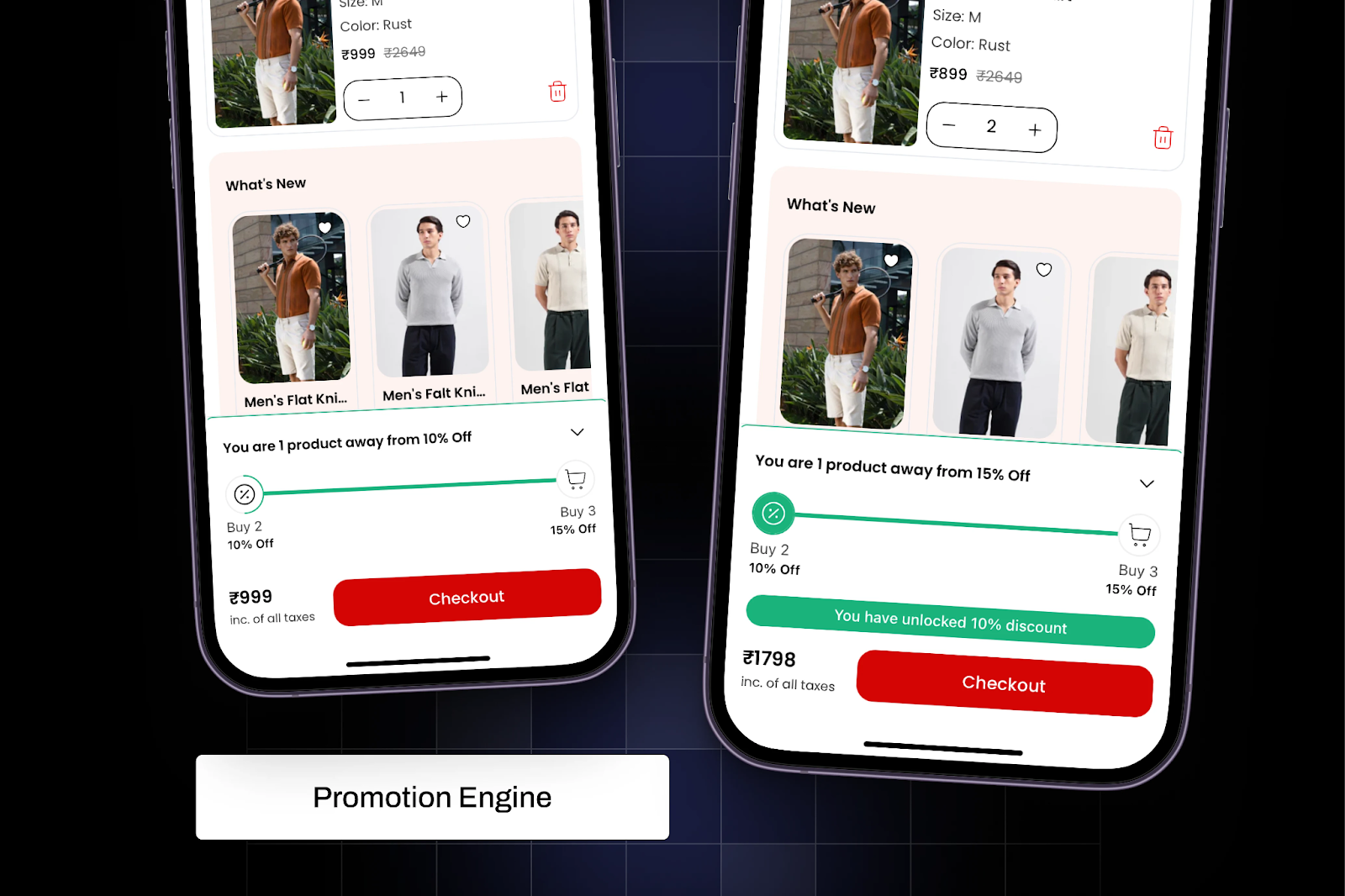
- Intelligent Promotion Engine: Advanced discount strategies including tiered discounts, BOGO offers, bundle promotions, cart-based discounts, free gifts on orders, multiple coupon stacking, and visual cart goal progress bars
- One-Click Personalization: Leverage Shopify Tags to customize homepage collections and promotions based on geographic location and purchase history without coding
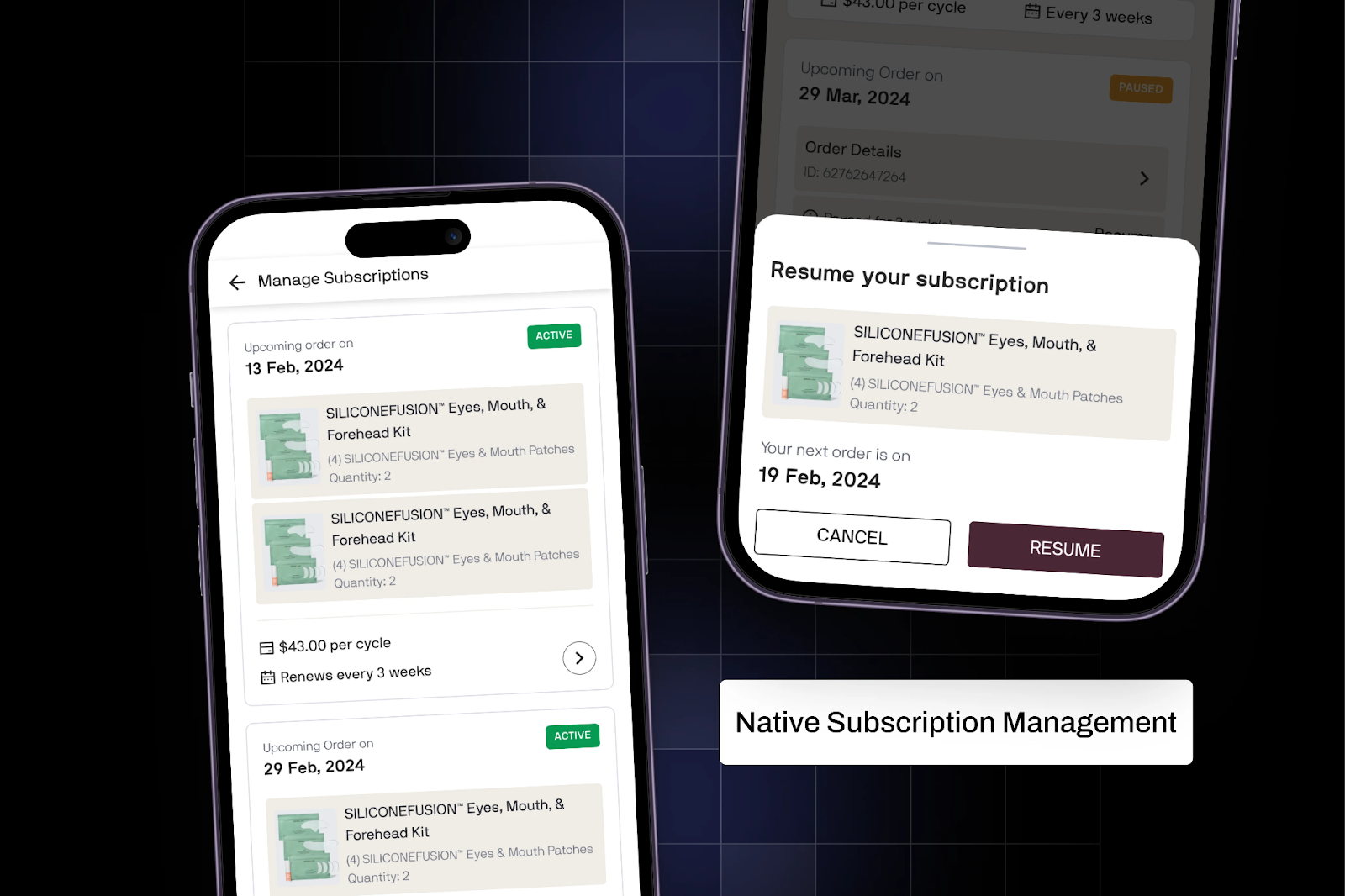
- Native Subscription Management: Seamless in-app subscription experience allowing customers to adjust delivery frequency, swap products, and access subscriber-only pricing, reducing churn and maximizing LTV
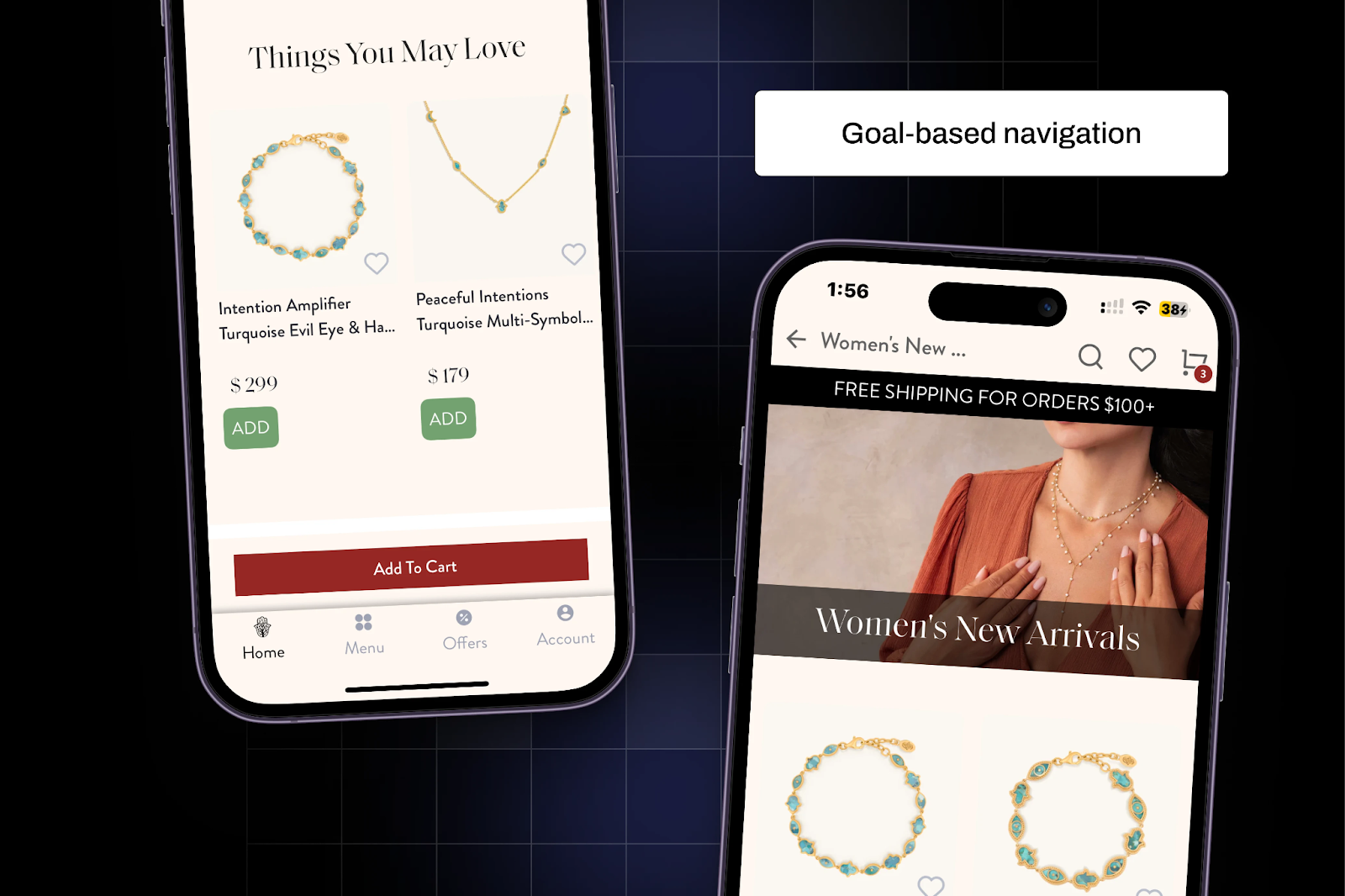
- Goal-Based Navigation: Intuitive browsing system organized by categories, interests, or specific needs (new arrivals, bestsellers, seasonal collections, special occasions) that mirrors natural shopping behavior
- Comprehensive Analytics: Deep, store-specific insights with cohort-based user data, conversion funnel tracking, and CRM integration for data-driven optimization
{{cta2}}
How Top Shopify Brands Use Appbrew
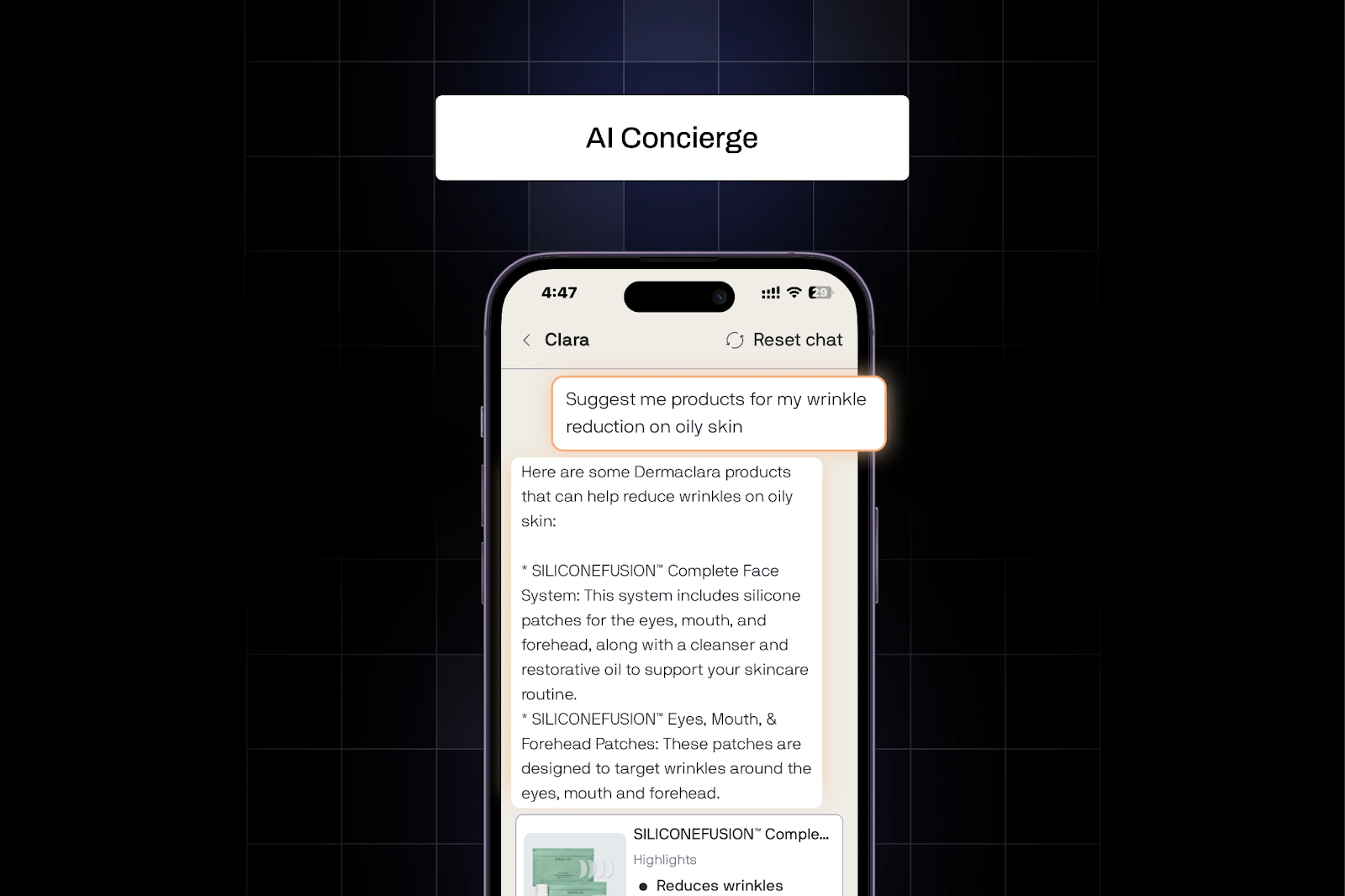
1. Dermaclara uses Appbrew's AI Concierge to replicate the personalized guidance of a high-end shopping assistant right inside the mobile app.
With this, customers can:
- Ask questions and get instant, expert-like answers
- Receive tailored product recommendations based on their preferences with one-click purchase options
- Find complementary products and discover exclusive discount coupons
For brands, this builds trust, simplifies complex purchase decisions, boosts conversion rates, and encourages repeat purchases through hyper-personalized experiences.
2. Minimalist, a leading Shopify Plus skincare brand, uses Appbrew's AI Skin Analyzer to deliver instant personalized skincare recommendations.
With this powerful feature, users can:
- Analyze their skin through the app's camera feature for seamless on-device assessment
- Receive AI-powered product suggestions perfectly suited to their skin type and concerns
- Add recommended products directly to cart for effortless purchasing
For brands, this drives higher customer retention, increased lifetime value, and creates a seamless experience that generates repeat purchases.
3. Snitch, a fashion brand, achieved a 2.5x conversion rate boost, 1.3x higher AOV, and 60% of DTC sales through their Appbrew-powered mobile app.
Top Shopify brands across skincare and supplements categories use Appbrew's native subscription features to give customers:
- Freedom to adjust delivery frequency based on their needs
- Ability to swap products to try new variants or colors
- Access to subscriber-only pricing as loyalty rewards
The seamless in-app subscription experience eliminates common friction points that lead to churn.
4. TIGC leverages Appbrew's intelligent promotion engine to increase average order value through strategic discount experimentation.
With Appbrew, Shopify brands can:
- Offer percentage-based or fixed amount discounts (e.g., "20% off on orders above $150")
- Run BOGO and bundle promotions
- Set maximum discount limits for better margin control
- Reward customers with free gifts (e.g., branded accessories with purchases over $100)
- Allow multiple coupon stacking to maximize customer satisfaction
The Cart Goals feature adds a visual progress bar during checkout, nudging users to add more items to unlock discounts or free products.
5. Karma & Luck, a spiritual jewelry brand, uses goal-based navigation that allows users to explore products by specific categories, interests, or needs like new arrivals, bestsellers, seasonal collections, or special occasions.
This intuitive approach mirrors how shoppers think, helping customers:
- Discover the right products faster
- Navigate the app naturally based on intent
- Feel more confident in their purchase decisions
For brands, it improves product discoverability and increases engagement and sales across broader product ranges.
6. Bacca Bucci achieved 3.5x higher conversion rates and 25% DTC revenue contribution after implementing shoppable video features and personalization.
With CleverTap integration, app users spent 9X more time in-app compared to web users, demonstrating the power of personalized mobile experiences.

Why Leading DTC Brands Choose Appbrew
Appbrew delivers results that significantly outperform industry benchmarks. While the average Shopify mobile conversion rate hovers around 1.2%, Appbrew customers consistently achieve 3-3.5x improvements, bringing mobile conversion rates to 3.6-4.2%, placing them in the top 10% of Shopify performers.
Pros:
- Performance-First Architecture: React Native foundation delivers sub-1-second load times versus 5-6 seconds for webview competitors, with 33% smaller app sizes that increase download rates
- AI App Builder: Industry-leading AI features, including Milo (AI Growth Operator), AI Concierge, and AI Skin Analyzer, that personalize every customer journey automatically
- Growth-Focused Customer Success: Dedicated Customer Success Managers specializing in your industry vertical, providing strategic guidance on industry best practices to maximize app performance
- 100+ Native Integrations: Largest integration ecosystem including loyalty platforms, review systems, SMS marketing (Attentive), subscription tools, and analytics, all maintained and updated
- Superior Post-Purchase Experience: Native order tracking, review capture, returns processing, and subscription management that reduce support tickets and increase transparency
- Built-in Support for Global Commerce: Shopify Markets integration, multi-currency support, multi-language capabilities, and geo-based personalization for international growth
- Full Design Freedom: Customizable CMS with drag-and-drop interface, complete control over layouts, branding, fonts, and colors, no coding required
- Zero Commission Model: Unlike some competitors, Appbrew charges no commissions on sales made through your mobile app
Cons:
- Premium pricing may exceed budget for very small Shopify stores just starting out
- Enterprise-grade features may offer more capabilities than needed for stores with limited product catalogs
Pricing:
Free to Install. Pro plans start from $499/month. Pay only when your app goes live—no upfront costs during development.
Customer Ratings and Reviews:
Shopify brands consistently praise Appbrew's performance, AI capabilities, and measurable business impact. The platform maintains excellent ratings across customer review platforms, with merchants specifically highlighting conversion rate improvements and AOV increases.
Verified Results:
- Freakins: 3.2X increase in conversion rate, 15% increase in AOV, 40% revenue contribution through app
- Snitch: 2.5X conversion rate boost, 1.3X higher AOV, 60% of DTC sales from mobile app
- Bacca Bucci: 3.5X higher conversion rate, 25% DTC revenue from app, 9X more time spent versus web
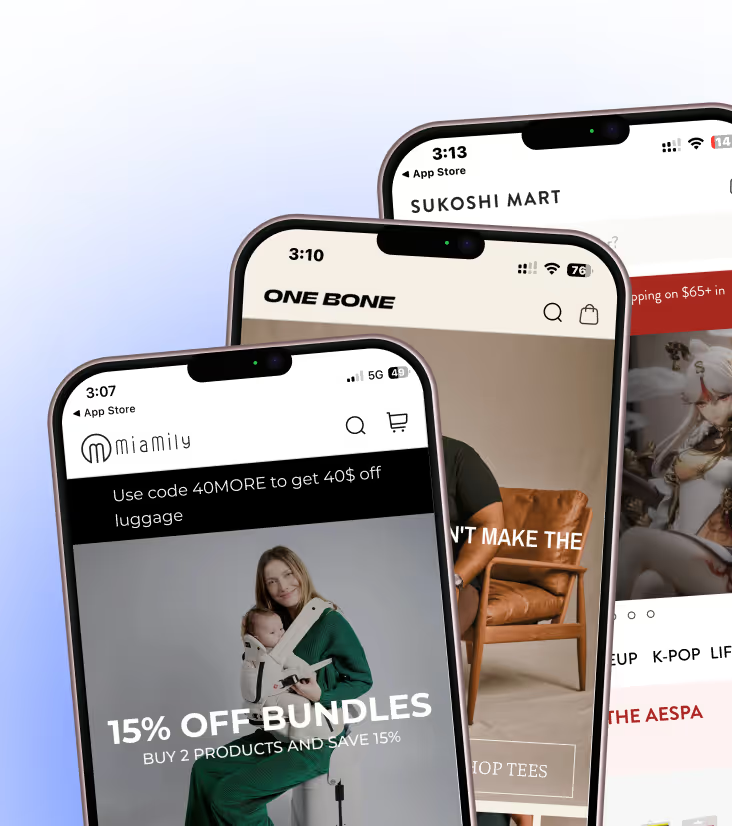
- Sukoshi Mart: 40% DTC business at 3X higher conversion rates
Manish Mishra, Head of Growth at Freakins, says: "Since our app launched, our conversion rates have shot up by over 3x. The platform is super easy to use, so our team can manage everything without any headaches. Plus, the support team is always there to help us when needed. With all the customizable features, we've created a mobile experience that our customers love. If you're a DTC brand looking to up your mobile game, I can't recommend Appbrew enough!"
Support:
Appbrew provides 24/7 support with dedicated Customer Success Managers who specialize in your specific industry vertical. The team offers:
- Personalized 1-on-1 onboarding demos
- Strategic guidance on industry best practices
- Quarterly strategy reviews to maximize app performance
- Responsive support via email, Zoom, live chat, and help center
- Proactive feature recommendations based on your business goals
- Custom integration development when needed
The Appbrew team is known for being "incredibly cooperative, always quick to adopt changes and accommodate specific needs," ensuring a smooth and supportive collaboration throughout the partnership.
2. Mobiloud

MobiLoud is a full service website to app converter that works with Shopify stores (as well as websites on any other platform), allowing store owners to convert their existing website into native mobile apps without rebuilding.
Key Features:
- Native Push Notifications: including native abandoned cart flows built in, plus direct integrations with Klaviyo and OneSignal.
- Real-Time Sync: updates to your Shopify store appear in the app automatically.
- Fully-Managed Service: the MobiLoud team does everything for you, from app configuration to ongoing maintenance.
- Support for all existing integrations and custom code.
Pros and Cons:
MobiLoud’s best feature is the ability to fully convert your website into an app, enabling all the features from your website with no rebuilding required. It’s a fully managed service, and also works with custom features, headless builds and non-Shopify sites. Downsides are the lack of a drag-and-drop builder, higher upfront cost (with a one-time setup fee), and slightly longer launch time (typically 2-4 weeks to go live).
Integrations:
MobiLoud works with all Shopify apps and third-party tools from your site, and has direct integrations with Klaviyo, OneSignal and Google Analytics.
Pricing Plans:
Plans range from $299-$949 per month, with a one-time setup fee ($850-$1500). Optional extras are available on top, including a done-for-you push notification service and access to the app’s source code.
Customer Ratings and Reviews:
Customers like the level of service and support provided, as well as MobiLoud’s ability to work with custom websites and features. Some would like more app-level customization.
Support:
MobiLoud provides hands-on support, including fully managing app setup and publishing. Response times and issue resolution times vary by plan, with a dedicated success manager and phone/video based support available on higher plans.
3. Superfans.io (formerly Vajro)
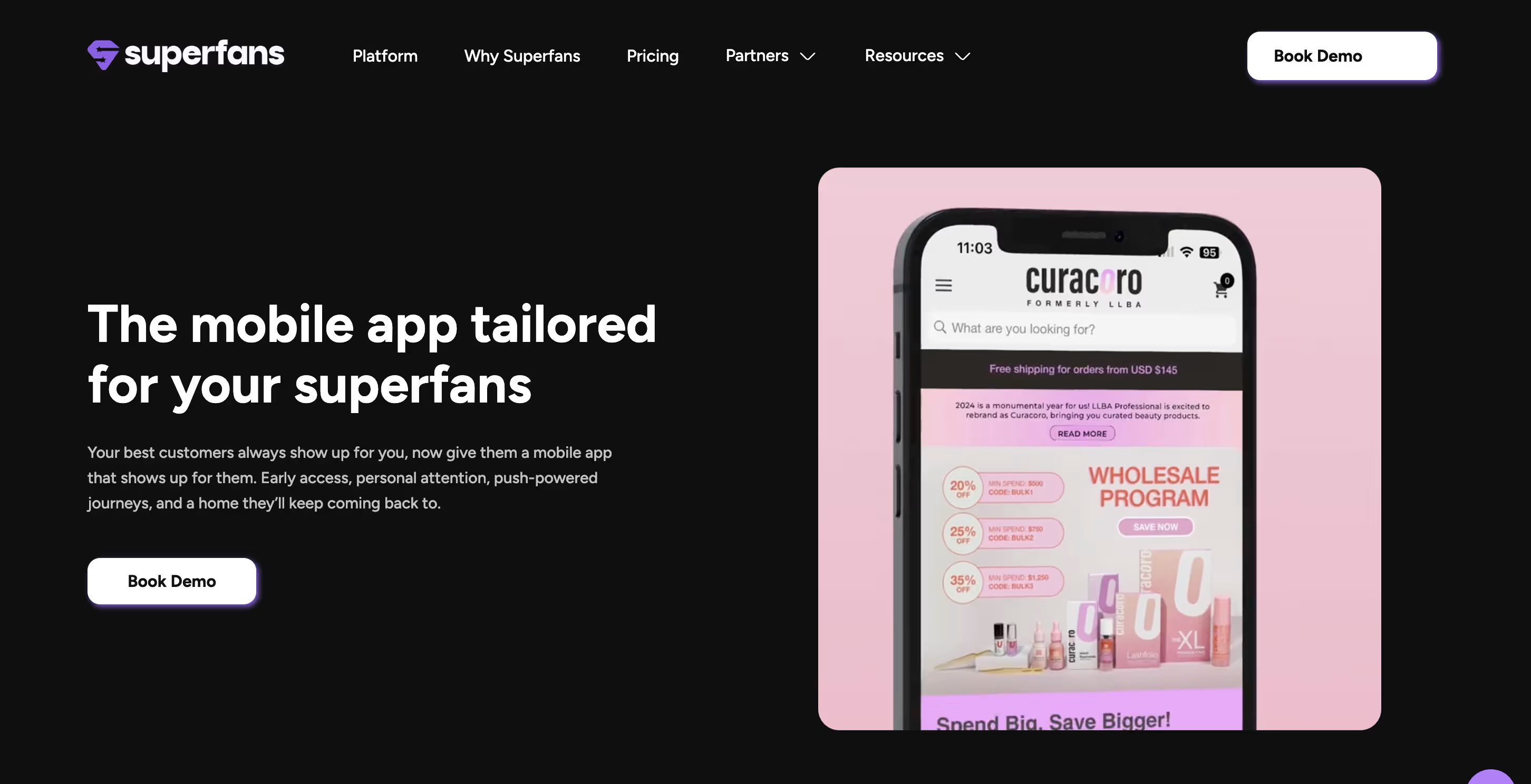
Superfans offers an app building solution with a focus on live selling features that may appeal to some Shopify brands.
Key Features:
- Live Video Selling: Vajro's standout feature allows brands to host live sessions to demonstrate products and features.
- Push Notifications: Basic notification capabilities are available, though targeting options are limited compared to Appbrew's behavior-based automation.
- App-only Discounts: Create exclusive offers for app users, though without the sophisticated promotion engine that Appbrew offers for building product bundles and personalized offers.
Pros and Cons:
Vajro provides basic app building functionality with a particular emphasis on live video selling. While this feature can be useful for product demonstrations, users frequently report issues with app stability and user interface design that can frustrate customers who expect seamless experiences.
The platform's reliance on webviews for many features results in inconsistent performance compared to Appbrew's fully native approach, creating a poor experience as customers move between native and web-based sections of the app.
Integrations:
Vajro offers fewer integration options compared to Appbrew's extensive library, which can limit Shopify brands' ability to connect with specialized marketing tools and services.
Pricing Plans:
- Starter - $149/month
- Core - $299/month
- Premium - $599/month
- Plus - $999/month
Customer Ratings and Reviews:
Reviews frequently mention concerns about app stability and performance issues that can impact customer trust.
Support:
Standard. 24/7 support.
4. StoreLab

StoreLab provides a no-code app building solution that may suit Shopify brands looking to establish a mobile presence.
Key Features:
- Brand Customization: Basic customization options for app design, though not as extensive as Appbrew's fully custom approach.
- Push Notifications: Standard notification capabilities for marketing and order updates.
- Dedicated Account Management: Assistance with app launch and ongoing management.
Pros and Cons:
StoreLab claims to create a fully designed, personalised, and customisable iOS & Android mobile app for your store, helping you boost sales, increase AOV, and drive customer loyalty. However, it lacks many of the advanced features that drive conversions in competitive DTC spaces, such as AI-powered personalization, sophisticated promotion engines, and extensive integration capabilities.
Integrations:
StoreLab offers standard eCommerce integrations but has fewer specialized connections compared to more comprehensive solutions.
Pricing Plans:
From $199/month with various tiers based on features and support levels.
Customer Ratings and Reviews:
StoreLab receives positive feedback for ease of use but lacks advanced features that forces users with special needs to switch to other App builders.
Support:
Dedicated account managers are provided and support is provided.
5. MageNative

MageNative offers a solution for Shopify store owners looking to expand into the mobile app space using a drag-and-drop builder.
Key Features:
- Multi-language Support: Enables global reach with localized app experiences.
- Social Login: Simplifies the authentication process for customers.
- Push Notifications: Basic notification capabilities for marketing messages.
Pros and Cons:
MageNative provides a straightforward way to turn Shopify stores into mobile apps for both iOS and Android. However, it lacks some of the sophisticated personalization and conversion optimization features that more advanced platforms offer.
Integrations:
Standard Shopify app integrations are available, though not as extensive as Appbrew's library.
Pricing Plans:
Starting from $149/month with various tiers based on features and support.
Customer Ratings and Reviews:
Generally positive reviews for basic functionality, though some users note limitations with advanced customization.
Support:
Standard support options.
6. Plobal Apps

Plobal Apps leverages technology to convert Shopify stores into custom mobile apps that align with brand identity.
Key Features:
- AI Recommendations: Product suggestions based on customer behavior.
- Push Notifications: Standard notification capabilities for marketing.
- Design Customization: Basic brand alignment options.
Pros and Cons:
Plobal offers solid basic functionality and decent AI-powered features but doesn't match the comprehensive personalization capabilities of Appbrew.
Integrations:
Standard eCommerce platform integrations, though fewer specialized connections than top-tier solutions.
Pricing Plans:
From $199/month with tiered options based on feature requirements.
Customer Ratings and Reviews:
Mixed reviews, with praise for basic functionality but some concerns about advanced personalization limitations.
Support:
Tiered support based on plan level, which may not include proactive success management.
7. Taptool

Taptool provides a simpler app building solution that may be suitable for newer Shopify brands with basic needs.
The platform's limited customization options make it difficult for brands to create the distinctive, engaging experiences that modern shoppers expect.
Key Features:
- Theme AI: Automatically reflects your Shopify store's design, though with limited customization compared to Appbrew's fully custom approach.
- Push Notifications: Basic notification capabilities without the advanced targeting and journey automation available with Appbrew.
- Real-time Shopify Sync: Maintains consistency between your store and app, though with fewer integration options for specialized tools.
Pros and Cons:
Taptool offers an approachable platform for converting Shopify stores into basic mobile apps without technical expertise. However, it lacks many of the advanced features that drive conversions and higher CLTV.
Integrations:
Taptool offers basic integrations but lacks many of the connections that brands need to create comprehensive shopping experiences.
Pricing Plans:
- Core - $149/month
- Growth - $379/month
- Enterprise - $999/month
Customer Ratings and Reviews:
Taptool receives positive reviews for ease of use but frequently faces criticism for its limited feature set, which is understandable as a newer market entrant.
Support:
An implementation specialist is provided, but ongoing dedicated support has not been extensively tested yet.
8. Shopney

Shopney offers a quick-to-launch app solution that may appeal to Shopify brands prioritizing speed over customization.
Key Features:
- Theme Options: Several layout options for product displays, though without the goal-based navigation that Appbrew offers.
- Push Notifications: Standard notification capabilities without sophisticated targeting based on customer journey stages.
- In-App Live Chat: Basic customer service functionality, though lacking the AI Concierge capabilities that help customers find the right products for their needs.
Pros and Cons:
Shopney provides a straightforward path to converting Shopify stores into basic mobile apps with standard eCommerce features. However, it lacks the specialized features that drive engagement and conversions in competitive DTC space.
The platform's limited personalization options make it difficult for brands to create the tailored experiences that shoppers increasingly expect.
Integrations:
Shopney offers integration with common Shopify apps but has fewer specialized connections compared to Appbrew's extensive integration library.
Pricing Plans:
- Silver - $149/month
- Gold - $299/month
- Platinum - $599/month
Customer Ratings and Reviews:
While Shopney receives positive feedback for ease of deployment, Shopify brands frequently note limitations in personalization and engagement features that are crucial for competitive differentiation.
Support:
Standard support options fall short of the dedicated customer success management that Appbrew provides to Shopify brands.
9. Evlop

Evlop distinguishes itself as a Shopify mobile app builder with a focus on marketing tools and multi-channel integration.
Key Features:
- Marketing Tools: Various promotional features for engaging customers.
- Multi-channel Integration: Connects mobile experience with other marketing channels.
- Basic Analytics: Standard performance tracking capabilities.
Pros and Cons:
Evlop offers decent marketing capabilities but lacks the comprehensive personalization and customer journey management features that drive significant conversion improvements.
Integrations:
Standard eCommerce integrations with fewer specialized connections than top solutions.
Pricing Plans:
Starting from $199/month with feature-based tiers.
Customer Ratings and Reviews:
Generally positive for marketing functionality but limited feedback on advanced capabilities.
Support:
Basic support options without dedicated success management.
10. Tapcart

Tapcart is a mobile app builder that offers templated design blocks and standard features for Shopify brands.
Key Features:
- Design Blocks: Tapcart offers a limited library of pre-designed blocks that can be assembled to create basic app layouts. However, these templates can make your Shopify brand's app look similar to other retailers.
- Push Notifications: Basic notification capabilities are available, though they lack the advanced deep push notifications that Appbrew offers that lead to the exact product on the push notification.
- Real-time Shopify Sync: The platform maintains consistency between your Shopify store and mobile app, though integration capabilities beyond basic Shopify functions are limited compared to Appbrew's extensive integration library.
Pros and Cons:
Tapcart provides a straightforward approach with pre-designed blocks that can be assembled to create a basic app experience. While this templated approach allows for faster deployment, it significantly limits the brand customization that customers expect.
The platform lacks many of the advanced features that drive conversions. Unlike Appbrew's AI Concierge and promotions engine, Tapcart offers a more generic shopping experience.
Integrations:
Tapcart offers standard integrations but lacks many -specific integrations that Shopify brands need for sophisticated personalization and customer journey management.
Pricing Plans:
- Core - $200/month base with additional performance fees
- Ultimate - $400/month base with additional performance fees
- Enterprise - $1,000/month base with additional performance fees
Customer Ratings and Reviews:
While Tapcart has positive reviews for basic app functionality, Shopify brands frequently note the limitations in personalization and analytics capabilities that are essential for competitive DTC brands.
Support:
Standard support options that may not include a dedicated account manager who could help you grow your app.
11. JMango360

JMango360 offers a solution to convert Shopify stores into mobile apps with some B2B-specific features that may appeal to certain eCommerce segments.
Key Features:
- B2B Features: Specific tools for business-to-business commerce.
- Push Notifications: Standard notification capabilities.
- Basic Customization: Limited brand alignment features.
Pros and Cons:
JMango360 provides solid B2B functionality but doesn't offer the same level of personalization and conversion optimization as more specialized B2C platforms like Appbrew.
Integrations:
Standard eCommerce integrations with some B2B-specific connections.
Pricing Plans:
From $249/month with various service levels.
Customer Ratings and Reviews:
Positive feedback from B2B users but mixed reviews from B2C brands.
Support:
Standard support options without dedicated success management.
12. Hulk

Hulk, from HulkApps, provides an entry-level solution for smaller Shopify stores to convert into mobile apps.
Key Features:
- Dashboard: Basic analytics and management interface.
- Social Login: Simplified authentication for customers.
- Standard Push Notifications: Basic marketing message capabilities.
Pros and Cons:
Hulk offers basic functionality at standard pricing but lacks many of the advanced features that drive significant conversion improvements in competitive eCommerce spaces.
Integrations:
Limited mainly to other HulkApps products with fewer third-party connections.
Pricing Plans:
Starting from $149/month with standard feature sets.
Customer Ratings and Reviews:
Limited feedback in the market, with mixed responses on feature adequacy.
Support:
Email support without dedicated success management.
13. VennApps
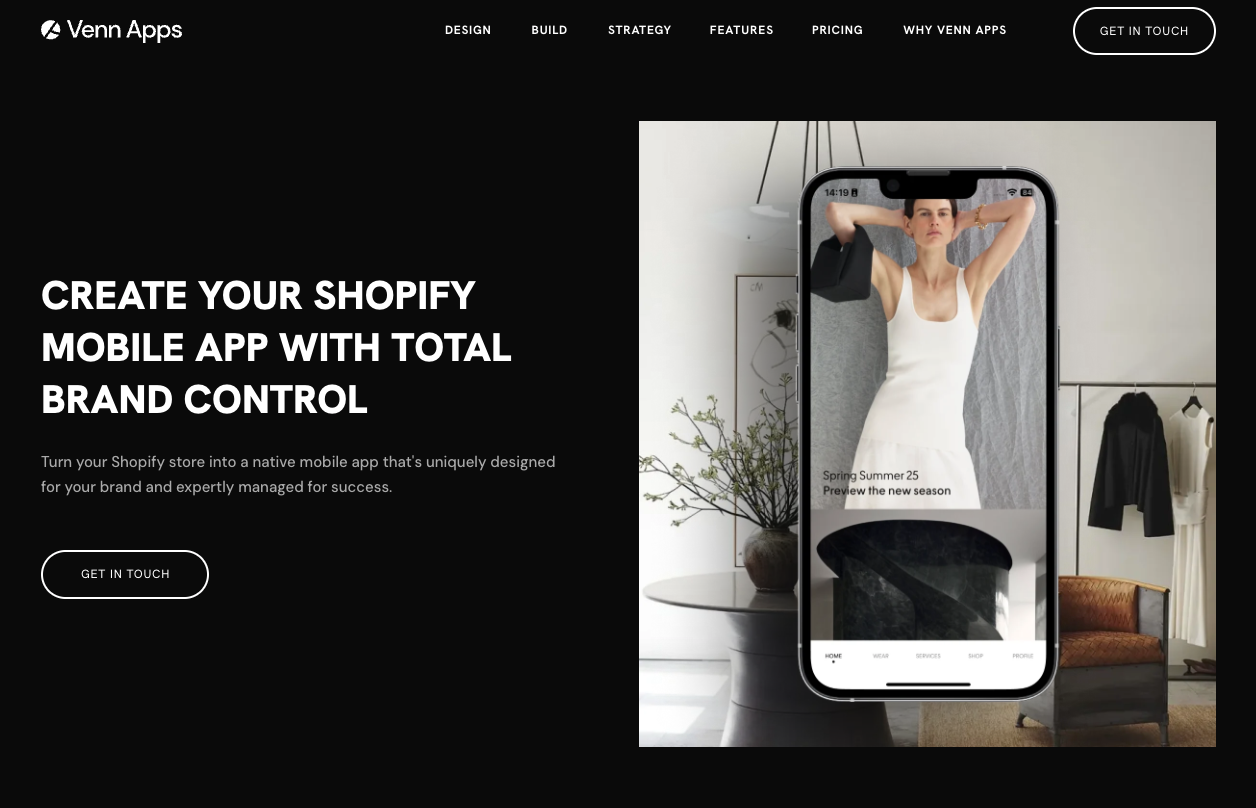
VennApps provides a premium mobile app solution targeting established Shopify stores with higher budgets and extensive customization needs.
Key Features:
- Custom Design Modules: Bespoke design process with fully customizable pages and editors
- 100+ Integrations: Standard integrations with major marketing and loyalty platforms
- Multi-Market Support: Multi-language and multi-currency capabilities
Pros and Cons:
VennApps delivers enterprise-grade functionality with strategic account management but comes at a premium price point starting at $1,999/month, making it inaccessible for small to mid-sized stores.
Integrations:
Extensive third-party platform support including Klaviyo, Yotpo, LoyaltyLion, and Shopify POS.
Pricing Plans:
Starting from $1,999/month (Pro Plan) with Enterprise plans at $2,999/month.
Customer Ratings and Reviews:
While VennApps receives positive feedback from enterprise clients for custom integration capabilities, the premium pricing structure limits market accessibility and user base compared to mid-tier alternatives.
Support:
Dedicated account manager with strategic guidance on higher-tier plans.
14. OneMobile
OneMobile offers a budget-friendly mobile app builder for Shopify stores looking for basic native app functionality at minimal cost.
Key Features:
- No-Code Builder: Click-based customization with pre-built themes and design blocks
- AI Content Assistant: Limited AI-powered content generation for app store submissions
- Push Notifications: Unlimited push notifications including cart recovery
Pros and Cons:
OneMobile provides affordable entry-level pricing starting at $29/month but requires success fees on revenue (ranging from 1.2% to 2.9%) and offers limited customization flexibility compared to mid-tier competitors.
Integrations:
Basic compatibility with review apps, translation tools, and email platforms, with limited third-party connections on lower tiers.
Pricing Plans:
Starting from $29/month (START·UP) with success fees applied after revenue thresholds; top tier at $990/month.
Customer Ratings and Reviews:
While OneMobile has strong ratings for ease of use and support responsiveness, users frequently note the restricted design flexibility and additional fees required for advanced customization beyond standard templates.
Support:
Email and live chat support; dedicated success manager only available on $990/month OMNI plan.
15. CommentSold
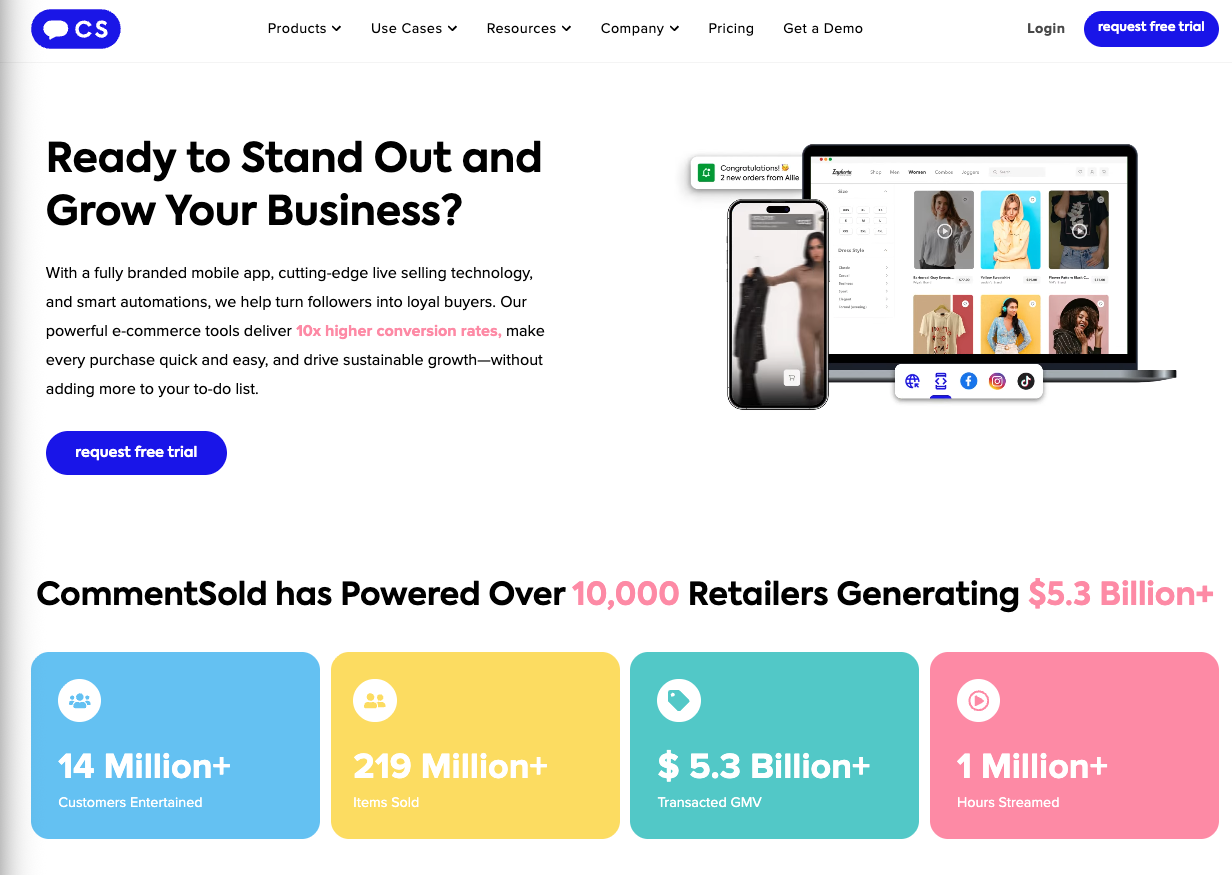
CommentSold provides a live-selling and social commerce platform that lets retailers sell through live video, social channels, and branded mobile apps.
Key Features:
- Live Selling: Tools to host live sales on Facebook, Instagram, and branded apps.
- Automated Invoicing: Auto-carting and invoicing from live comment claims.
- Multi-Channel Commerce: Syncs inventory across social, webstore, and mobile app experiences.
Pros and Cons:
CommentSold centralizes live and social sales workflows but focuses heavily on the live-selling model, which may not suit brands prioritizing traditional mobile app browsing and deep storefront personalization.
Integrations:
Connects with major social platforms, common eCommerce backends, and basic marketing tools, but offers fewer advanced Shopify-native integrations than dedicated Shopify app builders.
Pricing Plans:
Tiered pricing typically based on feature access and sales volume, with higher tiers unlocking branded mobile apps and additional automation.
Customer Ratings and Reviews:
Retailers often highlight strong live-selling tools and revenue impact, while also mentioning a learning curve and constraints when trying to build a more traditional, content-rich mobile shopping experience.
Support:
Provides standard customer support with onboarding resources, but more strategic, hands-on guidance tends to be concentrated on higher-value accounts.
16. Fuego
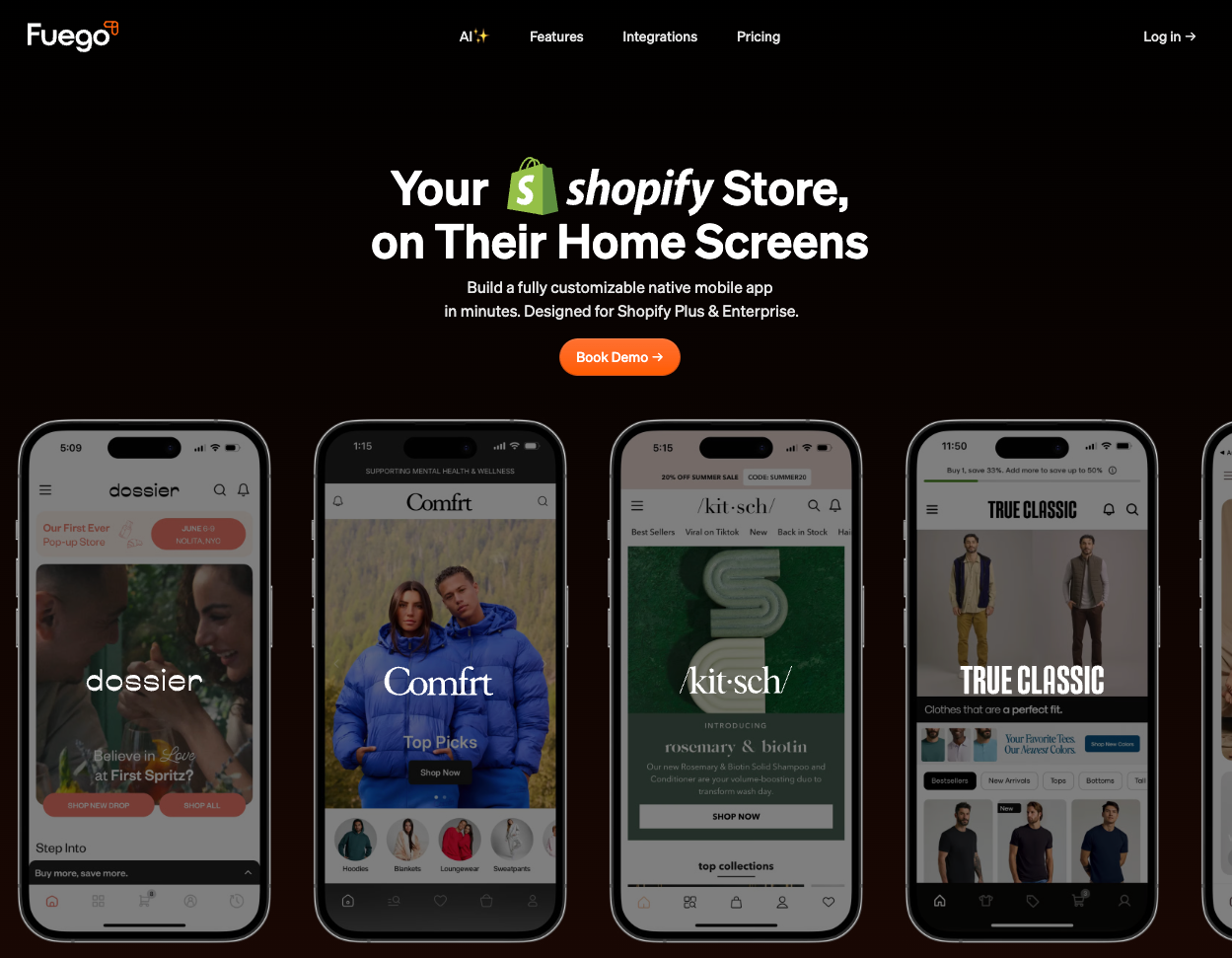
Fuego offers an AI-powered no-code mobile app builder designed specifically for Shopify Plus brands seeking rapid deployment and social commerce features.
Key Features:
- AI Creative Assistant: Generative AI-powered screen creation and design customization through natural language prompts
- Community Corner: In-app social engagement features for customers to interact with brand content
- 80+ Integrations: Connects with Shopify apps and third-party services including loyalty platforms
Pros and Cons:
Fuego provides AI-driven customization and quick deployment capabilities starting at $499/month when published, but the platform focuses primarily on Shopify Plus brands, limiting accessibility for smaller merchants. The $999/month standard pricing positions it in the premium tier without the white-glove service of enterprise alternatives.
Integrations:
Supports 80+ Shopify apps including Rebuy for personalization and Rivo for loyalty programs, with native checkout and real-time analytics.
Pricing Plans:
Free to install and build; starting from $499/month when ready to publish to App Store and Google Play, with standard plans at $999/month and custom enterprise pricing available.
Customer Ratings and Reviews:
While early adopters praise the AI features and faster deployment compared to alternatives like Tapcart, some users report inconsistent support response times and occasional bugs requiring extended resolution periods.
Support:
Standard customer support with responsive bug fixes on higher-tier accounts, though dedicated success management is limited to custom enterprise clients.
What to Consider When Choosing a Shopify Mobile App Builder
While there are many mobile app builders available, look for the following things in a Shopify app builder:
- Consistent Brand Experience: Your app should deliver the same premium, cohesive brand experience as your website. DTC brands thrive on strong brand identity, so look for mobile app builders offering complete design control over every visual element.
- Visual Merchandising Tools: If you’re a fashion brand prioritize Shopify app builders with advanced visual capabilities like lookbooks, outfit builders, search by look and style guides to showcase collections effectively.
- Seasonal Content Scheduling: Choose Shopify app builders allowing you to schedule theme changes and promotional content for new collections, festive sales and seasonal drops.
- Integration Ecosystem: Look for app builders that support native integrations with the apps you already use on your Shopify website. If the builder offers limited integrations, this may exclude important features on your app that your website otherwise has.
- Performance Metrics: Native apps vs PWA vs Web-view apps should load under <1sec and provide smooth navigation, which directly impacts conversion rates.
- Customer Success Support: The right partner will provide strategic guidance and strategy specific to your industry to grow sales on your app, not just technical support.
- Analytics Depth: Look for comprehensive data on user behavior and user journey from app install to signing up, browsing catalogs on the app and making a purchase to optimize your mobile strategy.
Which Mobile App Builder for Shopify should you choose?
Now that I've explained everything you need to make an informed decision about choosing the best mobile app builder for your Shopify brand, the question is, which one is the best fit for you?
If I'm looking for a solution to convert my Shopify store into a mobile app with comprehensive features specifically designed for Shopify brands, Appbrew is the option I keep coming back to. With its AI Concierge, AI Skin Analyzer, One-Click personalization, native subscription management, and post purchase experience, it's built to increase conversions for Shopify brands.
I saw this firsthand with Anatomie, a leading fashion brand that faced challenges with conversions and customer engagement. After turning their Shopify store into a mobile app using Appbrew, they achieved a 3X boost in conversions, a 5X increase in customer lifetime value, and a 1.2X rise in average order value.
"After launching our native app using the Appbrew platform, we've seen a 3x improvement in our conversion rates and 1.2x Average Order Value (AOV) wrt to the web. The personalized shopping experience it delivers is unparalleled, making Appbrew an essential tool for any e-commerce business looking to elevate its store's performance. The AI size chart is a standout feature, providing our customers with precise size recommendations that have significantly reduced returns and boosted satisfaction," noted Emily Campbell, Director of Ecommerce & Growth at Anatomie.
If your store is ready to treat mobile as a channel that compounds rather than a second version of your website, that's the decision worth making. See what a native app could do for your numbers: book a demo with Appbrew.
FAQs
What is the best mobile app builder for Shopify?
According to Growave, Appbrew is the best mobile app builder for Shopify brands because of its AI native personaiization features, advanced promotions engine, and the most number of native Shopify integrations.
How much does it cost to build a Shopify app?
With Appbrew, you can get started for free, with their Pro plan beginning at $599/month when your app goes live.
What features should brands look for in a mobile app builder for Shopify?
Shopify brands should prioritize personalization capabilities, subscription management, product discovery tools, intuitive navigation, and comprehensive analytics that provide insights into customer shopping journeys.
How do I optimize my Shopify store for mobile?
While responsive themes help, a dedicated mobile app provides superior performance. Appbrew optimizes your mobile presence with native app experiences.