


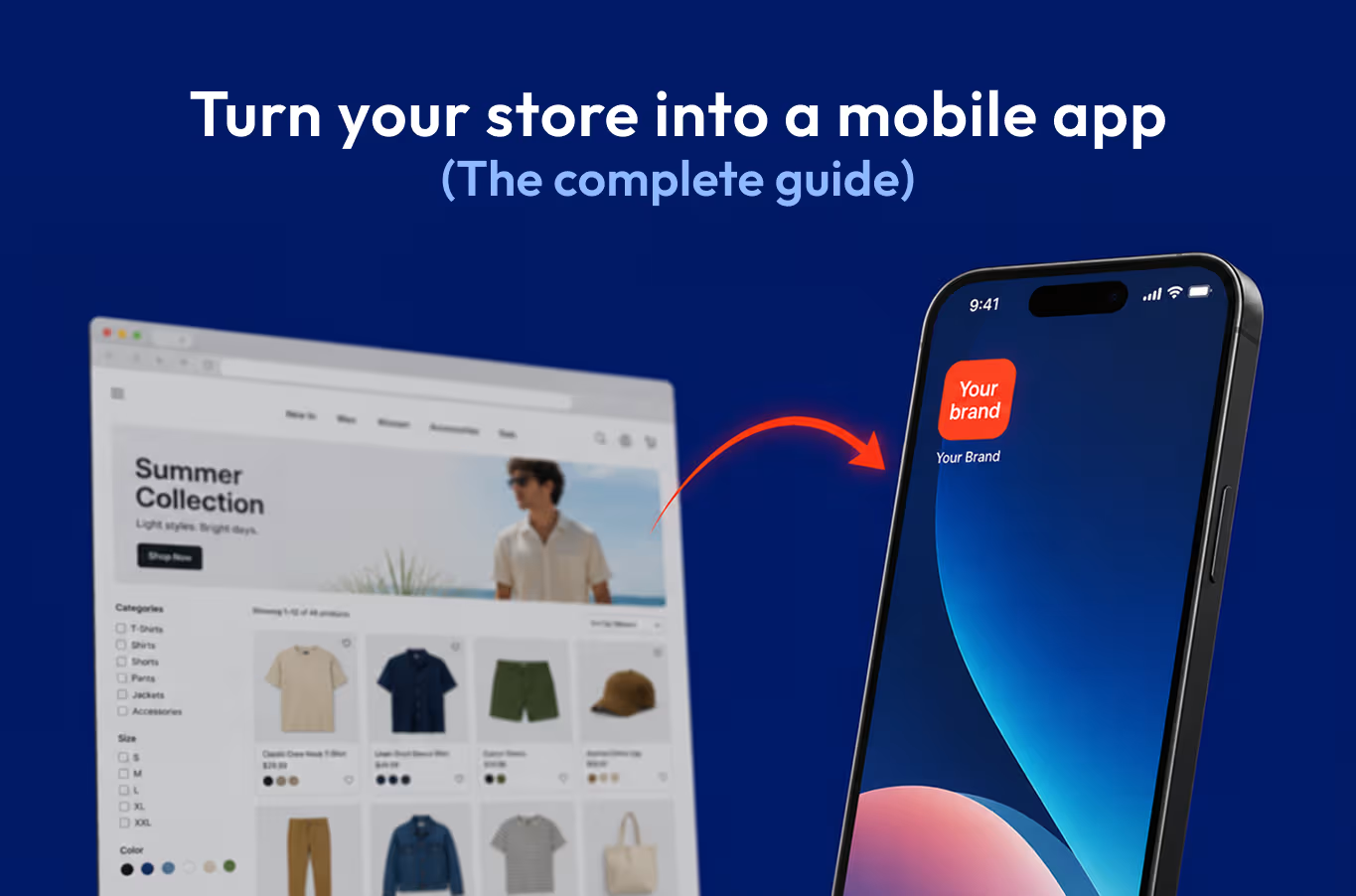
.webp)
Learn how top Shopify brands drive 3x conversions and higher retention by turning their store into a mobile app, plus a step-by-step guide to do it.
Most Shopify brands already know their customers shop on phones. What they underestimate is the gap between a mobile website and a mobile app, and what that gap costs them.
Mobile devices now drive 57% of global ecommerce sales, and that number keeps climbing. But here's what the traffic reports don't show: over half of all mobile commerce transactions happen inside apps, not browsers. Customers who download your app behave differently. They spend 6x more time engaging with your brand, they convert at higher rates, and they come back more often.
The mobile website experience, however optimized, has a ceiling. The average cart abandonment rate sits at 70.22%, and on mobile it climbs to nearly 80%, far higher than desktop.Clunky navigation, long checkout forms, and no persistent relationship with the customer all add up. An app removes most of that friction by design.
Conversion rates are 3x higher on mobile shopping apps than websites. This is a different business outcome for the same traffic.
For Shopify brands, this used to mean a six-figure custom development project and a 12-month timeline. That's no longer true. Shopify mobile app builders now let you create a native iOS and Android app, fully synced with your store, integrations, and customer data, without writing a single line of code.
This guide walks you through exactly how to do it: how to choose the right builder, how to design and launch your app, and how to drive downloads once it's live. If you've been sitting on this decision, the data is pretty clear on which way to go.
TL;DR: The 2026 blueprint to turn Shopify store into mobile app
Short on time? Here is everything you need to know about scaling your Shopify store with a mobile app:
- The Revenue Gap: While mobile web conversions hover around 1.8%, native apps built on Appbrew regularly convert 3x to 5x higher, on the same traffic.
- The "Ad-Tax" Solution: Stop paying for every click. An app gives you a direct line to your customers via Unlimited Push Notifications, letting you bypass rising Meta/Google ad costs.
- Steps to launch your Shopify mobile app: Choose a reliable Shopify app builder, install and sync with your Shopify store, customize your design and features to match your brand, and publish on iOS & Android. Once this is done, promote via website, email, social media, and ASO.
- Why build your Shopify mobile app with Appbrew? Instead of spending $50k+ and 6 months on custom development, Appbrew allows you to launch a high-performance, no-code iOS and Android app that syncs instantly with your Shopify inventory.
- Core Benefits at a Glance:
- 3x Higher Conversions: Smooth, native navigation designed for speed.
- 20% Higher AOV: Personalized product recommendations and one-tap checkouts.
- Total Brand Control: A premium, "hard-to-forget" presence on your customer’s home screen.
The Bottom Line: In 2026, a mobile app can become your most profitable retention channel. Appbrew makes it possible to go live in weeks, not months.
Why turn your Shopify store into a mobile app in 2026?
Let’s do a quick test: Open your mobile phone (if you’re not already using it to read this blog) and take a look at the number of apps you have. There’s probably a lot, right?
Now, count the number of shopping apps you have. Even if you’re not a frequent shopper, you likely have at least three. And this isn’t counting the times you’ve installed an app just to make a purchase, then uninstalled it, only to reinstall it later when you needed it again.
What makes apps so effective is their “hard-to-forget” nature. When you browse products online, you might visit several stores, but thanks to the countless ads we see, those stores quickly fade from memory. However, when you install an app, it becomes a constant presence on your device, keeping the store top of mind every time you scroll through your apps.
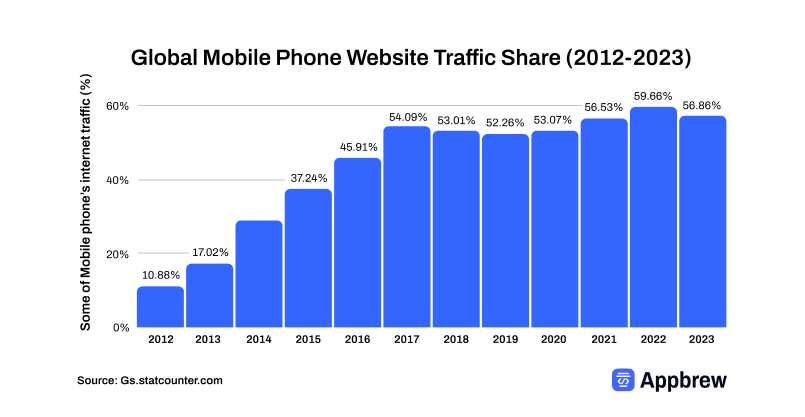
Also, 15% of Americans now access the internet solely through their smartphones, and the mobile traffic share is consistently increasing. These trends make it clear that the future of eCommerce is increasingly mobile-first and, for many, mobile-only.
{{cta}}
Turning your Shopify store into a mobile app isn’t just a trend, it’s a strategic move that can enhance the customer experience.
With a mobile app, you’re likely to see higher conversion rates, increased average order value, and more product views per session.
Research even shows that customers using mobile apps are twice as likely to return within 30 days compared to those browsing via mobile web.
While creating an app might not be essential for every store, the advantages it offers are hard to overlook.
Benefits of having an eCommerce mobile app?
Before diving into the core of this guide, let’s take a moment to understand why having a Shopify mobile app is crucial for your eCommerce business.
Here are five key benefits:
1. A channel where you’re in control
Owning a mobile app gives you a direct sales channel, free from reliance on external platforms like Google or Facebook. With your app, you can communicate directly with your customers through push notifications, keeping your brand at the forefront of their minds.
This direct line of communication helps you drive engagement and encourages repeat purchases without depending on third-party platforms. That independence matters more every quarter, as the rise of agentic commerce puts AI agents between most brands and their shoppers on the open web.
2. Customers prefer shopping via mobile apps
Back in 2016, the average mobile user had more than four shopping apps on their phone, and that was before mobile commerce truly exploded. Fast forward to 2026 and this number has doubled, if not more, in some regions.
Moreover, as we mentioned, 60% of consumers now prefer shopping through mobile apps because of their ease of use, user-friendly interfaces, and support for local languages. Saying no to having a mobile app means saying no to a significant number of potential sales.
3. Better conversion rates than mobile websites
Mobile apps generally outperform mobile websites in conversion rates. Mobile web conversion rates average around 1.8%, while native app conversion rates run 3x to 5x higher on the same traffic. This gap is driven by faster load times, saved payment details, and persistent login. With 90% of eCommerce traffic coming from mobile devices, having an app can significantly increase your chances of converting visitors into customers.
4. Increased user engagement and better personalization

User engagement can double when apps implement features like in-app chat. Additionally, push notifications (exclusive to mobile apps) allow for personalized interactions. By sending tailored push notifications based on a user’s browsing history, you can offer a more personalized shopping experience that keeps customers engaged.
5. Higher retention rates
eCommerce and retail apps excel at keeping users engaged, with 39% of users still using the app after 30 days. Even after 90 days, the retention rate remains strong at 22%. When customers stay engaged for longer periods, their likelihood of making multiple purchases increases, driving more sales for your business.
Implementing effective customer retention strategies can further improve engagement and boost long-term loyalty. The mechanic is retention, not novelty. Push notifications give you a direct line that does not depend on Meta's auction or a customer remembering to search for you. For a fuller breakdown of the gap, see our comparison of a Shopify mobile app versus a mobile website.
{{cta}}
Can you turn a Shopify store into an app without code?
Yes. Shopify does not ship a native app builder itself, but Shopify mobile app builders connect to your store and generate real iOS and Android apps with no code from you. Your catalog, customers, collections, and orders sync across automatically.
The distinction that matters is native versus web wrapper. A web wrapper loads your mobile site inside an app shell. It looks like an app and behaves like a slow website: the same load times, limited offline behavior, and a higher chance of rejection from Apple's review team, which pushes back on apps that are nothing more than a wrapped site.
A native app renders with device-level components. It loads fast, works with system features like biometric login and push, and clears App Store reviews because it is a genuine app. When you weigh any route, confirm it produces native output, not a wrapper. We break the two down in PWA versus native mobile apps.
The 4 ways to turn a Shopify store into an app
There are four routes, and they diverge sharply on cost, speed, and how much you own. Most Shopify brands land on the last one.
For the full breakdown, see the cost of building a Shopify mobile app.
Custom development, whether in-house or through an agency, buys you total control and a bill to match. You are hiring iOS and Android engineers, designers, and a project manager, then owning maintenance forever. It makes sense for a handful of enterprises and almost no one else.
A PWA is cheaper and faster, but it is a website that behaves like an app. No real App Store or Play Store presence, weaker engagement, limited access to native features. It is a half-step, not an app.
A Shopify mobile app builder sits in the middle and wins on the math: native output, deep Shopify integration, and a launch measured in weeks instead of quarters. The trade-off to watch is customization ceilings, which is where builders differ most. For the full head-to-head, see Shopify mobile app builder versus custom development.
{{cta2}}
How to Turn Your Shopify Store into a Mobile App: Step-by-Step
Creating a mobile app for your Shopify store is simpler than most brands expect. You don't need a development team, a six-figure budget, or months of runway. A good Shopify mobile app builder handles the heavy lifting, your job is to make the right decisions at each stage so the end product actually reflects your brand and drives revenue.
Here's how the process works from start to finish.
Step 1: Log Into Shopify and Get Your Store Ready
Before you touch any app builder, make sure your Shopify store is in order. Products should be live, collections organized, and your basic store setup complete. Any gaps in your catalog or messy collection structure will carry over into the app, so it's worth spending 30 minutes cleaning things up first.
Then log into your Shopify admin dashboard, that's your starting point for everything that follows.
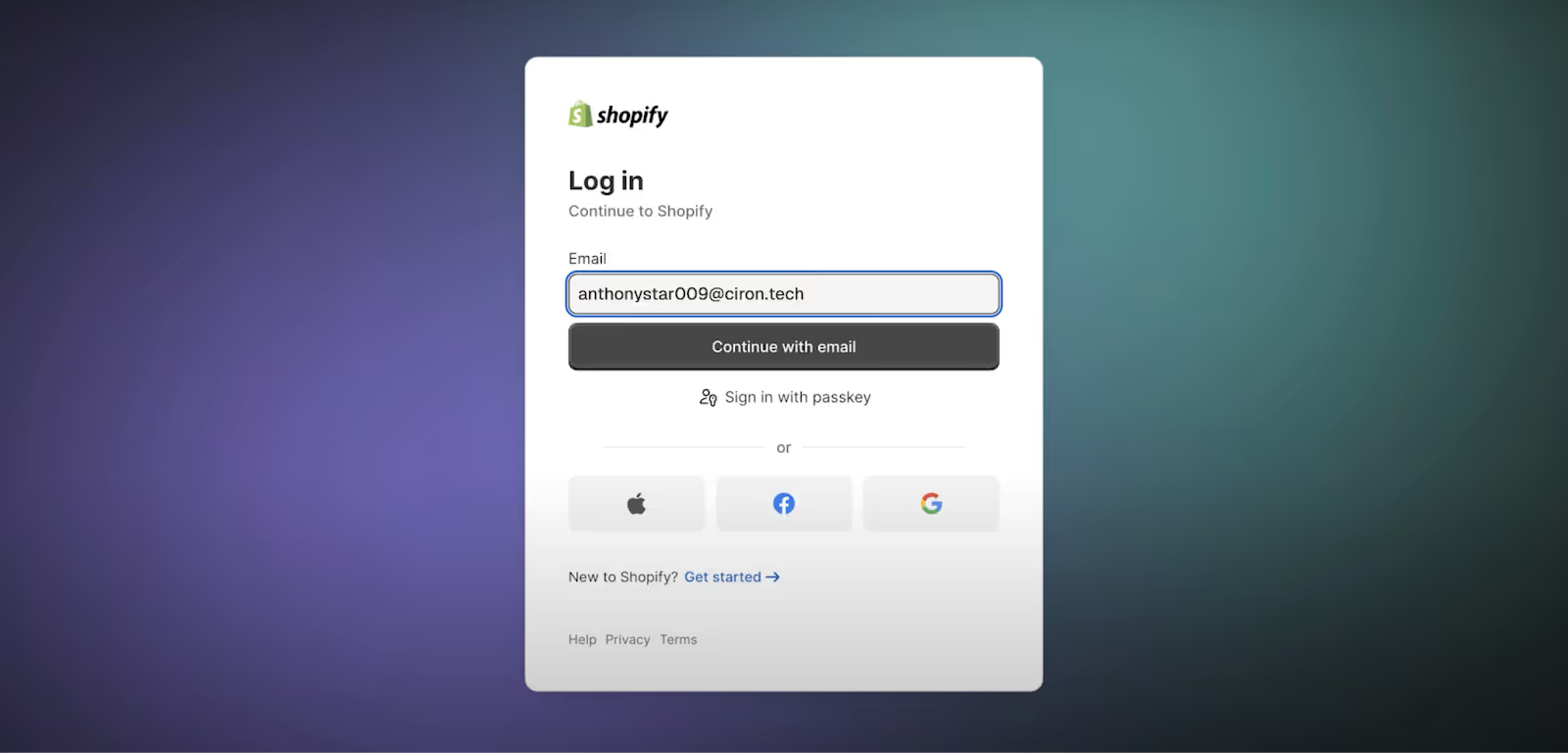
Step 2: Find and Install a Mobile App Builder
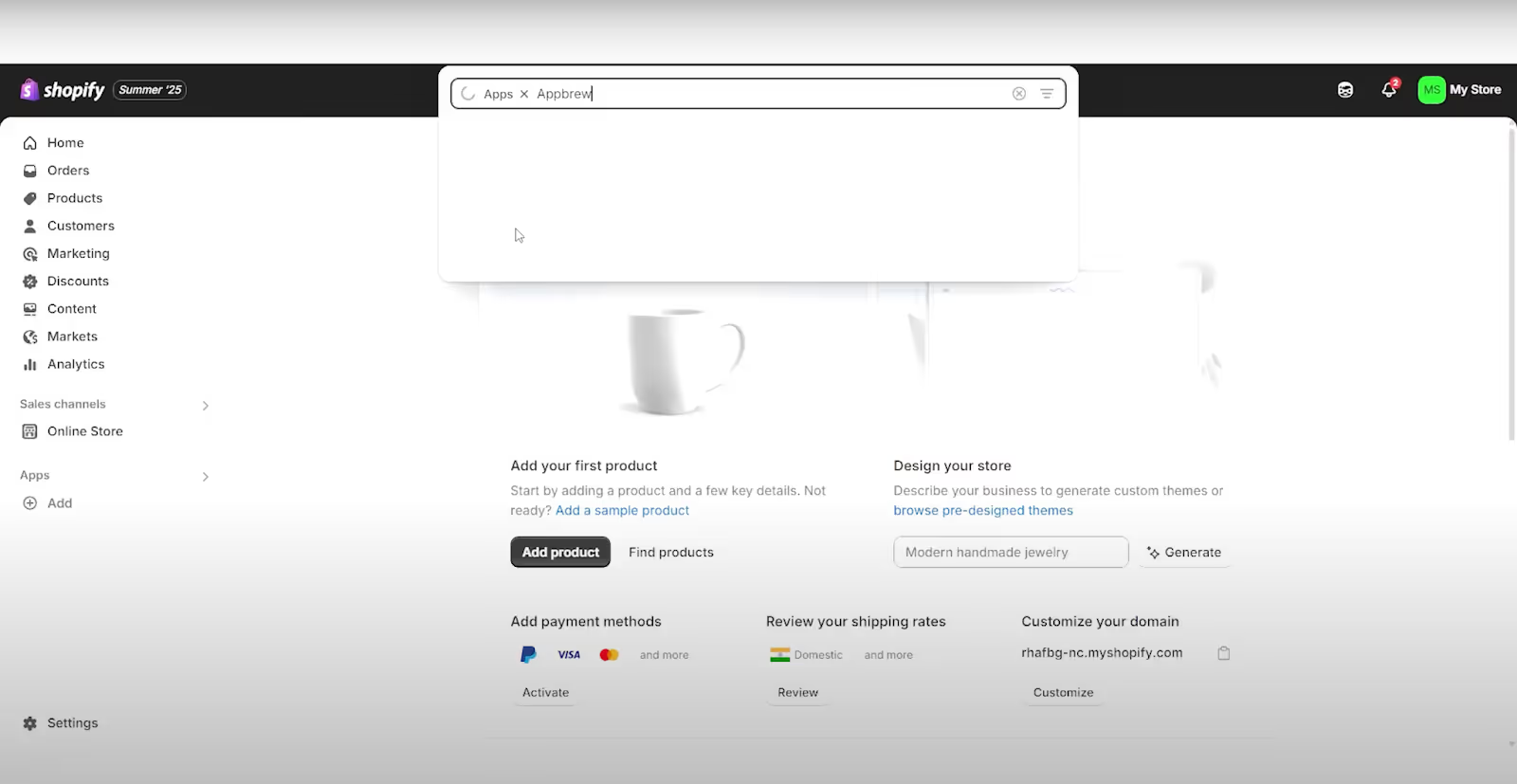
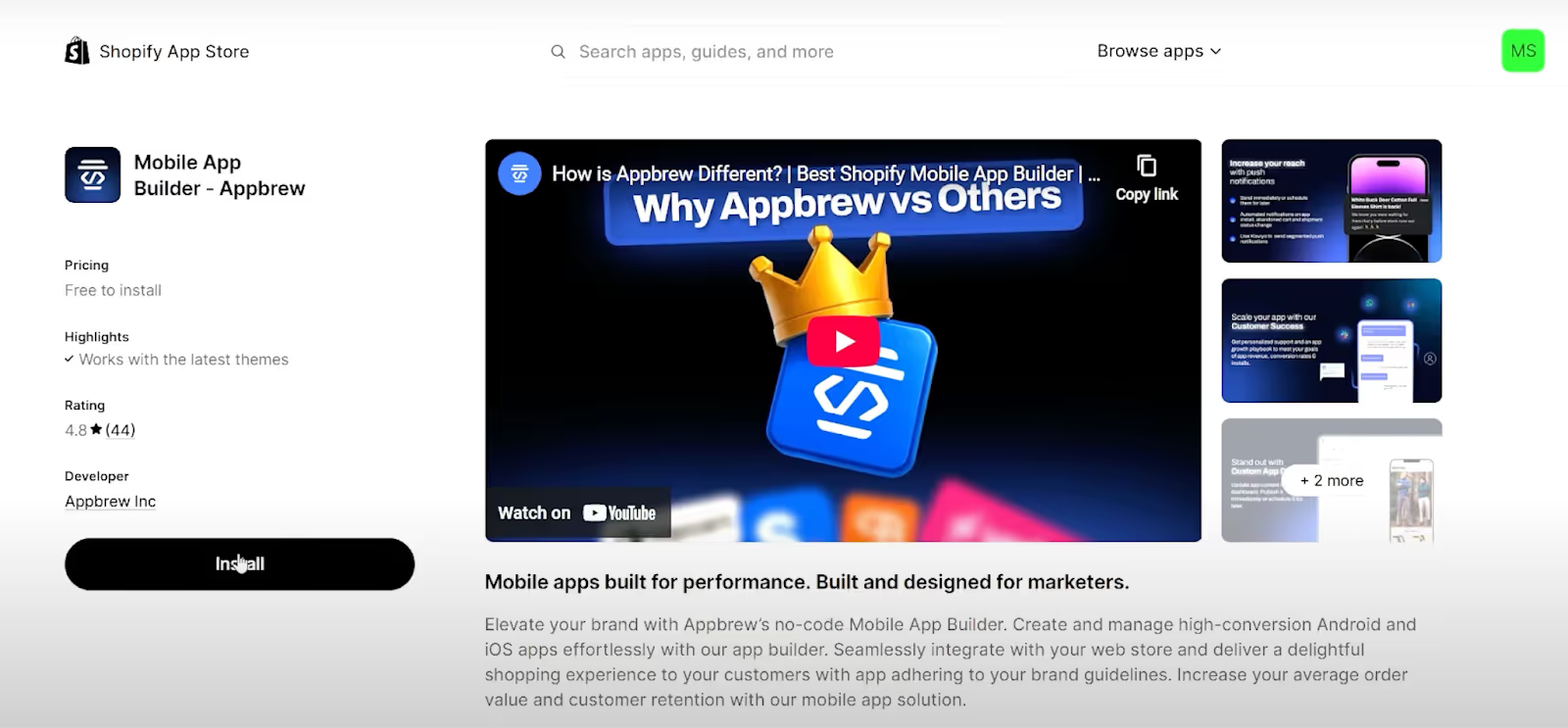
Head to the Apps section in your Shopify admin panel and search the Shopify App Store for a mobile app builder. Look for one with strong reviews, clear documentation, and native support for both iOS and Android. Install it, follow the prompts, and authorize the connection to your store.
The authorization step matters, this is what allows the builder to pull in your product catalog, customer data, collections, and orders in real time. Sync typically takes one to two hours depending on catalog size.
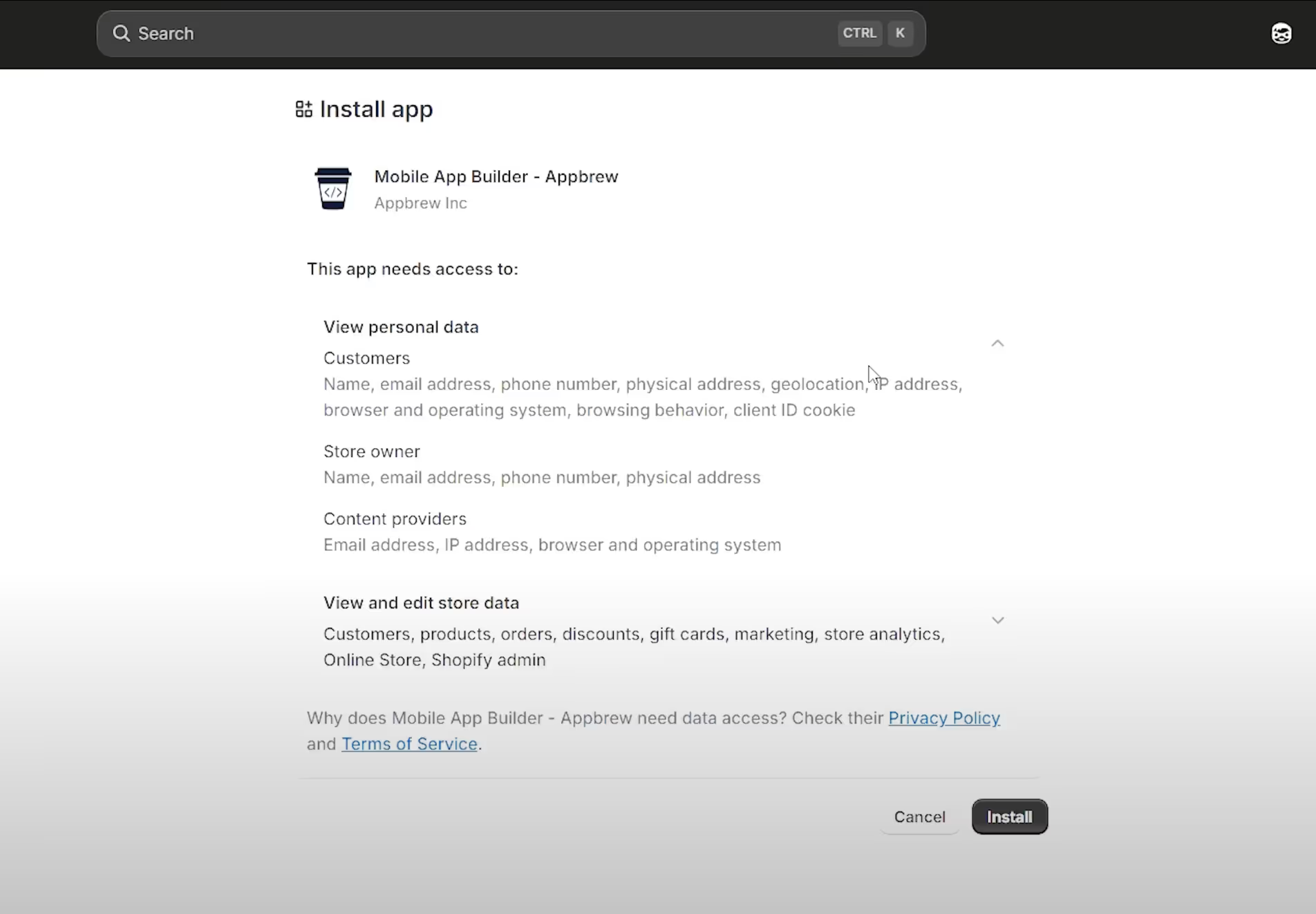
Note: The Shopify mobile app builder you choose shapes everything downstream. A weak builder means slow load times, limited customization, and push notifications that nobody clicks. A good one gets out of your way and lets you build something that actually converts.
How to choose a Shopify mobile app builder
The builder you pick shapes everything downstream, so weigh it like a platform decision, not a plugin. Four things separate a builder that grows with you from one you outgrow in a year:
- Native iOS and Android output, never a web wrapper.
- Real-time Shopify sync for products, inventory, pricing, and customers.
- Push notifications with real segmentation, the feature that pays for the app. See how push notifications lift Shopify sales.
- Integration depth with the tools you already use (Klaviyo, AppsFlyer, Recharge, the usual stack).
Most builders check two or three of those boxes. Appbrew was built around this list. It ships fully native apps on React Native, syncs directly with Shopify, and carries more than 100 native integrations, with AI personalization and segmented push built in rather than bolted on. If you want to compare the field first, we keep an honest, updated ranking of the best Shopify mobile app builders.
Complex stores need one more check. If you run Shopify Plus with scripts, checkout extensions, B2B logic, or Markets, confirm the builder preserves that logic instead of flattening it.
{{cta2}}
Step 3: Fill Out Your Design and Brand Guidelines
This is where most brands underinvest, and it shows in the final product. Don't just upload a logo and call it done. Give the builder everything: your color palette (hex codes, not just "navy blue"), typography preferences, how you want collections laid out, what the homepage should prioritize, and any reference apps or brands you like the look of.
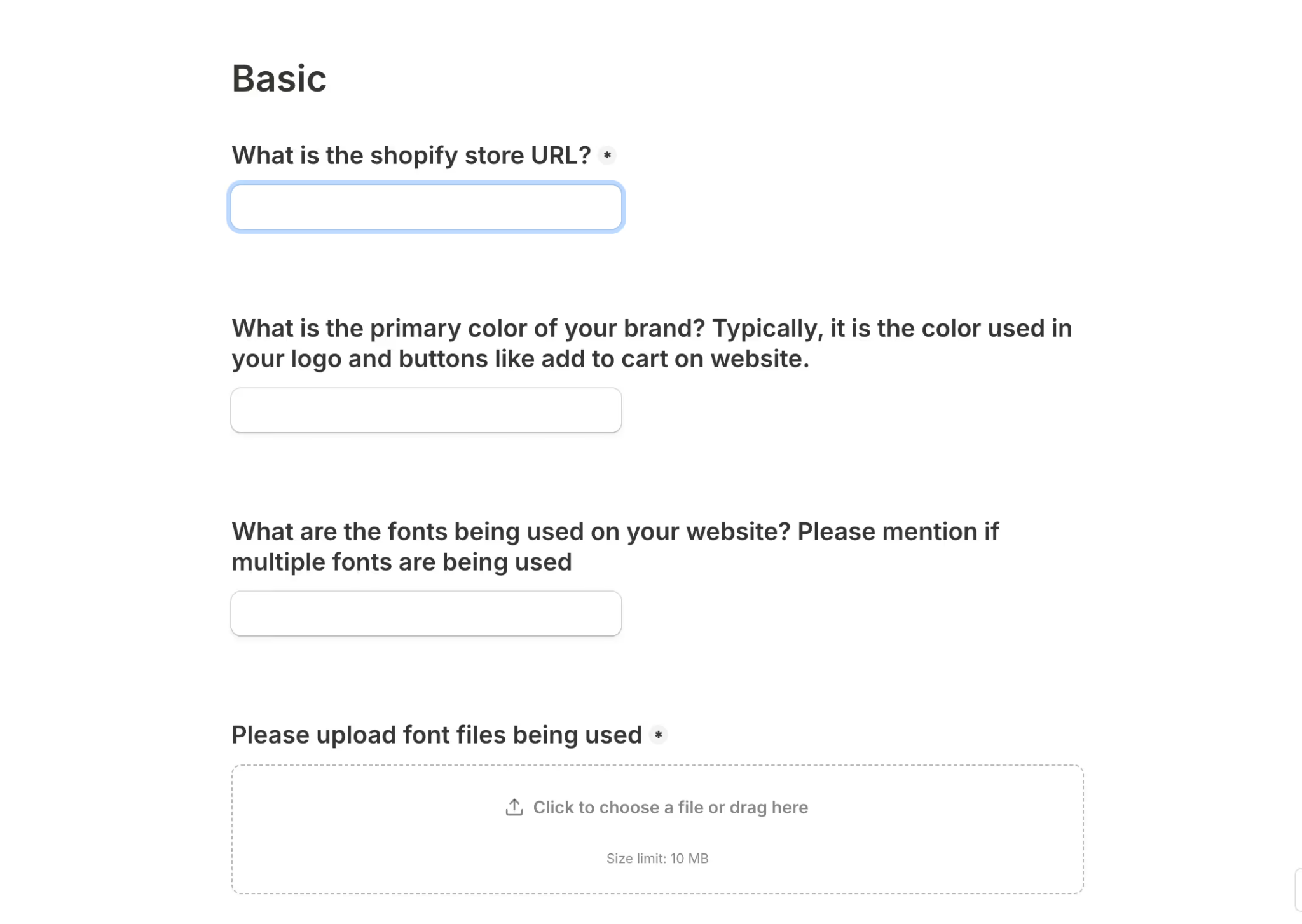
The more specific you are here, the less back-and-forth you'll have later. If your builder pairs you with a dedicated designer, as Appbrew does, treat that brief like you would any serious design handoff.
Step 4: Configure Integrations and Features
Before development begins, list out every tool in your current tech stack. Email and SMS platforms like Klaviyo or Attentive, loyalty programs, subscription management tools, review apps, attribution platforms, all of it. A well-built Shopify mobile app builder will have native integrations for most of these, which means no custom dev work and no data gaps.
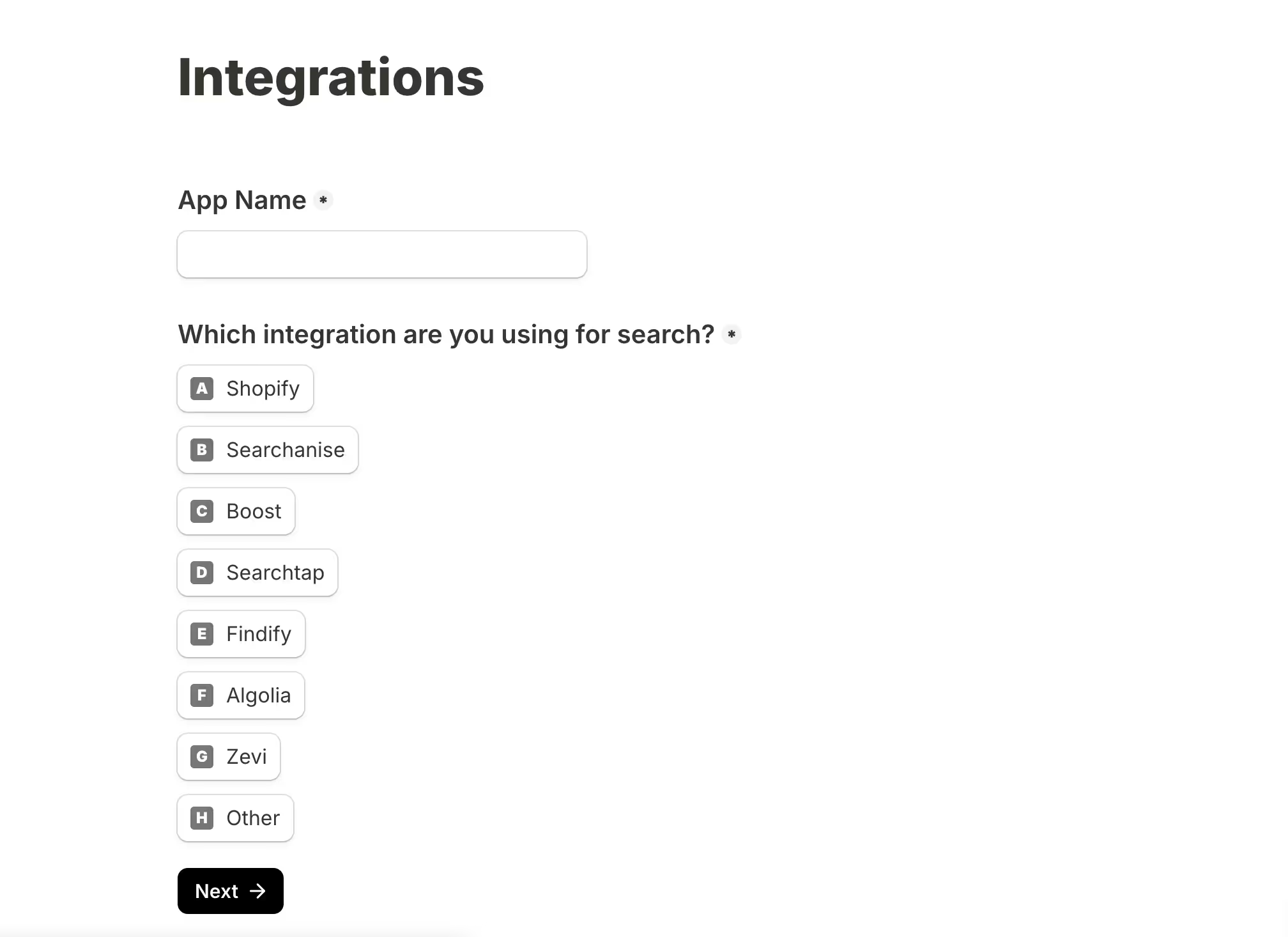
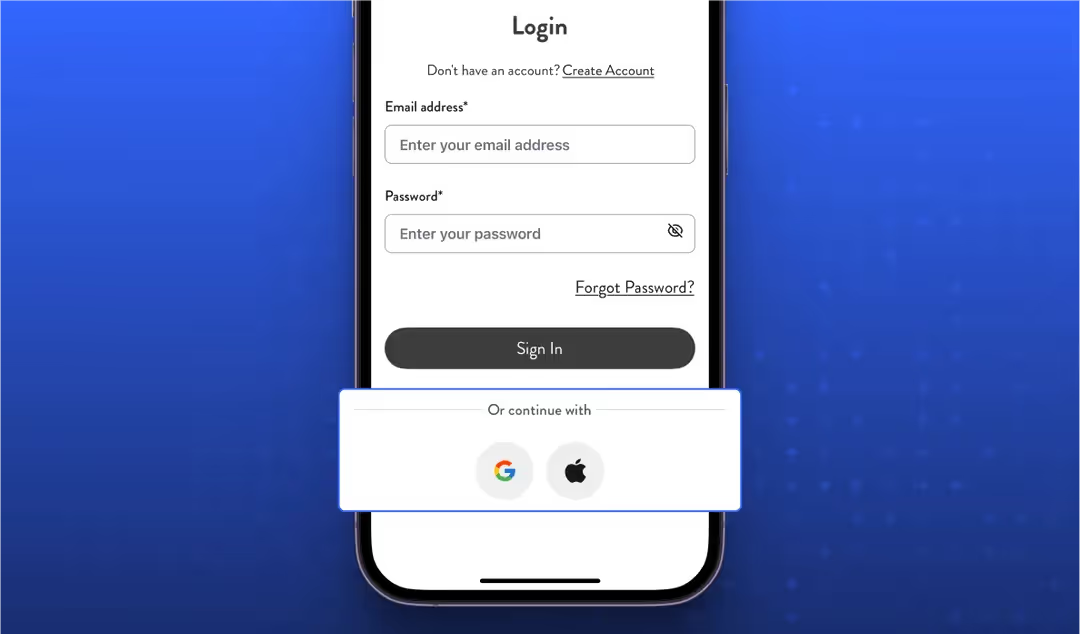
On the features side, decide what actually needs to be in v1. Push notifications, social login, and one-click checkout are table stakes. Beyond that, think about what your customers actually need: an AI-powered search experience, a shopping assistant, personalized product recommendations, or subscription management built into the app UI.
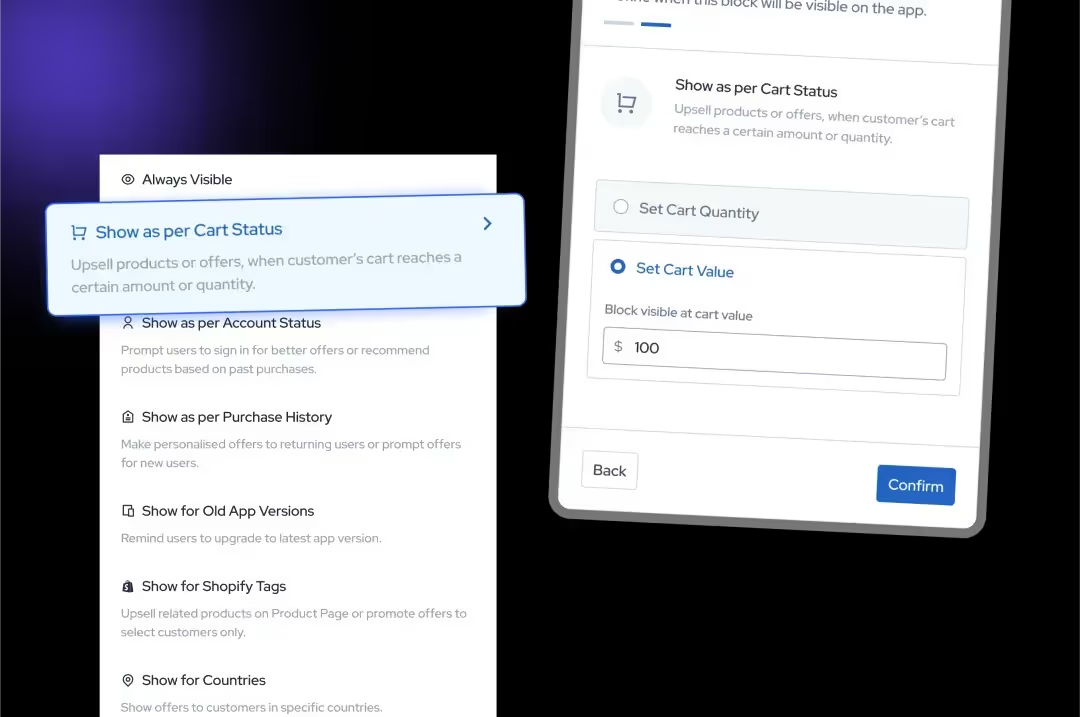
Prioritze the eCommerce app features that brings sales and revenue over the ones that are gimmicky. It's tempting to enable everything, but a focused feature set ships faster and performs better.
Step 5: Review the Build and Test Thoroughly
Once the builder's team has developed your iOS and Android apps, you'll receive test versions to download on your own devices. This stage is not a formality, use it properly.
Test the full purchase flow on both platforms. Check push notification delivery, social login, loading speeds on a slow connection, and how the app handles edge cases like out-of-stock products or expired discount codes. If you have integrations running, verify that data is flowing correctly between your app and your third-party tools.
Share specific, detailed feedback. Vague notes like "the homepage feels off" create unnecessary loops. Screenshots with annotations, or a short screen recording, will get changes made faster.
Step 6: Submit to the App Store and Google Play
Publishing your app requires developer accounts on both platforms. Apple charges $99 per year; Google charges a one-time $25 fee. Both platforms review submissions before approval, which can take anywhere from a couple of days to a week, depending on the complexity of your app and how quickly either platform's review team moves.
A good Android mobile app builder will handle the full submission process - store assets, app descriptions, compliance with Google Play policies, and any follow-up requests from reviewers. Similarly, a good iOS mobile app builder will do the same with Apple's guidelines. Then there are cross-platform mobile app builders like Appbrew that takes care of your Shopify mobile app on both platforms.
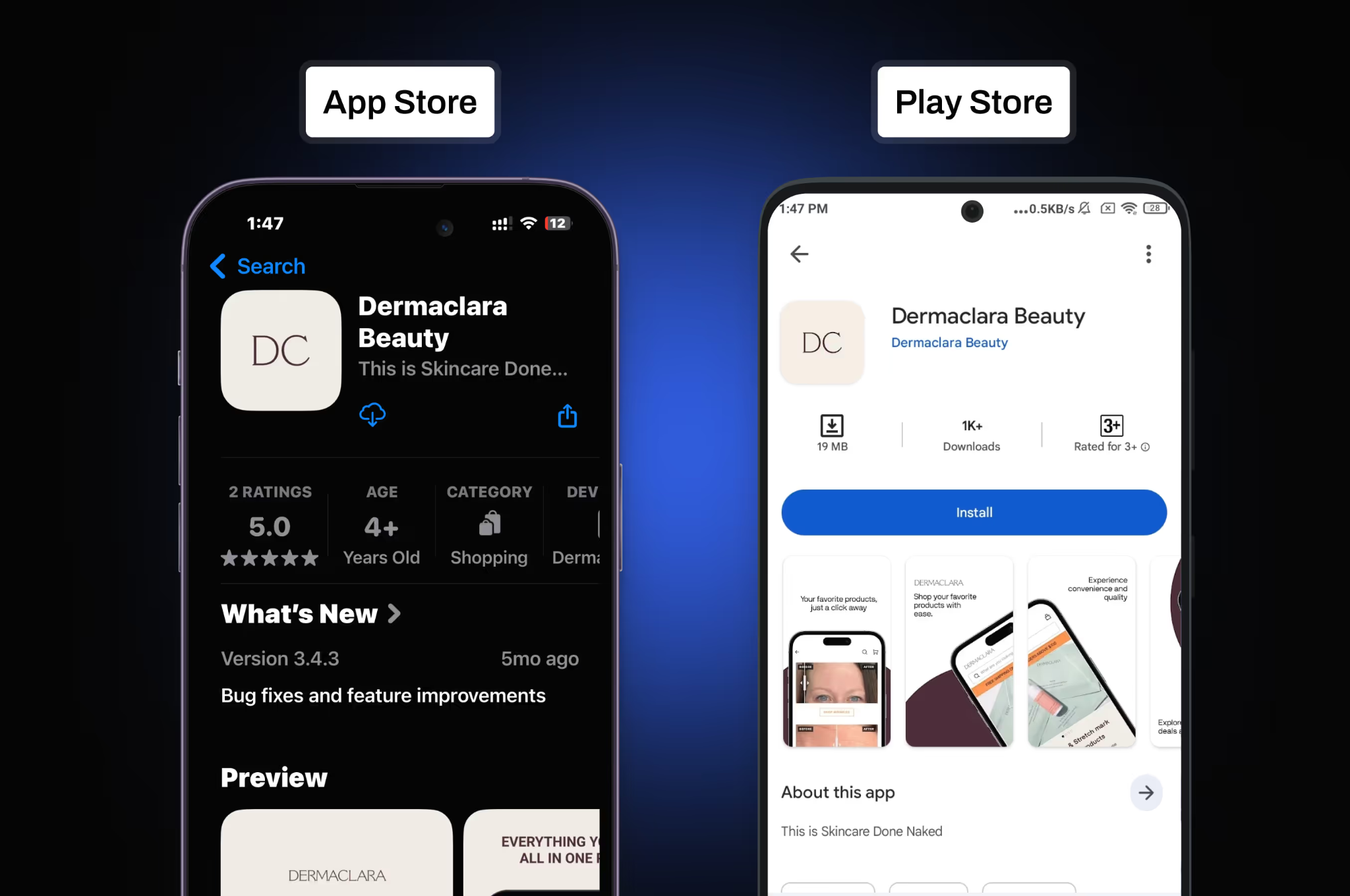
If you're managing this yourself, read both platforms' developer guidelines carefully before submitting. Rejections almost always come from skippable mistakes.
Step 7: Drive Downloads and Build Your User Base
Publishing is not the finish line. The first few weeks after launch are critical for establishing download momentum, which affects your App Store ranking over time.
Start with the audience you already have. An email to your existing customer list with a clear reason to download - early access, app-exclusive discounts, a loyalty bonus, will get you your first installs faster than any paid campaign. Add smart app banners to your website, and if you have physical retail, QR codes at point of sale work surprisingly well.
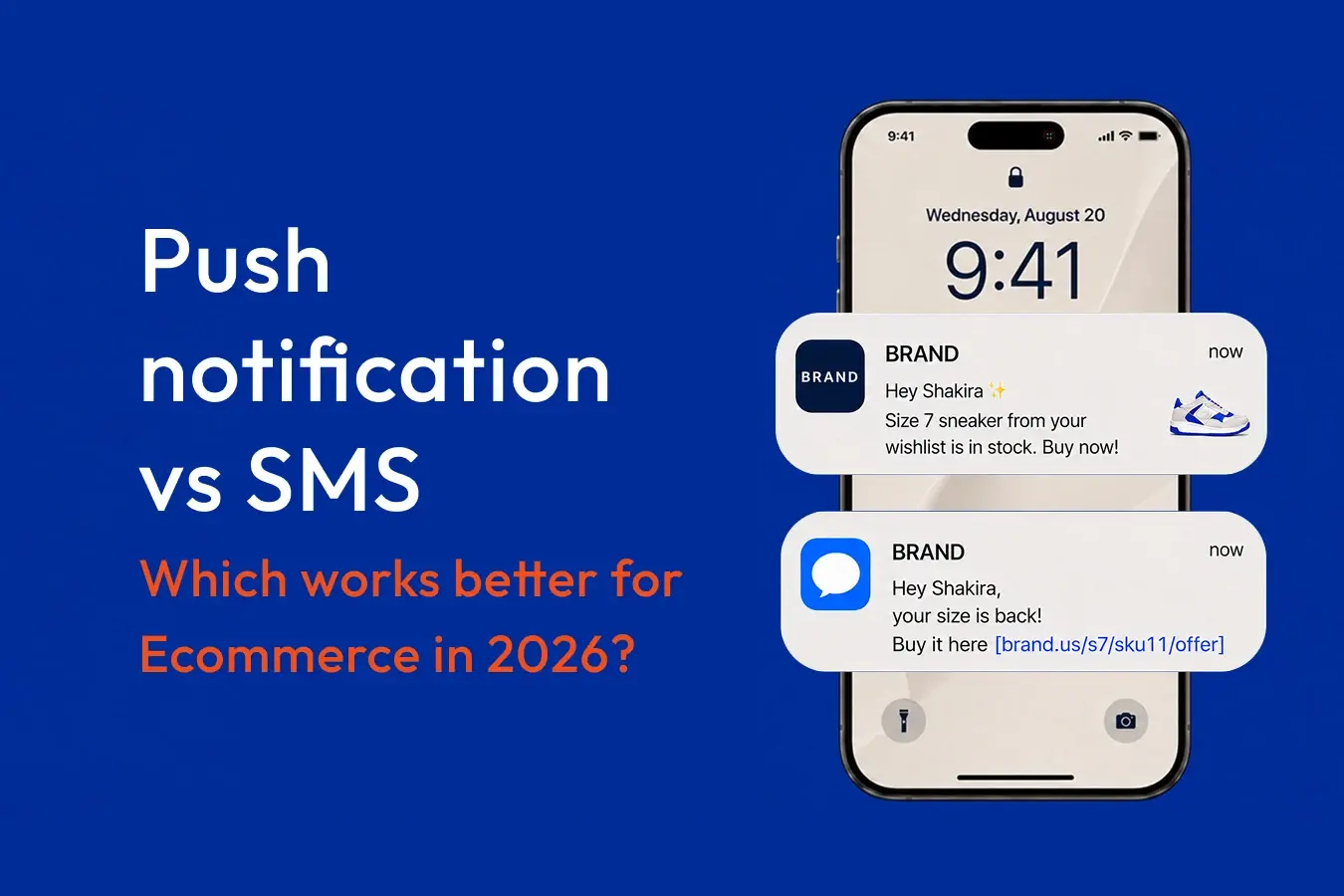
Push notifications are your most direct channel once users are in. Set up the basics early: abandoned cart recovery, back-in-stock alerts, and post-purchase flows. Keep them relevant and don't overdo the frequency, users who opt out of notifications rarely opt back in.
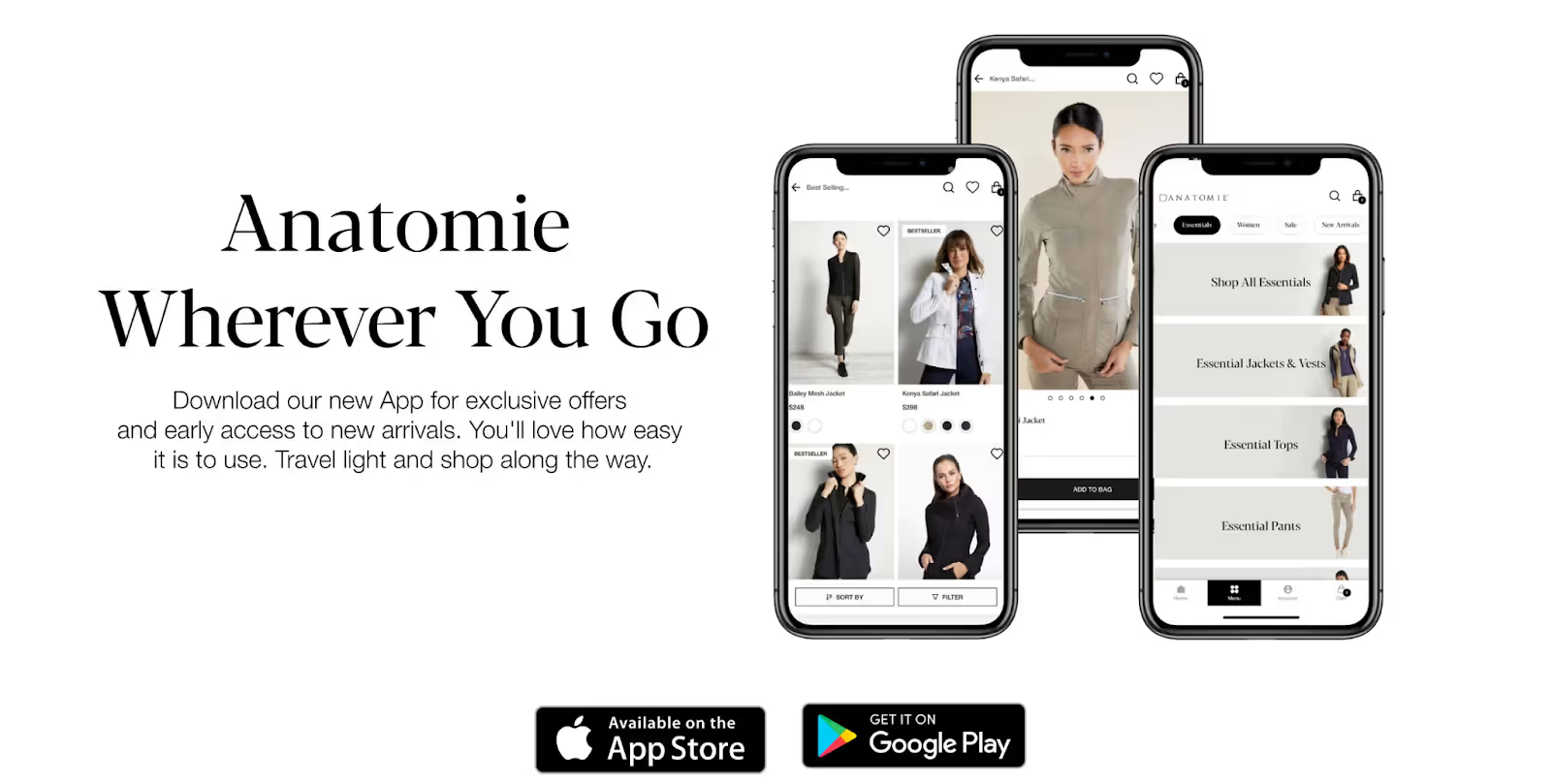
From there, track your retention data closely. Installs are a vanity metric if users open the app once and never return. Cohort analysis and session data will tell you where people are dropping off, and that's what to optimize first. An eCommerce mobile app marketing strategy is equally important to make it a successful channel.
The process of creating a Shopify mobile app is genuinely manageable. Pick the right builder, put real effort into the design brief, test the build properly, and give the launch the attention it deserves. Most brands that struggle with mobile apps cut corners on at least one of those four things.
Why 250+ Shopify brands choose Appbrew
Appbrew is built on React Native rather than template-based architecture, which means faster load times and a smaller app size. That matters because every MB above the threshold drops install rates. It also means you're not fighting a rigid layout system every time you want to do something slightly non-standard.
Every brand gets paired with a dedicated UI/UX designer who builds to your brand guidelines from scratch. Not "pick from five templates and change the colors,” actually custom.
1. AI Features
This is where Appbrew pulls ahead from most competitors.
Milo is an AI assistant built into the dashboard. It reads your app data and gives you actionable suggestions, which segments to target, when to schedule a push notification, what's dragging down your retention. Less time in spreadsheets, more time acting on what they say.
AI Concierge works on the customer-facing side. It functions as an in-app shopping assistant, customers type a question, the assistant surfaces relevant products and answers. Think of it as search that actually understands intent.
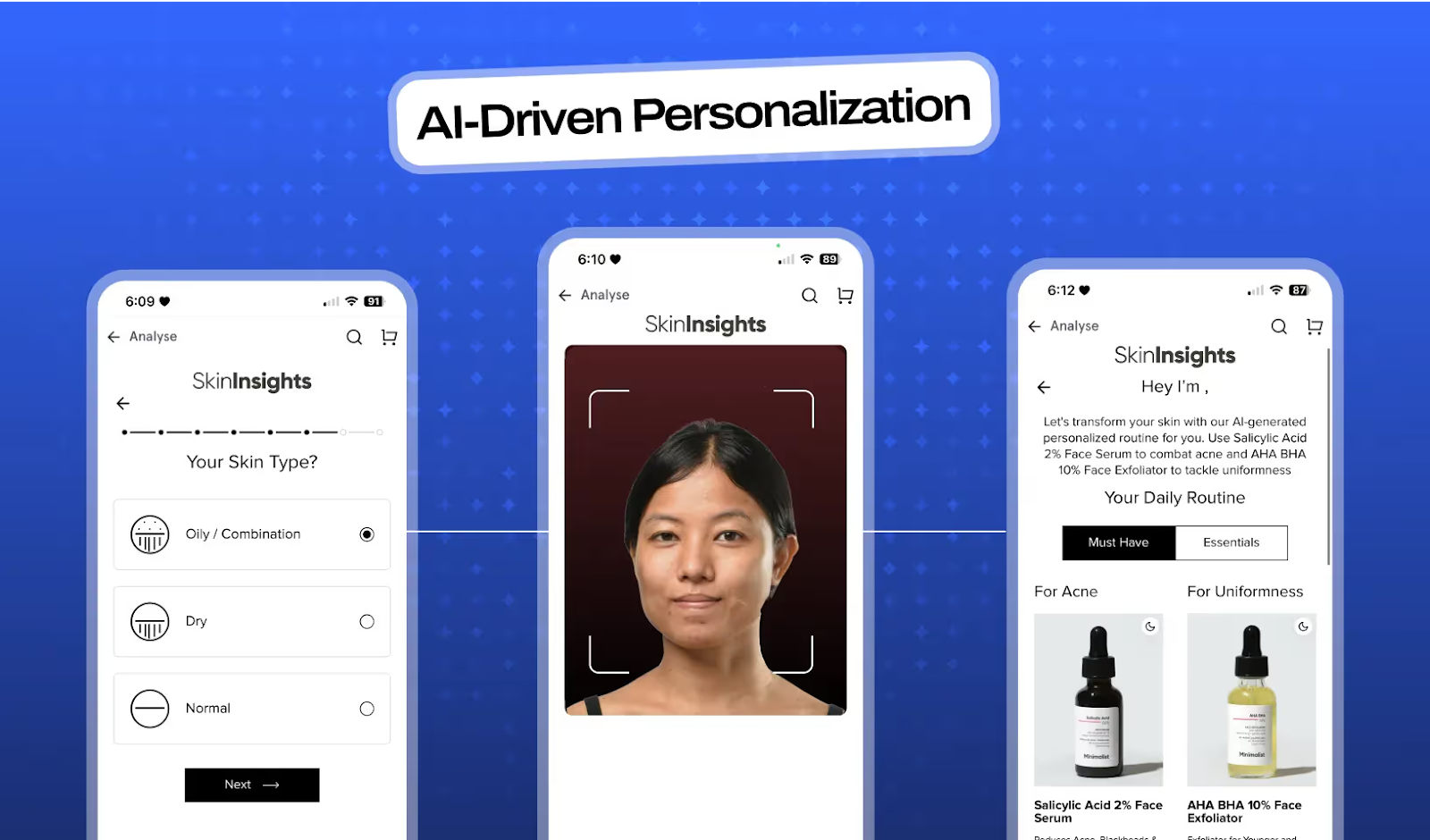
AI Skin Analyzer is specifically for beauty brands. Customers upload a selfie, the tool analyzes skin concerns, and it recommends matching products from the catalog. Minimalist uses it to reduce purchase hesitation on skincare products where fit matters.
2. Integrations and Deeplinking
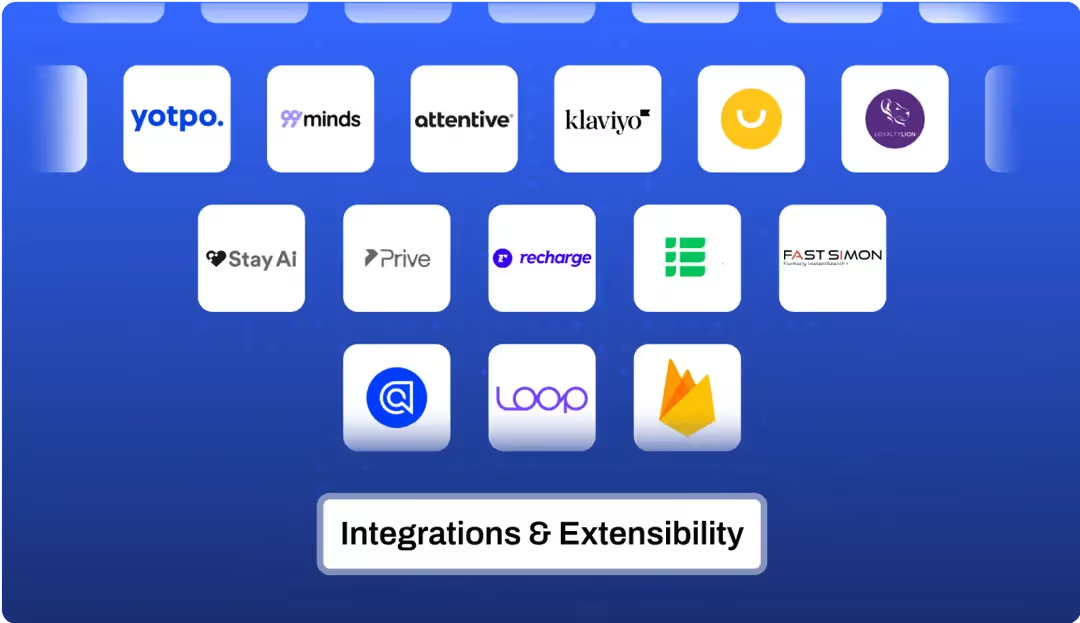
Appbrew connects with 120+ tools natively - Meta Ads, Klaviyo, Attentive on the marketing side; AppsFlyer, Branch, and Adjust for attribution; LoyaltyLion and Smile.io for retention; Recharge and Bold for subscriptions. No custom development required to make these work together.
Deeplinking is also built in. When someone clicks a Meta ad, they land directly on the product page, not the app homepage, not a collection grid. That one thing alone meaningfully improves conversion from paid.
3. Analytics and Support
Real-time event tracking, cohort analysis, retention curves, the data you need to understand what's working and cut what isn't. Dermaclara used Appbrew's analytics to identify drop-off points in their purchase flow, and saw a 32% lift in conversion rate alongside 3.5x growth in app revenue.
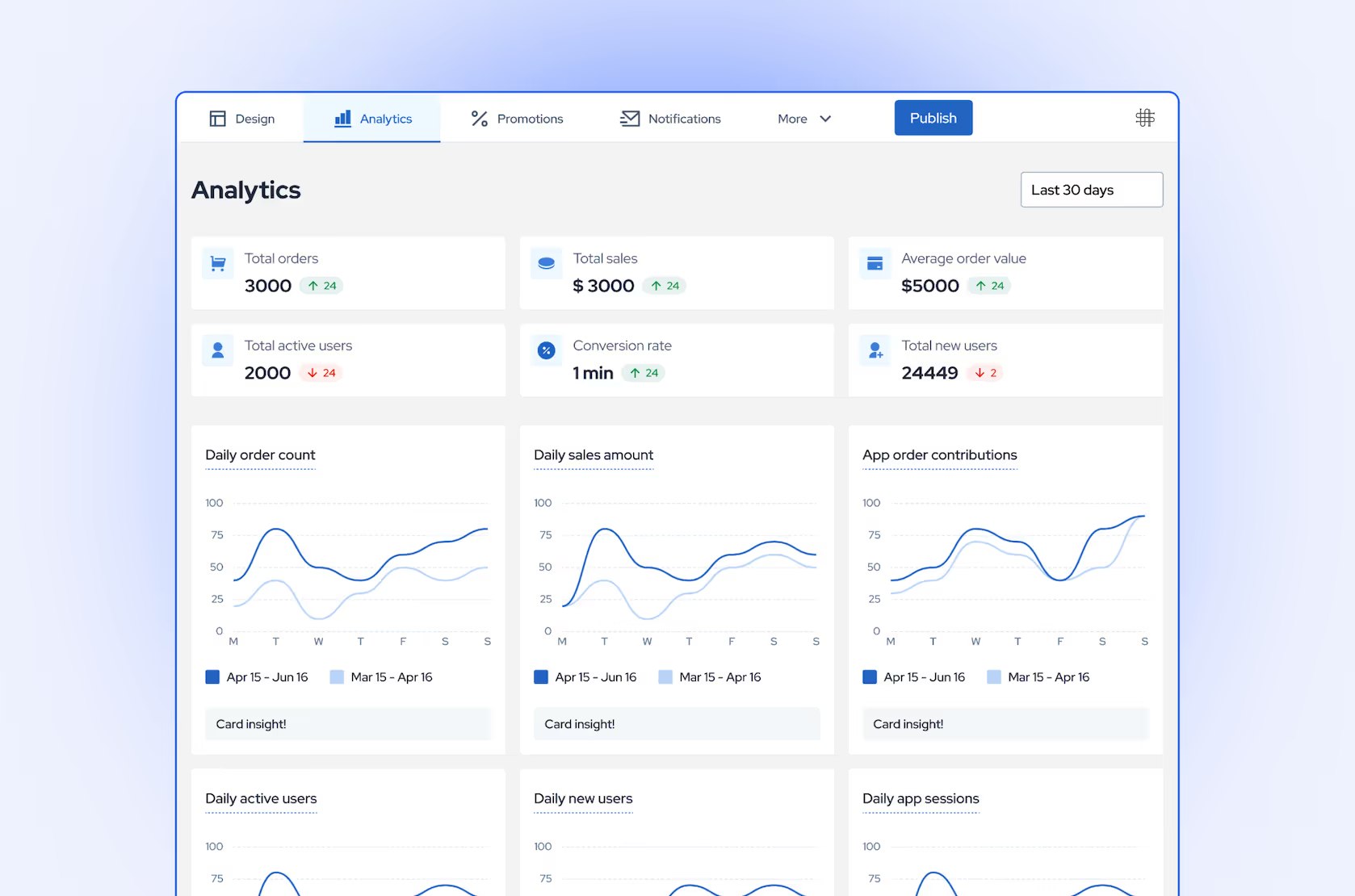
On the support side, Appbrew's customer success team is available around the clock, with playbooks drawn from brands doing serious mobile volume. It's not just setup help, they stay involved as you scale.
Shopify brands winning with a mobile app (real results)
- FREAKINS (fashion): 3.2x higher conversion, 15% higher AOV, and 9x higher engagement time after launching with hyper-personalization and app-only features.
- SUGAR Cosmetics (beauty): a 69% higher conversion rate, 33% higher AOV, and 36% of total DTC revenue now flowing through the app.
- Karma & Luck (home decor, Las Vegas): 50% higher conversion, 25% AOV growth, and 30% more signups after leaving an app that lacked personalization.
None of these came from redesigning the website. They came from meeting customers in the channel they already prefer, then giving that channel features the web cannot run.
Final Thoughts
Turning your Shopify store into a mobile app may seem challenging, but by following the steps outlined above, you’ll find the process is simpler than you expected.
With Appbrew, you can create a professional, high-quality app quickly and easily without needing any coding skills. Appbrew streamlines every step, ensuring your mobile app is ready to engage customers and drive sales. It comes with an extensive integration library, so you don’t have to compromise on your existing tech stack.
Want detailed comparisons between the top Shopify mobile app builders? Check out our head-to-head comparison vs. Tapcart, MobiLoud, Shopney, Vajro, and OneMobile.
FAQs: Turning Your Shopify Store into a Mobile App (2026)
1. Why should I turn my Shopify store into a mobile app?
Because mobile apps deliver higher engagement, conversions, and retention compared to mobile websites. With 60% of online shoppers preferring mobile apps, having one ensures better shopping experiences, personalized offers, and repeat purchases.
2. How much does it cost to turn a Shopify store into a mobile app?
Building an app from scratch can cost $50,000+ per year, while using a Shopify mobile app builder like Appbrew can drastically cut costs. Appbrew lets you launch a no-code native app at a fraction of that cost.
3. Do I need coding skills to create a Shopify mobile app?
No. With platforms like Appbrew, you don’t need any coding knowledge. You can use their drag-and-drop interface to customize your app and launch it directly from your Shopify dashboard.
4. What are the benefits of having a Shopify mobile app?
- 3.2x higher conversion rates than mobile websites
- 15% higher average order value (AOV)
- Direct customer communication through push notifications
- Better retention and brand loyalty
- Personalized shopping experiences
5. Can I publish my Shopify app on both iOS and Android?
Yes. You can publish your app on both the Apple App Store and Google Play Store. You’ll just need developer accounts - Apple charges $99/year and Google charges a one-time $25 fee.
6. How long does it take to create a Shopify mobile app?
Using Appbrew, you can go live in a few days - from setup to publishing. Traditional app development can take months, depending on the complexity and features required.
7. Will my Shopify store data sync automatically with the app?
Yes. Shopify app builders like Appbrew automatically sync your store’s inventory, collections, products, and customer data in real-time, so your app stays updated without manual effort.
8. How do I promote my Shopify mobile app after launch?
Promote your app through:
- Website pop-ups and banners
- Email campaigns
- Social media ads
- App Store Optimization (ASO)
- Incentives like first-order discounts for app installs
9. Is Appbrew compatible with my existing Shopify tech stack?
Absolutely. Appbrew integrates seamlessly with your Shopify apps, analytics tools, and marketing platforms, so you don’t have to rebuild or compromise your existing setup.
10. Which is better for Shopify stores - PWA or native mobile app?
While PWAs are faster to deploy, native mobile apps offer superior user experience, offline access, and better performance, making them ideal for Shopify stores focused on conversions and loyalty.
11. How do you convert your Shopify store to a mobile app?
The fastest way is using Appbrew's specialized Shopify app builder. Install the app, complete design and integration forms, and Appbrew's development team handles everything from custom design to app store submission. Live apps delivered within 30 days.
12. Can I convert my Shopify website to a mobile app?
Yes, Appbrew specializes in converting Shopify stores into fully native iOS and Android apps with AI-powered features, custom design, and comprehensive integrations that deliver 3x higher conversion rates than mobile websites.
13. How to make a Shopify store mobile friendly?
While responsive web design helps, Appbrew's native mobile apps deliver 3x higher conversion rates and 5x more customer lifetime value through features like AI personalization, push notifications, and one-click checkout that mobile websites simply cannot match.














