

 Judge.me
 Klaviyo
 Yotpo
 Gorgias
 Smile.io
Partner story · LinkRunner
“Very time-saving. Focus on your products, rather than focusing on the app.”
“I just gave him the docs and said, ‘This is the SDK, install it.’”
 Founding engineer, LinkRunner
Technology partners
Build one npm package. Appbrew enables it for merchant apps and lists you in the Integration directory.
A pure-JS package ships with the next scheduled app release.
Build apps for brands? Agency partner programShopify brands running their app on Appbrew
















































From repo to listed
# from your repo root$ pnpm create-integration my-integration$ pnpm install # packages/my-integration├── package.json # the manifest└── src └── index.ts
ReviewsBadgeAnalyticsEvent.VIEW_ITEM"key": "enableBadges"# iOS and Android, on a draft theme$ pnpm run-ios$ pnpm run-android # for a tracker, the events must# arrive on your platform# Run workflow · bump: patch, minor or major✓ Build my-integration✓ Publish to npm.appbrew.tech✓ Tag the release # versions are immutable"appbrew": {
"configKey": "my-integration",
"requiresNativeBuild": false,
"settings": [
{ "key": "apiKey",
"title": "API key" },
{ "key": "merchantId",
"title": "Merchant ID" },
{ "key": "enableBadges",
"title": "Show review badges",
"type": "boolean" }
]
}My integrationEnabled by Appbrew
API key••••••••••••
Merchant IDmeadow-goods
Show review badges
Commands and manifest from the Appbrew developer docs. Step 5’s form is drawn from that manifest.
How Appbrew promotes partners
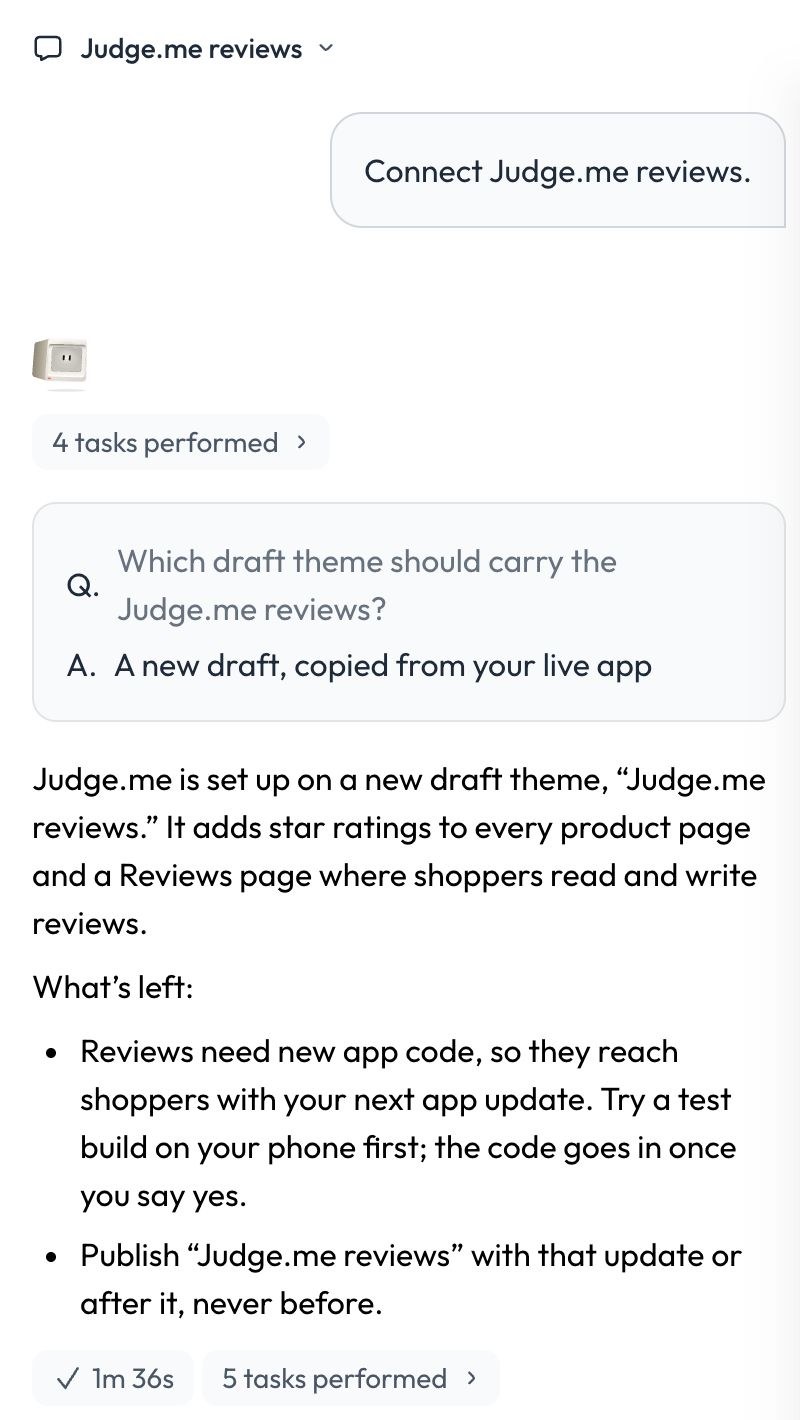
Firebase, Meta, GoKwik with KwikPass and Judge.me, on a draft, then it waits for the brand’s yes.
How Milo sets up integrations
A small table of partners and the Appbrew team, and what’s next on the platform. Touch Grass once a year.
Partners on Appbrew
Partner story · LinkRunner
“Very time-saving. Focus on your products, rather than focusing on the app.”
“I just gave him the docs and said, ‘This is the SDK, install it.’”
Founding engineer, LinkRunner
From the docs aloneOne technology partner sent an 80%-done package with their first email.
FAQ
Blocks are React components, written like any custom block in the host app, and a tracker is a TypeScript class. If your product is hosted, a WebView block can render it in the app first.
Appbrew enables your package for merchant apps. The settings you declared in the manifest then appear in Studio, where the brand fills them in.
Only if it adds native modules. A pure-JS package ships with the next scheduled release of each app; a native one ships with a store release on the brand’s own accounts.
No. Your repo’s Release workflow publishes to Appbrew’s registry with Appbrew-held credentials, tags the release and refuses a version that already exists.
You declare the platform versions your package supports. When Appbrew asks you to validate against a newer one, you bump the whole @gauntlet set in the sample app and re-run your flows.
No. Your integration runs inside the app as an npm package. For a web page opened in the app, there is the Web SDK.
Start with the form on this page. Repos are provisioned by Appbrew, so nothing here is self-serve. Once your repo is set up, registry access and support come from your Appbrew contact.
Become a partner
Build one package. Appbrew enables it and lists it.