
.webp)
Inside Appbrew: eCommerce tech founders on building apps with AI
.webp)


Appbrew's founders on cutting app builds from 4 months to 4 minutes with AI, slashing costs 20x, and what teams must unlearn to ship with agents.
About this episode
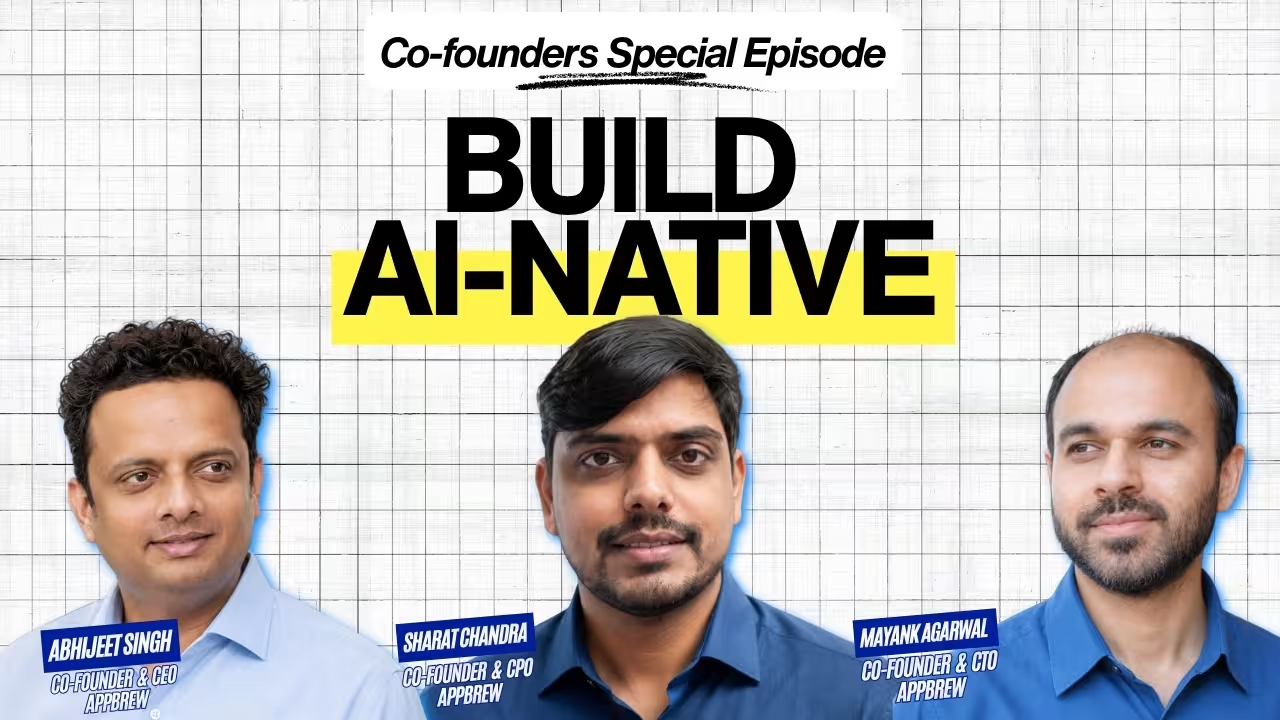
Abhijeet, Sharat, and Mayank didn't build Appbrew to talk about AI. They built it to give DTC brands a mobile app without the four to six month build cycle and the specialized dev team that used to require. Four years and hundreds of brands later, the three co-founders are in the same room for the first time on Brewed, not to interview a guest, but to talk about themselves: how AI has rewired nearly every layer of the company they built, from how they write code internally to how a Shopify store becomes a live app in minutes instead of months.
In this episode of Brewed, Abhijeet, Sharat, and Mayank break down how Appbrew's app generation pipeline collapsed a four month build process into one that produces a working app in minutes, why the team deliberately mixes frontier models like Opus with open source models like Kimi, DeepSeek, GLM, and Qwen to cut certain workflows to a twentieth of the cost, how Echo, their internal AI knowledge assistant built on Gmail, Linear, Notion, and meeting transcripts, keeps a hundred plus integrations searchable without hallucinating, and the specific habits engineering and design teams have to unlearn to actually ship with AI agents instead of just experimenting with them.
This conversation is for Shopify app builders and DTC platform teams trying to figure out where AI genuinely collapses timelines versus where it just moves the bottleneck, engineering and design leaders deciding how much to trust an agent versus how much to still hand-hold it, and anyone curious what it actually looks like inside a company that rebuilt its own product and its own team habits around AI at the same time.
What you'll learn
How Abhijeet, Sharat, and Mayank tell product-market fit apart from early tractionHow AI is transforming brand experience across Appbrew's platformWhy becoming essential in a customer's life, not just useful, is the real test of PMFHow Appbrew's product framework evolved alongside the Shopify ecosystemThe 20 percent rule Appbrew uses for feature prioritization, and Milo's role in itHow Appbrew is building an AI ecosystem of integration partners, brand developers, and agentsWhy AI has broken the technology barrier that kept most DTC brands off mobile appsThe AI tools Appbrew's team actually uses day to day: Claude, ChatGPT, and internal agentsHow AI changed Appbrew's development velocity, commit volume, and who ships codeHow Appbrew optimizes AI costs by mixing frontier and open source modelsWhy Appbrew moved from script-based automation to agent-led workflowsHow Appbrew designs agent instructions differently for developers versus designersWhy testing had to be automated once AI multiplied the volume of code shippedHow Appbrew cut app generation from four months to four minutesHow Appbrew is bridging the design gap between web and app experiencesThree lessons Mayank says every team has to unlearn to execute AI automation wellHow Echo, Appbrew's internal knowledge assistant, was built and what it solvedWhat Appbrew's founders think AI means for the future of jobs and engineeringWhy Sharat believes Figma is becoming antiquated for AI-native designThe 30 percent gap between an AI-generated first draft and something actually finishedThe broader lesson: why brands, not agents, will always own the story
The complete breakdown
1. Product-Market Fit vs Early Traction
Everyone chasing a company wants traction. Almost nobody agrees on what turns traction into product-market fit.
Sharat's answer starts with a feeling, not a formula: a constant pull from the market that shows up as people willing to pay the price you're actually asking for, not a discounted one.
"You have to have that sense that you are getting some pull from the market. There is some constant demand, and people are willing to pay the price that we are asking for."
He's quick to add that the definition doesn't hold still. What counted as PMF two years ago at Appbrew doesn't automatically count now, and AI has compressed that cycle further.
"It continuously evolves. Every two years you have to figure it out again with the new changes and scenarios that are coming."
2. Transforming Brand Experience with AI
Before the framework talk, Abhijeet frames what the whole conversation is actually about: not a product update, but a rewiring of how Appbrew helps brands show up to their own customers.
"The objective of the podcast is to share with the public how we have been building Appbrew, how AI is helping us transform brand experience with Appbrew, and how we are helping brands with their customer experience, whether we're leveraging AI internally or externally."
That framing matters because it sets up the rest of the episode as two parallel stories: what AI is doing to Appbrew's own product, and what AI is doing to how Appbrew's team builds it.
3. Becoming Essential: PMF in a Customer's Life
Mayank's version of product-market fit isn't about revenue lines, it's about absence. What happens if you turned the product off tomorrow.
"How do we become essential in a customer's life? If everyone sits down without your product, will the customer feel the void? Will they feel like their life is a little worse now than it used to be, that it was much easier before?"
Set against traction, the distinction gets sharp fast.
"Being a necessary thing in a customer's life, if we're able to be that, that's product-market fit. Versus early traction, where you're good to have but not something I'll miss if you're gone."
Abhijeet ties the two answers together into a working definition: PMF resets every 12 to 24 months, it requires a repeatable pull at a price that supports growth, and it's measured by whether customers would actually feel your absence.
4. The Product Framework: Evolving with Shopify
Appbrew's first product framework wasn't really a framework. It was listening.
"For the first 10, 20, even up to 30 customers, any integration, any feature they were asking for, we were trying to cater to. We were also building a sense of the Shopify ecosystem itself, trying to understand what people across apparel, beauty, and other categories were asking for."
As the customer base grew, saying yes to everyone stopped being possible, and a filter had to replace pure responsiveness.
5. Prioritization and the Rise of Milo
The filter Sharat describes is blunt on purpose: build it if it matters to a meaningful slice of the customer base, not just the loudest one.
"If it makes sense for at least 20 percent of the customers that are with us, then only should we be building it. That's the high-level thumb rule."
But AI changes what "building it" even means. Instead of the team shipping every requested feature themselves, the plan is to let brands build their own through Milo, Appbrew's AI agent for making and managing apps.
"That's where I think the way we're building Milo, very close to making it live, is that we want people to be able to build whatever features they want using Milo itself. Focus on an agent which allows customers to build 70 percent of the feature requests that come to us, and we focus on the 30 percent that are core enhancements to the platform."
6. Building an AI Ecosystem for DTC Brands
Appbrew's successful brands route roughly half their DTC revenue through the app. Abhijeet's question is what expanding that ecosystem actually looks like beyond the app itself.
Sharat's answer is that the platform is opening up to anyone who wants to build on top of it, human or otherwise.
"Anybody can build on top of our app platform. By anybody, I mean it can be an agent or it can be a regular developer. It feels awkward to say a human developer and an AI agent, but anybody can build on top of our platform."
He breaks the ecosystem into three moving pieces already live or shipping: integration partners building reusable modules across all Appbrew apps (two live, more launching this month), brands like Salty and Distacart building their own custom features directly on the platform, and the agent itself, which lets anyone without technical skill build things like custom animations, gamification, or personalized variant selection.
7. Breaking the Technology Barrier for Mobile Apps
Global e-commerce traffic is over 85 percent mobile, but only a small fraction of brands have an app. Mayank's answer is that this gap was never about desire, it was about cost.
"When we started Appbrew, it was extremely difficult for a brand to make an app. It would take three to four months, could go up to six months or even a year if they really wanted a good app. With our platform, we tried to make it so a marketing person could get an app built and manage it. But now, with AI, that technology barrier has been removed completely. It's all about imagination now. You can imagine it, tell the agent, test it, make it live."
Combine that with the fact that shopping on an app already converts better on every metric that matters, session time, conversion rate, browsing behavior, and the case for building an app stops being a technology decision and becomes an obvious one.
"With AI, this would have taken five years, six years to reach. Now it's just possible for everyone to build a great app immediately. I think this surface area, one or two years down the line, will be much more compared to where it is right now."
Abhijeet's summary lands the point cleanly: the supply constraint has been unlocked, the demand was always there, and the remaining work is distribution.
8. Essential AI Tools: Claude, ChatGPT, Internal Agents
Ask the team what tools they actually reach for, and the list starts predictable, Claude, ChatGPT, Gemini for image generation, and gets specific fast.
"I think ultimately the favorite tool across everyone right now is Claude Code. Even the designers are using it. We've built tools on top of it, the App Agent, which is an internal agent that helps make any changes in the app, and Echo, a knowledge base where you can query anything related to what we've worked on, from mails to meetings to transcripts."
Mayank frames why a single tool spreads across such different job functions.
"These platforms act like a base layer where a designer is able to use it for their own work, a product person in their own way, a success person in their own way. Getting the fundamental clear is the main thing."
9. The Impact of AI on Development Velocity
The stat Mayank leads with is stark: commit volume, not headcount, is the number that moved.
"The number of commits that used to happen before we started deep-diving into AI coding is almost one-fifth of what we're doing right now. The number of people committing on GitHub has more than doubled, and the diversity has changed too, our product people, designers, developers, and QA are all on GitHub now."
The output side moved with it: more features demoed each month, more experiments possible. But more code moving faster inevitably raises the question of control, which is where the token conversation begins.
10. Optimizing Costs with Open Source Models
Everyone gives every team member, regardless of role, a Claude Code subscription. That's the easy part. The harder part is deciding which model does which job.
"When it comes to platform, we are at a stage where we are exploring open source models, whether it's Kimi, DeepSeek, GLM, or Qwen, and our platform is deeply using these because they're cheaper and can be better customized for the use cases we're doing. You don't need an Opus when you're just trying to browse a website and create a summary. But if you're trying to solve a problem where the customer doesn't have a great idea how to solve it, you need a model like Opus."
The savings aren't marginal.
"Certain use cases, we were able to achieve at one-twentieth, one twenty-fifth of the cost when we moved to open source models."
They've also built a fallback stack, Pi and OpenRouter, to cover the outages that come with running on the frontier models more heavily than most teams. "We've entered the era where it's not just about max-ing out capability anymore, you have to start optimizing on cost as well."
11. From Script-based to Agent-led Workflows
Before AI, every automation was defensive by design. You had to anticipate every failure mode up front.
"Previously, when we thought of an automation, we were always concerned about what if it fails this way, what if the user doesn't understand this input. You'd write a script, maybe build a small dashboard for inputs. The whole complexity of automating even a single flow was very high."
That's flipped. Now the unit of automation is closer to a document than a script.
"With AI, we've brought it internally to just writing a document that can work as a skill to Claude or ChatGPT or an open source model as guidance. Because the models are intelligent enough by themselves, you don't need to handle every corner case, every error scenario yourself."
The tradeoffs that remain are real: token cost, making one agent usable across very different user roles, and the harder internal work of unlearning how automation used to be built. "You have to let go of the way you used to think earlier and think from almost first principles: if you just have the AI and these tools available, how would you build this experience?"
12. Designing for Developers vs Designers
The same agent, the same blueprint system, produces two completely different working relationships depending on who's driving it.
"A developer was more focused on how to get the content or styles right, there was a fixed layout to achieve. They were telling the agent, you have to do this, here's an image, go there. Versus a designer, where things are like, be creative, make it look better, make it more aligned with Nike or make it more aligned with Zara."
Mayank frames the underlying challenge as a role problem, not a model problem: what tools you hand the agent, and what kind of latitude you give it, has to shift depending on whether the person on the other end wants precision or invention.
13. Automating Testing and Output Evaluation
Five times the commit volume doesn't just mean five times the output, it means five times the surface area for something to break quietly.
"If everyone assumes whatever they build won't have issues, that problem has increased a lot right now because the volume of code being written is much more. We're investing a lot of time into automating our testing process, especially around our apps, an agent drives the app, you describe a flow like check the add-to-cart flow or check the coupon flow, and the agent tests it and generates a report."
Sharat's framing of the moment is blunt: "Everyone who is working right now will have to invest in evaluating the output of agents. That's a major area, and it's a very big challenge for everyone right now."
14. App Generation: From 4 Months to 4 Minutes
Appbrew's first app took four months. The team has since compressed that same process into minutes, and the hardest part wasn't speed, it was subjectivity.
"Apps and web are fundamentally similar but not the same, and similar but not same is a big gap. Fifty percent of brands want the same experience across web and app, and fifty percent want something new in the app. That itself is a challenge for our implementation team, the pathways change a lot."
Beneath that split sit a dozen smaller design parameters, fonts, icons, colors, button shapes, spacing, that combine into more variations than any manual process could realistically cover.
"These 10 or 12 parameters, when they combine, create a lot of variations. It's impossible to do fast. If you want to do it slowly over a month or two, it's possible. But when you want to scale as an org, you want to do it in minutes, not days."
The solution Appbrew landed on starting in February was structural: blueprints as a functioning starting point, customizations layered on top.
15. Bridging the Gap Between Web and App
The early version of the app generator gave the AI fixed, step-by-step instructions. It worked, but only to a point.
"We went with a very fixed approach, this is how you have to do it. It was able to reach maybe 50 or 60 percent."
The breakthrough was giving the agent less instruction, not more, and better tools instead. A browser tool to study the brand's website directly. A pre-scraped catalog of the brand's own images, so the agent isn't wasting time hunting for assets. Text descriptions of each blueprint's design philosophy, rather than rigid rules.
"Instead of giving it a fixed set of instructions, we're giving it a goal, explaining the blueprints briefly, this is an editorial design, this is a more compact design. Using the browser, it understands the website's design, then tries to match which blueprint will fit best, and creates the first version of the app."
The next frontier is closing the loop entirely: integrations like Judge.me, Okendo, Yotpo, loyalty, search, and CRM tools built into the agent's toolkit, and the agent testing its own output before handing it back. "Design and integrations are the two things we're still solving for. Converting it into a skill and a set of tools so the agent can update the code and test it out, that's where we want to go."
16. Three Lessons for Executing AI Automation
Asked what teams need to unlearn to actually execute well with AI, Mayank gives three answers, and none of them are technical.
The first is trust. "Don't do it yourself. Let the agent do the work. Do not underestimate the agent, do not underestimate the model. The models that are already there right now are far more capable than people give them credit for, it's the harness that needs to be improved, not the model."
The second is interface. "There's a lot that can happen just by conversation. Even the most complex problems can be solved easily with conversation. Conversation is your UI right now." Teams that keep defaulting to building screens for every input and output are solving a problem AI has already made unnecessary.
The third is structure. "Product has always been storytelling, but now it's become very specific, language-based storytelling. It has come back a lot to the language: how good you are at telling a story, writing instructions, those things will help rather than just building UI."
17. Echo: Building a Team Knowledge Assistant
Echo started as an answer to a simple, recurring, annoying question: which app has this integration.
"We knew two things: if a task has been done, a Linear ticket would exist. If it was done through automation, it must be in code. So we needed to search across different kinds of data, and that's what we built."
The stack behind it is deliberately unglamorous, one Postgres database, one server, synced from Gmail, Linear, Notion, and meeting recordings. Built starting in January, partly to solve a real team problem and partly because Sharat wanted to learn how to build agents himself.
"It has helped with new teammate onboarding, it removes dependency where person X is blocked on person Y for information. You're able to get whatever information you need and unblock yourself."
On hallucinations, the fix wasn't a bigger model, it was a citation requirement. "Whatever it answers, it always has to cite a source, a Linear ticket, a Notion document, or a meeting transcript. That has helped in decreasing the hallucinations."
18. The Future of Jobs and Engineering in the AI Era
Sharat's read on AI and jobs is short and unambiguous: "More jobs will be created for sure."
Mayank's is more layered. The early-career rungs of software and data engineering have already been hollowed out, but the top of the ladder hasn't been touched.
"The early-level jobs are not really relevant anymore, AI has kind of replaced that work completely. But the expertise, the top-level jobs, AI is yet to catch up. I'd say it's quite far from replacing those."
The interaction layer is where he thinks the real shift is happening, not job loss, job invisibility. "You keep a camera in your fridge, and it's monitoring your groceries and just ordering, and probably you're just confirming the order seems fine. Users' intentions haven't changed, it's just how they interact with something that has changed."
19. Why Figma Is Becoming Antiquated for AI Design
Sharat's frustration here is specific, not about design tools in general, but about the process layer that hasn't caught up to how fast agents can now work.
"A designer is able to get to 70, 80 percent of what they want to do in Claude Code much faster. The problem is getting them to 100 percent and then getting that into development. Right now, creating designs manually in Figma feels antiquated, it feels old."
Mayank frames the shift the same way from the other side. "Figma is essentially a prototyping tool. But the gap between prototyping and going live is shrinking. In terms of execution, design will come closer to trying things out and going live immediately, rather than staying in flat, two-dimensional mockups. Those aren't enough anymore."
20. The 30% Gap: Achieving Polish in AI Content</a>
Getting an agent to 80 percent of a finished design or a finished feature is, by every founder's account, no longer the hard part. The last 20 is.
Mayank's explanation of why is about averages. "The models are trained on all of the universal data out there, websites, apps, code, novels, articles, everything. So when you prompt it, you get the average result. Making a website is easy now, but that also pushes expectations higher. If I see a website right now and think, okay, this was made by Claude, I lose some respect for it, because that creative expectation is still there."
The comparison he reaches for is Instagram raising the bar for what counts as a good photo. Once the baseline is good by default, distinguishing yourself gets harder, not easier. "You can't Claude your way to that. People will have to push their thinking. They've been given an extremely powerful tool, but the outcome will still depend on how they use it."
21. Closing: Resonating with Customers in the AI Age
The episode ends on a question the team raises rather than answers: what does it even mean to be a brand once AI can generate the basics of a good app, a good design, and a good piece of content for anyone who asks.
Mayank's answer is the closest thing to a thesis for the whole conversation. Interfaces and interactions will keep changing, voice, ambient ordering, agents acting quietly in the background, but the thing a brand controls doesn't move.
"What happens inside an app will still be completely in the brand's control. How they want to tell their story, whether by voice, or by acting as an advisor, or by just solving a customer's problem while using the products they've built. App is an open channel for the brand, where everything is in their control, and they have the freedom to be as creative as possible and directly connect with the customer, which they've always wanted to do."
Not a defense of the old way of building. A bet that the tools will keep getting better at execution, and the only thing that won't get commoditized is whose story it is.
The complete episode transcript
Abhijeet: Welcome to the Brewed podcast, catering to retailers globally. This is the first time Mayank and Sharat, my co-founders, are joining the podcast together. Sharat, go ahead and introduce yourself to the audience.
Sharat: Hey, hello everyone. My name is Sharat. I look after frontend tech and product here. I've been an engineer for about 12, 13 years now, graduated along with Mayank from IIT Kharagpur. After that, me and Abhijeet know each other from our school days, from eighth or ninth standard onwards. That's how we know each other. Looking forward to this conversation.
Mayank: Hi everyone, I'm Mayank. I'm one of the co-founders and CTO at Appbrew. I look after the backend and the platform here. I've been an engineer for 17 to 18 years now, and with Appbrew being four years old, it's been a great journey overall building this platform.
Abhijeet: The objective of this podcast is to share with the public how we've been building Appbrew, how AI is helping us transform brand experience with Appbrew, and how we're helping brands with their customer experience, whether we're leveraging AI internally or externally. So, first question to Mayank, or Sharat, whoever wants to take it: when you're a company catering to brands, how do you distinguish between product-market fit and early traction?
Sharat: PMF is defining itself, right, because I think early traction, any kind of traction, is good and everyone wants it. But defining PMF, you have to have that sense that you're getting some pull from the market. There's some constant demand, and people are willing to pay the price we're asking for, at the correct price, with the features we're offering. Sense of the pull is doing a lot of heavy lifting in that sentence, but that's where product-market fit is. It also continuously evolves. Right now, even as I'm answering, I feel like every two years you have to figure it out again with the new changes and scenarios that come up.
Mayank: The one thing that keeps coming up in my head is: how do we become essential in a customer's life? If everyone sits down without your product, will the customer feel the void? Will they feel like their life is a little worse now than it used to be, that it was easier before? I think being a necessary thing in a customer's life, if we're able to be that, that's product-market fit versus early traction, where you're good to have but not something I'll miss if you're gone.
Abhijeet: So if I have to summarize: product-market fit changes every 24 months, and with AI, it might change every 12 months now. Second, we need a constant, repeatable pull on the product, at a price that makes business sense and helps us grow fast. And third, how critical are we in the customer's life? If we switched off our product, would they feel the void, or would they just move on? The next question is for Sharat. When we think of Appbrew, what's the product framework you've been using, and how has it evolved?
Sharat: We're in the midst of evolving it completely, so let me start from the beginning. Initially, for all our businesses, it was very simple, we talked to customers and built whatever they asked for. For the first 10, 20, even up to 30 customers, any integration, any feature they wanted, we tried to cater to. We were also building a sense of the Shopify ecosystem itself, trying to understand what people across categories like apparel and beauty were asking for. As we've grown, that's evolved into asking whether a feature makes sense for at least 20 percent of our customer base. The number will keep increasing, but the percentage will likely stay the same. App being a critical channel for every brand means everyone is excited to build new things, and each brand comes with its own demands, so prioritization has become a very big challenge. Right now, our high-level thumb rule is: if it makes sense for at least 20 percent of the customers with us, only then should we build it. With AI coming in, everyone wants all the features they want in whatever product they're using, and that's the direction we're building Milo in, very close to going live. We want people to be able to build whatever features they want using Milo itself. Milo is our AI agent for making and managing apps. The direction is to have the agent handle 70 percent of the feature requests coming to us, and we focus on the 30 percent that are core enhancements to the platform.
Abhijeet: You've talked about building an ecosystem to define the market, evolving into something bigger than a single platform. For the successful brands we work with, we command around 50 percent of their DTC revenue. What's your framework for expanding the Appbrew ecosystem for a brand?
Sharat: From the beginning, we've wanted to give DTC brands the best tech. We saw a gap where brands didn't have the resources to build good apps, so we built a no-code platform. What we're doing now is an extension of that: enabling anybody to build on top of our app platform. By anybody, I mean it can be an agent or a regular developer, it feels a little awkward to phrase it that way, a human developer and an AI agent, but anybody can build on top of our platform. The ecosystem has a few parts. First, integration partners, who build integrations for apps once, and they become usable across all Appbrew apps. We started that last quarter, two partners are already live, a few more are going live this month. Second, brands themselves building on our platform, Salty and Distacart have built their own features and are going live with them within a week. Third, the agent itself, where anyone can use it to build an app without needing technical skill, whether that's a cool animation, gamification, or personalizing variant selection to their brand.
Abhijeet: Question for Mayank. Sharat's talking specifically about the app ecosystem, and app is a channel, but globally over 85 percent of e-commerce traffic is on mobile, yet a very small set of brands actually use mobile apps. If we want Appbrew to cover a larger surface area for brands, how would you approach that?
Mayank: The reason so few brands have apps is the technology barrier. When we started Appbrew, it was extremely difficult for a brand to make an app, it could take three to six months, sometimes a year, if they wanted it done well. Our platform tried to reduce that so a marketing person could get an app built and manage it. But with AI, that technology barrier has been removed completely. It's all about imagination now, you can imagine it, tell the agent, test it, and make it live. Shopping on an app is far superior to shopping on the web, and every metric proves that, session time, conversion rate, how much people browse. Anyone building a brand or trying to create loyalty should have an app. When you combine a platform that removes the technology barrier with one that converts this well, I think we're at a point where the app market is going to explode. We've seen this internally and externally: with the agent's help, teams are able to build apps, do customization around the PDP, the cart page, incentivizing customers to buy more, taking feedback through votes, all the engagement pieces, all made possible by AI. Without AI, this would have taken five or six years to reach. Now it's possible for everyone to build a great app immediately, and I think this surface area, one or two years from now, will be much larger than it is today.
Abhijeet: So essentially, the supply has been unlocked, the demand was already there, and the burden of distribution is now on us. Now to the more interesting part. The world has changed dramatically over the last year and a half, it's an AI-first world now, just like cloud was. What are the best AI tools we've been using? Sharat, can you start?
Sharat: The regular ones are obviously there, Claude, ChatGPT, Gemini, especially for image generation. Our design team has used that a lot to brainstorm multiple designs. But I think ultimately the favorite tool across everyone right now is Claude Code, even our designers are using it. We've built tools on top of it, the App Agent, an internal agent that helps make changes to the app and surfaces information about it. We've also built Echo, a knowledge base where you can query anything related to what we've worked on, from mails to meetings to transcripts, and it surfaces that information for any team member.
Mayank: The fundamental thing is we're able to use harnesses like Claude Code and similar tools to build things on top of and personalize for ourselves. These platforms act like a base layer, a designer uses it for their own work, a product person in their own way, a success person in their own way. Getting the fundamentals clear is the main thing. The rest, video tools and so on, are more about convenience.
Abhijeet: The next question is about coding with AI, how it's evolved over the last six to eight months. There's been controversy around this too, larger organizations putting limits on coding usage, I read that Twitter capped token usage at $200 per user per week. What's been our experience with coding alongside AI?
Mayank: There's no new information here, honestly, the stats speak for themselves. The number of commits that used to happen before we started deep-diving into AI coding is almost one-fifth of what we're doing right now. The number of people committing on GitHub has more than doubled, and the diversity has increased too, our product people, designers, developers, and QA are all on GitHub now. Coding has become accessible to everyone, and we're seeing it in the number of features we demo each month and the amount we're able to experiment. When you scale that much usage, it can't be an open field, there will be controls, and token usage is one of them. We've given every team member, regardless of role, a Claude Code subscription, and while Claude is subsidizing it, that helps us manage cost. On the platform side, we're exploring open source models, Kimi, DeepSeek, GLM, Qwen, they're cheaper and can be better customized for our use cases. You don't need Opus to browse a website and summarize it, but if you're solving a problem where the customer doesn't have a clear idea how to solve it, you need a model like Opus. Certain use cases, we've achieved at one-twentieth, one twenty-fifth of the cost by moving to open source models. We've also set up an open source stack with Pi and OpenRouter as a backup, since a lot of usage also brings a lot of outages, more than GitHub, more than Claude itself. We use that stack as a benchmark to test open source models too. I think the future will be a mix of these models, we've entered the era where it's not just about maximizing capability anymore, you have to optimize for cost as well.
Abhijeet: We've covered the token problem. Now, AI automation blockers. For me, it was interesting that once our support team started shipping fixes directly for customers, it resolved things faster and empowered the team to see issues end to end. Mayank, what challenges have you faced with automation?
Mayank: Before we started deeply integrating AI into automation, we solved for basic needs first. One was making all our knowledge searchable, that's how Echo came about. Another was that we were working with so many brands and building so many features that we needed a way to track deadlines, catch blockers, and follow up automatically. So we built an agent on top of Linear that reminds people when something's coming due, follows up if someone's blocked, and can suggest reprioritizing or reshuffling workload if one person is overloaded. That was the initial layer. Our approach to automation itself has changed significantly since then. Previously, when we thought about automation, we were always worried about failure modes, what if the user doesn't understand this input, and we'd write a script, maybe build a small dashboard for inputs. The complexity of automating even a single flow was very high. With AI, we've moved to writing a document that works as a skill for Claude, ChatGPT, or an open source model, as guidance, and because the models are intelligent enough themselves, you don't need to handle every corner case yourself. That's helped us accelerate automation a lot. The challenges we're facing: token usage, obviously, deciding whether it's better to write a script that handles edge cases or let the agent handle the whole workflow itself. Another is that if you're building an agent used by very different roles, a designer, a developer, a product person, a success person, each role thinks differently, so making the model adapt to a user's role and stay accessible to them is difficult. And a third, more team-level challenge: everyone who's automated things the traditional way has to unlearn a lot to build in an AI-native way. You have to let go of how you used to think about automation and user experience, and think from first principles: if you just had the AI and these tools available, how would you build this experience? Getting that thinking into everyone is a challenge in itself, and it'll remain one for anyone trying to do this.
Abhijeet: To summarize: token cost is one blocker, since cost escalates and you have to decide between script-based automation and handing things to the agent. The second is accessibility, making the model usable across different personas, designer, developer, support. Any examples of how that plays out in practice?
Mayank: A recent example is our blueprints. We want to keep adding two to three new app blueprints a week, or more, and how a developer approaches that versus how a designer or product person approaches it is very different. A developer is focused on getting the content or styles exactly right, there's a fixed layout to hit, so they're telling the agent, you have to do this, here's a reference image, get close to it. A designer is more, be creative, make it look better, make it more aligned with Nike, make it more aligned with Zara. So for the developer use case, we tell the agent how to measure accuracy and get close to a reference. For the designer use case, we tell the agent what tools it has to gather context so it can make more creative decisions and generate more choices. Accommodating both under the same agent is the challenge.
Abhijeet: I'll come back to you for three things to unlearn while implementing AI automation, but let's go back to Sharat first.
Sharat: Adding to what Mayank said, one thing we're investing heavily in is automating our testing process. If a designer or developer is doing five times the commits, that means we need five times the testing capacity. Even before agents, when we coded things ourselves, mistakes happened and got caught by test cases or manual testing. That problem has grown a lot because the volume of code being written is much higher now. We're investing a lot of time into automating testing, especially for our apps, we have testing agents that drive the app itself. You describe a flow, check the add-to-cart flow, check the edit-profile flow, check the coupon flow, and the agent tests it and generates a report. Everyone working in this space right now has to invest in evaluating the output of their agents, that's a major area, and a very big challenge for everyone right now.
Abhijeet: When we started, our first app took four months. Now we've been able to build apps, especially through app generation, in a matter of minutes. Design has always been the hardest part to crack, especially getting the first version of an app to a place users find acceptable. Congratulations on getting that four months down to what feels like four minutes. We've done a lot of miss-shots along the way, I think we started demoing this around February in our town halls. Walk us through the approach, the roadblocks, and what you learned trying to marry AI, design, and user experience.
Sharat: Let me start with what made it hard. Apps and web are fundamentally similar but not the same, and that gap matters a lot. Do you want the same interactions in web and app? I'd say 50 percent of brands want the same experience across both, and 50 percent want something different in the app. That alone is a challenge for our implementation team, because the pathways change a lot. Then there are the typical design parameters, font customization, icons, colors, button styles, input boxes, spacing, the basic elements of a design system. Everyone wants small tweaks there. These 10 or 12 parameters, when combined, create a huge number of possible variations. Doing that fast is nearly impossible manually. If you want to do it slowly, over weeks, sure, it's possible. But if you want to scale as an org, you need to do it in minutes, not days. Starting around February, though we'd actually begun earlier, we settled on a base idea: blueprints, with customizations layered on top. We wanted every generated app to be end-to-end functional from the first version, all the basics of e-commerce covered, because nobody wants to start from a blank screen. That's why we built blueprints rather than generating each of our 60-plus screens from scratch, prompting all of that would take far too long. Once you choose a blueprint, you can tweak and modify it as much as you want, up to all 60 screens if you choose to. The first version we built was just, can we generate an app from a blueprint with no changes at all, call that the baseline. From there we kept iterating on what the prompt should be, what tools it needed, and what skills it needed.
Abhijeet: So, picking back up on the app design automation journey, we started around three months back, and got inspired by the best platforms out there. There were real user experience problems to work through, then translating design into functioning code. You were talking about themes.
Sharat: Right, so as I was saying, we started with a fixed mindset, giving the AI very specific instructions for creating the app. The problem statement was: given a website, build an app for it, choosing from a set of blueprints. Initially we'd hand the AI a chosen blueprint and the brand's website and say, use this. That had two problems: how does the AI understand our blueprint, and how does it understand the brand's website? Both turned out to be non-trivial. A blueprint is essentially a full app design expressed as JSON.
Abhijeet: Can you explain what JSON is, for the marketing folks listening?
Sharat: JSON is just a way of storing data in a structured format so it can be passed around, the format itself doesn't matter to the agent. It's basically a file storing design details, the button color is red, the button width is 200, the height is 40, and so on for every block in the app. For us, that turns into a blueprint that's a massive file, around 400 to 500 kilobytes, describing roughly 60 screens. Explaining that blueprint to an agent, and explaining what a brand's website looks like, and then having the agent translate that website into an app experience, those were three separate, non-trivial problems. We took multiple attempts. The fixed, step-by-step instruction approach got us to maybe 50 or 60 percent. Over time, we shifted to a more agentic approach, minimizing the instructions we give the model and instead investing in tools and skills. The agent now has a browser tool to look at the website directly, and a pre-scraped catalog of the brand's images, so it doesn't waste time hunting for the right image. Instead of rigid instructions, we give it a goal and brief text descriptions of each blueprint, this is an editorial design, this is a more compact design. Using the browser, it studies the website's design, matches it against the blueprint descriptions to find the best fit, and builds the first version of the app, updating the home screen, collection screen, PDP, cart, and account screen in that first pass. From there, the user chats with it to keep refining the design across any screen.
Abhijeet: How do you see this evolving? We went from four months to four minutes, or ten minutes, for a first version. What's the ideal journey going forward for a brand trying to improve their mobile experience through an app?
Sharat: The problem space we started with was design, integrations, and customizations, custom features unique to each brand. Those are still the three things we're solving for. The agent can already do things like add Judge.me to your app, since that's the most popular review integration, we have pre-built modules for Judge.me, Okendo, Yotpo, and others, and the agent should be able to integrate them with the user previewing the change instantly. That's where we're headed this quarter, integrations have to be solved to build a complete, end-to-end app experience: reviews, loyalty, search, CRM, MMP integrations. Right now, if you give the agent an unfamiliar integration, it'll try to figure it out through web search or our existing libraries, but that's slow. Turning it into a proper skill and toolset, so it can update the code and verify the result reflects what was asked, is the direction for integrations. Customizations are similar, any brand should be able to build features unique to themselves through the agent, and building is only half of it, the agent also needs to preview the feature live and test it itself, so the loop closes and it can tell the user, this is done, rather than just claiming it's done. Closing that build-and-test loop for both integrations and custom features is the key technical problem left to solve.
Abhijeet: Coming back to Mayank, what are the three things to unlearn while executing AI automation workflows?
Mayank: The first is: don't do it yourself, let the agent do the work. Don't underestimate the agent or the model. There was a comment I recall, that the models already available today are more than capable, it's the harness that needs improving, the tools you give it, how you execute, how you give feedback to the model. We've seen internally that people try to take control by explicitly telling the agent, do it this way, do it that way. The better approach is to let the agent and the user figure out what they want, without artificially restricting the area the agent or model can cover. Second, for designers especially, we've had to let go of the idea that everything needs a UI, an input screen, a feedback screen, all of it. A lot can happen just through conversation, even the most complex problems can be solved that way, and conversation is your UI right now. If we focus more on what conversation itself can do, we won't need as much UI, and things will move much faster. The third is that we used to think of everything, what we want customers to do, what we want the product to do, as flows, step one, step two, step three. That's shifted to storytelling. How well can your agent understand the user's intent and convey that story back to them. If I want to build an app, I need my agent to understand my intentions, anticipate where I might run into problems, and suggest a way around them, rather than just asking for inputs one by one. It comes back to language, how good you are at telling a story, at writing instructions. There was a transition period where we built a lot of UI because our systems couldn't understand language and act on it well enough, but we're back to language now. Product has always been storytelling, but now it's become very specific, language-based storytelling.
Abhijeet: Sharat, we as a company had a real problem where sales wanted to understand how an app was helping a specific brand's use case, support needed access to what was happening with a brand, dev needed context on what was promised in sales. You took the initiative and built Echo, our internal AI knowledge assistant. Tell us how you built it, and how someone else could go about building something similar for their own team or brand.
Sharat: Echo is an internal tool with data synced from Gmail, Linear, Notion, and our meeting data from Fathom, plus a couple more sources. It's a knowledge assistant where anyone can ask a query, one of the most common was, which app has this integration, JudgeMe, Yotpo, Criteo. You could maintain that manually, but once you've built 100 to 120-plus integrations, it becomes very difficult to guarantee nothing's been missed. What we had as a source of truth was two things: if a task had been done, a Linear ticket would exist, and if it had been done via automation or code, it must be in the codebase. So we needed to search across different kinds of data, and that's what we built, that data is provided as a tool to a language model, and once the agent searches across it and reasons over other tools, it answers the query. It's helped a lot with onboarding, new joiners get their questions answered faster, and it removes the dependency of person X being blocked on person Y for information, you can just unblock yourself. It started as an experiment, partly to solve the team's problem, and partly because I wanted to learn how to build agents myself. We've been running it for about six to seven months now, since January. It's pretty simple: data collected from all these sources into a single Postgres database, one server, nothing fancy, and it just works.
Abhijeet: How do you handle hallucinations? Have there been cases where it invented a fact?
Sharat: It's mostly about making the search better, figuring out what to do when the information isn't there, that isn't fully solved, but hallucinations have decreased quite a lot. Models themselves have gotten better at this, but a big part of it is giving them tools to verify their own answers. Along with searching, the agent can verify that a ticket actually exists. One rule we have is that whatever Echo answers, it always has to cite a source, a Linear ticket, a Notion document, or a meeting transcript it's referencing. That's helped decrease hallucinations a lot. Since it's an internal tool, people are also fairly aware of what they're asking for, so it hasn't been a major problem for us.
Abhijeet: Given how much we've discussed AI, what do you both think it means for the future of jobs?
Sharat: More products will be built for sure. Whether more money gets made from it, I don't know. I think the nature of jobs will change, people will find something to do, people will find ways to make money. Software engineering itself is changing, the role has changed a lot, but more jobs will be created for sure.
Mayank: The work we do, and how we do it, is definitely going to change. Skill sets that were relevant even recently are becoming less relevant, in software engineering, in data engineering, and similar fields. Early-level jobs have essentially been replaced by AI. But the expertise, the top-level jobs, AI is still far from replacing those. Long term, I'm optimistic, people find a way. Our offices, our factories, our homes will look different, we'll have different goals than we have now. Look at the smartphone era, things changed enormously, but people adapted. Users' intentions haven't changed, it's just how they interact with something that's changed. Previously, if you needed to buy something, you'd click, scroll, search, because that was the best solution available at the time. Now there are entirely new ways of interacting possible, some you wouldn't even notice physically, an agent doing work in the background, like a camera in your fridge monitoring your groceries and just ordering, and you're just confirming that the order looks right. How does the app evolve with that? I think people still go to physical shops because the experience inside is entirely the brand's own, a jewelry brand and a clothing brand each have their own way of showcasing themselves. What happens inside an app will stay completely in the brand's control, how they tell their story, whether through voice, through suggestions, or by acting as an advisor solving the customer's problem while using the products they've built. App is an open channel for the brand, where everything is in their control, and they have the freedom to be as creative as possible while directly connecting with customers, which they've always wanted to do.
Sharat: Interfaces should change, they've stayed the same for a long time, same scrolling, same patterns. The problem is that e-commerce today is so optimized that any change initially hurts efficiency and conversion, because users find it unusual at first. Voice seems promising, but it's seemed promising for a long time, so we'll see. From a process perspective, though, things do need to change. Watching the speed of design creation in Figma feels slow now, a designer can get to 70 or 80 percent of what they want in Claude Code much faster. The problem is getting from there to 100 percent and then into development. That process has to change, whether the tools change or Figma itself evolves. Right now, creating designs manually in Figma feels antiquated.
Mayank: As Sharat said, tools like Figma have been great for the interfaces we've needed in the past, but design is at its best when people don't notice it, when it just makes solving a problem effortless for the customer. Voice is one direction, but different ways of designing the experience will keep emerging. Figma today is essentially a prototyping tool, but the gap between prototyping and going live is shrinking. In terms of execution, design will move closer to trying things out and going live immediately, rather than staying in flat, two-dimensional mockups, those aren't enough anymore to build a great experience.
Abhijeet: Which models have you found best for this kind of design and creative work?
Sharat: Opus is overall good at everything, I haven't tried the leading models from other labs specifically for design so I can't compare directly, but Opus is quite good, including at creating SVG diagrams. From a tool perspective, I've really liked Google's Stitch for creating UIs, they're using Gemini models but have clearly done a lot of work on top of it, it creates images and UIs quite well. Overall, Stitch is probably the best experience right now for generating pages.
Abhijeet: Where does the real difficulty sit, is it design or engineering?
Sharat: It's both. The polish, the finish, that's the hard part, and that's true for engineering as much as design. Getting to 70 or 80 percent is easy with any model now. Getting from 80 to 100 in a way that actually reflects what you wanted, that's the hard part. Ideally, you'd prompt to get most of the way there, then manually edit, the way you'd edit code or a document you wrote yourself. That editing experience is mostly missing right now, for design, at least. For code it's more solved, since code is just text, you can go in and change it directly. Maybe Figma itself will solve for this eventually.
Mayank: The difference between design and engineering, for me, comes down to averages. Models are trained on all the universal data out there, websites, apps, code, novels, articles, everything, and they've essentially learned the average of all of it. So when you prompt a model, you get the average result. Making a website used to be hard, now it's easy, but that also raises expectations. Even I look at websites now and think, this was made with Claude, and I lose some respect for it, because that creative expectation is still there. It's like the difference between a restaurant that reproduces a dish at scale, and one where the value is that it's deeply personal. For design, I think expectations will keep rising, and people will have to learn how to use these tools to reach that higher bar. It's not enough to just prompt, make me a website, your own creativity still has to show up. To some extent that's true in software engineering too, the average code that's out there is fine for average problems, but if you're solving something unique to you, you have to push the thinking yourself. Claude can't do that part for you. That challenge isn't going away. If anything, it's becoming more important for people to show why they're different, why they're better.
Abhijeet: That's a great note to close on, and honestly a great topic for a future episode: what does it mean to be a brand in the AI era, and what story will actually resonate with customers.
.webp)

.webp)
%20(1).avif)
.webp)

.webp)

.webp)

.png)








