



Ecommerce automation explained: how triggers work, 12 Shopify workflows to copy, Flow vs Mesa vs Zapier, and when AI agents beat simple rules.
Someone on your team tags VIP customers by hand every Monday. Someone else checks the low-stock report before lunch and emails the supplier. A third person scans every new order for fraud signals, and a fourth copies refund requests from the help desk into a spreadsheet.
None of that is strategy. It's plumbing, and your best people are doing it because nobody has written the rule down yet. The fix usually isn't a new platform or an AI agent. It's a handful of trigger-and-action workflows, most of which you can build for free inside Shopify.
This guide covers how ecommerce automation works, which workflows to build first (with 12 you can copy), how Shopify Flow, Mesa, Zapier and Klaviyo compare, and where AI agents beat rule-based automation and where they don't.
TL;DR
- Ecommerce automation is software that runs repeatable store tasks for you. When something happens (a trigger), it checks a rule (a condition) and then does something (an action).
- Shopify Flow is free on the Basic, Grow, Advanced and Plus plans, and Shopify's Flow page reports 562 million workflow runs during Black Friday Cyber Monday (Shopify, 2026).
- Automated messages earn more per send than anything else you do. Klaviyo flows produce nearly 41% of email revenue from 5.3% of sends, with revenue per recipient about 18 times higher than campaigns (Klaviyo, 2026).
- Rule-based automation handles the predictable 80%. AI agents earn their place on messy, judgment-heavy work, and Gartner expects over 40% of agentic AI projects to be canceled by the end of 2027 (Gartner, 2025).
- Start with five workflows, not fifty. VIP tagging, low-stock alerts, high-risk order holds, back-in-stock messages and a win-back sequence cover most stores.
What is ecommerce automation?
Ecommerce automation is the use of software to run repetitive store tasks without a person starting them each time. A rule watches for an event in your store, such as a new order or a stock change, and responds the same way every time.
In most Shopify stores it covers four areas.
- Operations. Inventory alerts, order routing, fulfillment holds and product publishing.
- Risk. Fraud flags, order holds and chargeback evidence.
- Customers. Tagging, segmentation, loyalty tiers and support tickets.
- Marketing. Abandoned cart messages, post-purchase sequences, win-back campaigns and review requests.
Automation won't run the store for you. It handles work that repeats and follows the same rule every time, like tagging, alerts and order holds. It's poor at calls that change week to week, such as which product to launch, what to discount or when to push back on a supplier. Keep those with a person, and let the workflows clear the routine work around them.
How does ecommerce automation work?
Every automation has three parts. The trigger is the event that starts the workflow. The condition decides whether it should continue. The action is what the software does.
Here's a simple example in Shopify Flow.
| Part | Example |
|---|---|
| Trigger | Order created |
| Condition | Order total is over $200 |
| Action | Add the tag "VIP" to the customer |
Shopify uses this same workflow to show Shopify Sidekick building automations. You type "Tag customers as VIP when they place an order over $200" and get a workflow to review. Shopify says building a workflow that used to take 30 minutes now takes three (Shopify, December 2025).
Two variations matter once you go beyond the basics.
Scheduled workflows run on a timer instead of an event. Flow's Scheduled time trigger can run as often as every 10 minutes or as rarely as once a year, so you can pull data or build a weekly report without waiting for an order to arrive.
Connected workflows pass data between apps. A Flow workflow can send a Slack message, create a ticket in your help desk or add a customer to a Klaviyo list, as long as the app exposes Flow triggers and actions. When the app you need isn't connected, that's where Mesa or Zapier comes in.
What are the benefits of ecommerce automation?
- Hours back every week. The Monday tagging job, the lunchtime stock check and the fraud scan stop needing a person. Building the workflow is quick too, and Shopify says Sidekick cuts a 30-minute build to three.
- Fewer costly mistakes. Rules don't forget. Sold-out products come down before they oversell, and high-risk orders wait for review instead of shipping.
- Faster responses. VIPs get tagged the moment they order, and "where is my order?" gets answered at 2 a.m. without waiting for the support team.
- Messages that land at the right moment. A restock alert goes out minutes after the product returns, and a win-back email reaches the customer the week they start to drift.
- Growth without the same growth in headcount. Order volume can double over BFCM without the tagging, alert and hold work doubling with it.
What should a Shopify store automate first?
Automate tasks that happen often, follow the same rule every time and cost you something when someone forgets. If a task needs judgment on every run, leave it with a person for now.
Run any task on your team's list through four checks.
- It happens at least weekly. A once-a-quarter task isn't worth the setup and maintenance.
- The rule fits in one sentence. "If stock drops below 10, email the buyer" works. "If the product feels like it's trending" doesn't.
- A missed run costs money. Overselling, a shipped fraud order and a VIP who never got their perk are all real costs.
- It touches more than one system. Copying data between the help desk, Shopify and a spreadsheet is where manual errors pile up.
Here is the before and after for a typical mid-size apparel store. Before automation, a support lead spends Monday morning exporting last week's orders, filtering anyone who spent over $200, tagging them in Shopify and sending the list to the email team. Every Monday. After automation, one Flow workflow tags VIP customers the moment the order lands, and Klaviyo picks up the tag for the VIP sequence. The Monday task disappears, and new VIPs get recognized the same day instead of up to a week later.
How do you know automation is paying off?
Write down four numbers before you switch a workflow on, then check them again a month later.
- Hours saved. Time the manual task once, then multiply by how often it ran.
- Errors. Count oversold orders, risky orders that shipped and VIPs who missed a perk.
- Response time. Track how long a support ticket or a VIP order waits before someone acts.
- Revenue from flows. Check the share of email and SMS revenue that comes from automated flows rather than campaigns.
The return is simple to work out. Take the hours saved each month, multiply by what that time costs you, and subtract the monthly cost of the tools. A workflow that saves four hours a week at $25 an hour is worth about $430 a month, more than the entry plan of any workflow tool in this guide.
{{cta}}
12 ecommerce automation examples you can copy in 2026
These are 12 workflows a Shopify store can set up today, grouped by the part of the business they run. Each one lists the trigger, condition and action. Most run in Shopify Flow at no cost, and the line under each heading names any other tool you need.
Inventory, operations and finance automations
The first two run in Shopify Flow. Payout sync needs an accounting connector such as A2X.
| Workflow | Trigger | Condition | Action |
|---|---|---|---|
| Low-stock alert | Product variant inventory quantity changed | Quantity below your reorder point | Email or Slack the buyer with the SKU and supplier |
| Hide sold-out products, then bring them back | Product variant inventory quantity changed | Quantity hits 0 for every variant, or goes back above 0 | Unpublish the product, then publish it again on restock |
| Sync payouts to your books | Shopify payout lands | Every payout | Post sales, fees, refunds and taxes to QuickBooks, Xero, Sage or NetSuite as one summary that matches the bank deposit |
Risk and fulfillment automations
All three run in Shopify Flow.
| Workflow | Trigger | Condition | Action |
|---|---|---|---|
| Hold high-risk orders | Order risk analyzed | Risk level is high | Hold fulfillment and tag the order for review |
| Release low-risk orders (if you hold all new orders by default) | Order risk analyzed | Risk level is low | Release fulfillment order holds |
| Watch your own workflows | Workflow error occurred | Any error | Email the store owner |
The last one sounds boring until a broken workflow quietly stops tagging orders for two weeks. Shopify's 2025 Flow updates also added a way to cancel failing runs, which you'll want during your first peak season with automation running.
Customer service automations
These need a helpdesk such as Gorgias and a returns app such as Return Prime by GoKwik.
| Workflow | Trigger | Condition | Action |
|---|---|---|---|
| Answer "where is my order?" | Shopper asks about an order in chat or email | Order is found in Shopify | Reply with the live fulfillment status and tracking link, and hand unclear cases to an agent |
| Approve returns and exchanges | Shopper raises a return in the returns portal | Reason, product and return window fit your policy | Auto-approve, create the return label and send status updates, or offer an exchange or store credit |
| Follow up on bad reviews | Review created (from your review app) | Rating is 1 or 2 stars | Open a support ticket so a person replies |
Keep damaged items, exceptions and refund disputes with a person. They need photos, judgment and often a refund decision. The automation's job is to clear the routine tickets so your team has time for these.
Customer and marketing automations
Flow handles the tagging, and Klaviyo or a back-in-stock app sends the customer messages.
| Workflow | Trigger | Condition | Action |
|---|---|---|---|
| VIP tagging | Order created | Customer total spent over your threshold | Tag "VIP", and Klaviyo syncs the tag into your VIP segment |
| Back-in-stock message | Product variant back in stock | Shoppers joined the waitlist | Send the restock email, SMS or push, and alert your team |
| Win-back sequence | Scheduled time (weekly) | No order in 120 days, 2+ past orders | Tag "at risk" and start the win-back flow |
Review-app triggers depend on the app supporting Flow, so check its listing first. Flow's own email action is meant for your team, so customer messages go out through Klaviyo, Gorgias or your returns app. And keep a written list of every tag your workflows create. Tag sprawl is the fastest way to end up with three workflows fighting over the same customer.
For the message side of these workflows, our guide to abandoned cart recovery covers timing and channel mix, our roundup of Shopify abandoned cart recovery apps compares the tools, and post-purchase experience strategies covers what to send after the order.
Which ecommerce automation tools do you need?
Most Shopify stores need two tools. Shopify Flow handles anything inside Shopify, and an email and SMS platform handles customer messages. Add Mesa or Zapier only when you need to connect apps Flow can't reach. Support, returns and accounting work differently. Those workflows live inside the app that does the job, such as Gorgias, Return Prime or A2X, rather than in Flow.
| Tool | Best for | Price on Shopify App Store | Rating (as of Nov 2026) | Watch out for |
|---|---|---|---|---|
| Shopify Flow | Store operations like tagging, inventory, fraud and fulfillment | Free | 4.7 (15,542 reviews) | Only connects to apps that publish Flow triggers and actions |
| Mesa | Shopify-first multi-step workflows across apps | Free plan (50 tasks a month); paid plans from $12/month for 500 tasks | 4.9 (165 reviews) | Another bill and another place where logic lives |
| Zapier | Connecting Shopify to non-ecommerce tools (Sheets, CRMs, Slack) | Shopify needs a paid Zapier plan, from $29.99/month | 3.7 (73 reviews) | Built for every industry, so Shopify-specific logic takes more setup |
| Klaviyo flows | Triggered email, SMS and push based on shopper behavior | Free to install; free plan up to 250 active profiles, paid plans from $20/month, priced by active profiles | 4.7 (3,451 reviews) | Marketing only; it doesn't touch inventory or orders |
| Sidekick in Flow | Building Flow workflows from a plain-language description | Included with Flow | n/a | Desktop only; you activate every workflow yourself, and advanced Liquid or custom code may need manual edits |
- Shopify Flow is the default for a reason. Flow runs on the Basic, Grow, Advanced and Plus plans, and its product page reports more than 1 billion decisions automated every month (Shopify, 2026). If a workflow only touches Shopify data, build it here first.
- Mesa fills the gap when you need branching logic across several apps, such as reading an order, checking a 3PL's stock and posting to a help desk in one run. Mesa's own comparison page says it offers unlimited workflows while Zapier bills per task (Mesa, 2026), though Mesa's plans on the Shopify App Store are capped by monthly tasks, starting at 50 a month on the free plan.
- Zapier wins when the other end isn't an ecommerce app at all, such as Google Sheets, a CRM or a project tracker. It's the widest catalog of connections, but it doesn't know what a Shopify fulfillment hold is unless you teach it.
- Klaviyo (or your email and SMS platform) owns the customer-facing side. It's also where automation pays most visibly. Flows bring in nearly 41% of email revenue from just 5.3% of sends, and flows average a 5.58% click rate against 1.69% for campaigns (Klaviyo, 2026, data from over 183,000 customers).
If you're comparing broader AI tooling rather than workflow builders, our roundup of AI tools for ecommerce covers that ground.
AI agents vs rule-based automation: what's the difference?
Rule-based automation follows instructions you wrote, the same way every time. An AI agent decides what to do from a goal and the data in front of it, so it can handle cases nobody wrote a rule for. The first is predictable. The second is flexible, and you pay for that flexibility in oversight.
| Aspect | Rule-based automation | AI agent |
|---|---|---|
| How it decides | Your if/then rule | Reasons from a goal, context and data |
| Best at | High-volume, predictable tasks | Exceptions, unstructured requests, judgment calls |
| Failure mode | Breaks loudly when the rule doesn't fit | Fails quietly with a confident wrong answer |
| Setup | Minutes per workflow | Data access, guardrails, review steps |
| Shopify examples | Flow workflows, Klaviyo flows | Sidekick, support agents, in-app shopping assistants |
| Who approves actions | Nobody, once activated | Should be a person, for anything customer-facing |
The hype runs ahead of the results. Gartner predicts that over 40% of agentic AI projects will be canceled by the end of 2027 because of cost, unclear value or weak risk controls, and it estimates only about 130 vendors offer genuinely agentic products. Gartner calls the rest "agent washing", meaning existing chatbots and automation rebranded as agents (Gartner, June 2025).
The useful pattern in 2026 isn't agents replacing rules. It's AI writing the rules and a person approving them. Shopify's Sidekick works this way. You describe the workflow, it builds the trigger, conditions and actions, and nothing runs until you click activate.
Appbrew's Milo follows the same principle for Shopify mobile apps. Milo builds app changes from the store a merchant already runs, drafts the work and waits for a yes. Milo doesn't publish to the App Store or Google Play and doesn't run unattended. For a deeper look at where agents fit in a store, read our guide to AI agents for ecommerce. On the shopper side, our explainer on how AI shopping agents find, compare and buy covers the agents in ChatGPT, Gemini and Copilot.
For most stores, the split works like this.
- Use rules for tagging, inventory, fraud holds, fulfillment routing and lifecycle messages.
- Use AI for drafting (workflows, product copy, campaign variants), for answering open-ended shopper questions, and for spotting patterns a rule wouldn't catch.
- Keep a person on approval wherever money moves or a customer sees the output.
Where does ecommerce automation go wrong?
Automation fails in predictable ways, and almost all of them are about maintenance rather than setup.
1. Workflows that fight each other
Two workflows edit the same tag or metafield, and the result depends on which one ran last. Keep one owner per tag.
2. No error alerting
A workflow that fails silently is worse than no workflow, because the team stops checking manually. Build the error-monitoring workflow first.
3. Too many messages at once
A shopper who gets a cart email, an SMS and a push notification within an hour of browsing doesn't feel served. Set frequency caps across channels, not just inside each tool.
4. Logic spread across five apps
When Flow, Mesa, Zapier, Klaviyo and a help desk each hold part of a process, nobody can explain why an order was held. Write down each workflow's trigger, condition, action and owner in one shared doc.
5. Peak-season surprises
BFCM multiplies every workflow's volume. Shopify reports 562 million Flow workflow runs during Black Friday Cyber Monday, so the platform holds up. Your third-party app's rate limits and your team's review queue may not. Test with a dry run two weeks before.
How does automation reach your mobile app?
Your automations already know when a customer is at risk, when a product is back in stock and when a VIP places an order. A mobile app adds the push notification, a channel that costs nothing per message.
Your messaging platform, such as Klaviyo or Attentive, already holds the segments and flows, so app push becomes one more step in them. We walk through the full setup in how to automate Shopify app push notifications with Klaviyo.
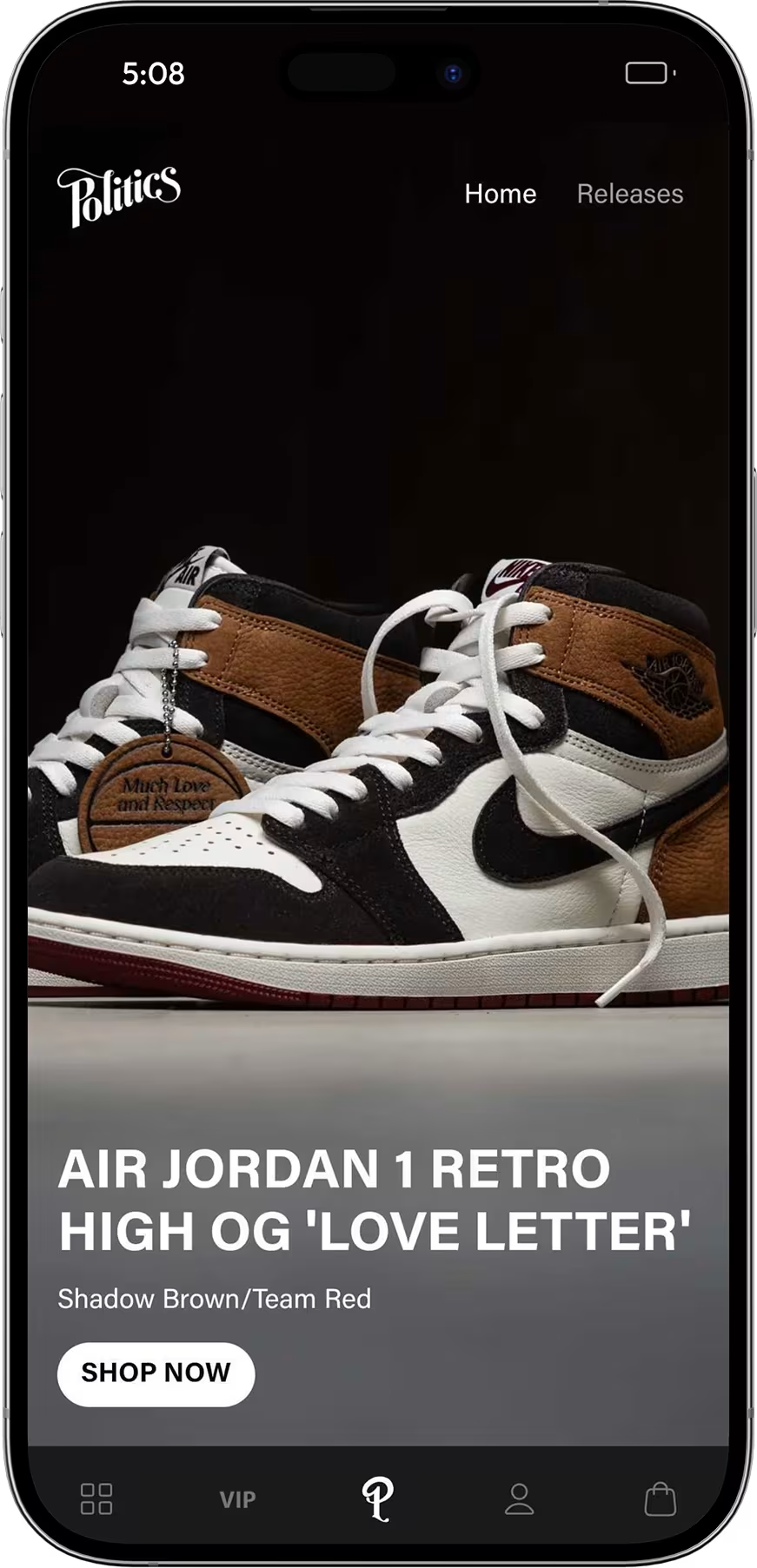
Sneaker Politics, a sneaker and streetwear boutique on Shopify Plus, uses app push through Attentive to announce drops and restocks the moment they go live. Push drove 57.9% of its in-app purchases across 131 campaigns.
Appbrew turns Shopify stores into native iOS and Android apps for 250+ brands, with 120+ native integrations, so restock, win-back and cart triggers you've already built can fire as push notifications. Inside the app, the AI Concierge answers shopper questions and recommends products from your catalog. That's the agent side of the same split, with rules for the predictable and AI for the open-ended.
{{cta2}}
FAQs
What is ecommerce automation?
Ecommerce automation is software that runs repeatable store tasks for you. A trigger, such as a new order or a stock change, starts a workflow, a condition checks whether it applies, and an action runs, like tagging a customer, holding an order or sending a message. Shopify Flow, Mesa, Zapier and Klaviyo are common tools.
Can you fully automate a Shopify store?
No. You can automate most repetitive tasks, such as tagging, inventory alerts, fraud holds, fulfillment routing and lifecycle messages. Product selection, creative, pricing strategy and supplier decisions still need a person, and so do exceptions like damaged items and refund disputes. The stores that get the most from automation use it to free their team for those decisions, not to remove the team.
Is Shopify Flow free?
Yes. Shopify Flow is a free app from Shopify, available on the Basic, Grow, Advanced and Plus plans. Usage limits follow your plan's API limits. Since December 2025, Sidekick can also build Flow workflows from a plain-language description, which you review and activate yourself.
How much does ecommerce automation cost?
Many stores start for free. Shopify Flow costs nothing on the Basic plan and up, Klaviyo is free up to 250 active profiles and then starts at $20 a month, Mesa's paid plans start at $12 a month and Zapier needs at least $29.99 a month to connect Shopify. The bigger cost is the time spent setting up and maintaining workflows, so start with a few and add more as each one proves itself.
What are examples of ecommerce automation?
Common examples are tagging VIP customers after a large order, alerting a buyer when stock falls below a reorder point, hiding sold-out products, holding high-risk orders for review, answering order-status questions, approving returns within policy, sending back-in-stock messages and starting a win-back sequence for customers who haven't ordered in 120 days.
What is the difference between ecommerce automation and AI agents?
Ecommerce automation follows rules you write and does the same thing every time. An AI agent works from a goal and decides its own steps, so it can handle exceptions a rule wouldn't cover. Most stores should run rules for predictable tasks and use AI with human approval for judgment-heavy work.
Milo builds your app from your Shopify store, drafts every change and waits for your yes before anything goes live.