


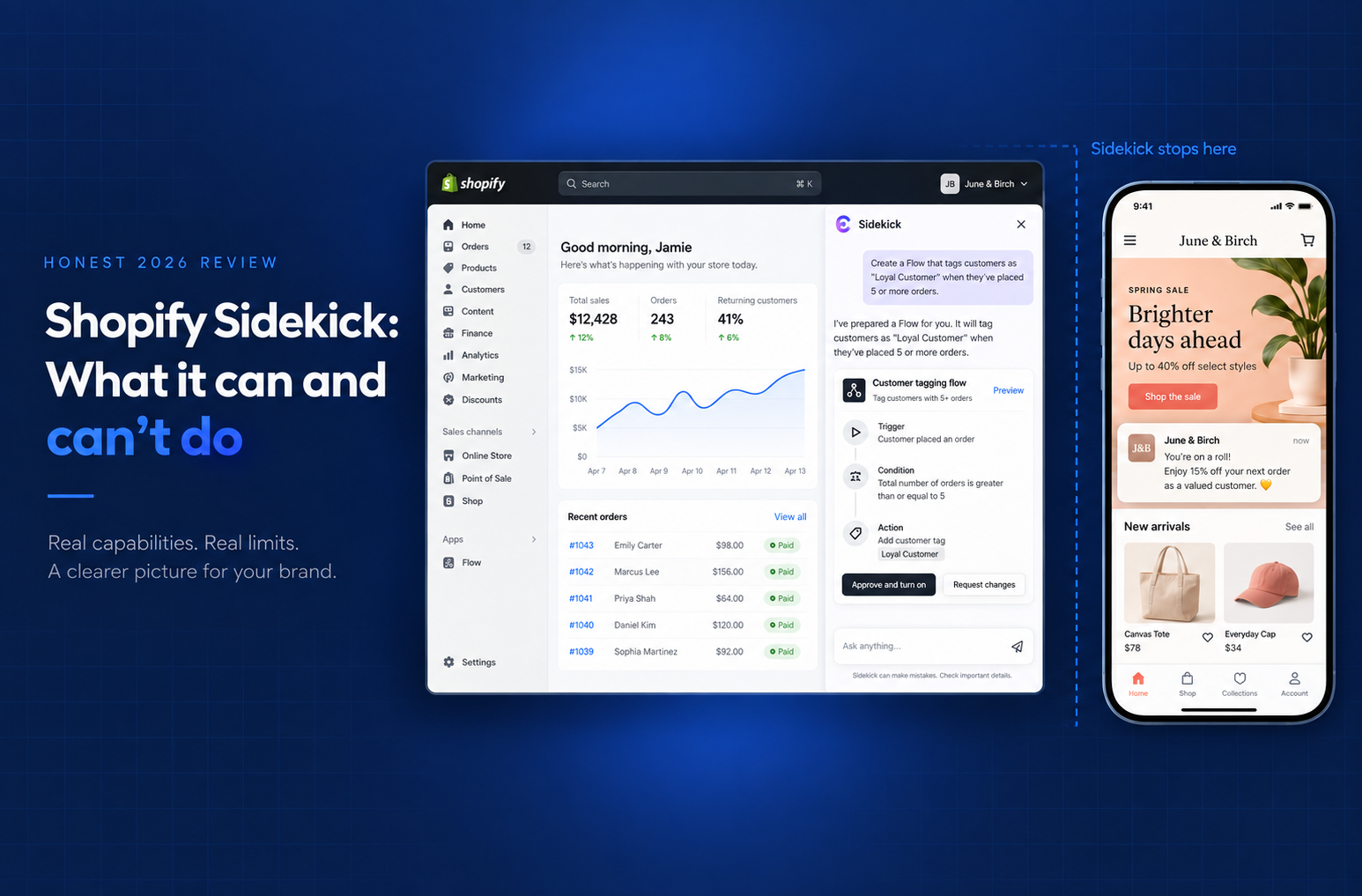

.webp)



Shopify Sidekick is the free AI assistant in your admin. What it does well, where it fails, and why it can't build a mobile app, tested on real data.
Shopify Sidekick is the free AI assistant inside your Shopify admin. It answers questions, drafts content, builds Flow automations and can generate simple apps for your admin. It can't build or run a mobile app your shoppers download. Appbrew, an AI mobile app builder, can: its AI agent Milo builds your Shopify app and then helps you run it.
You type what you want in plain language, and Sidekick either answers or proposes an action that you approve before it goes live. It runs on Anthropic's Claude and it's included on every Shopify plan at no extra cost.
Sidekick is very good at some things and confidently bad at others, and the line between the two isn't where most merchants assume it is.
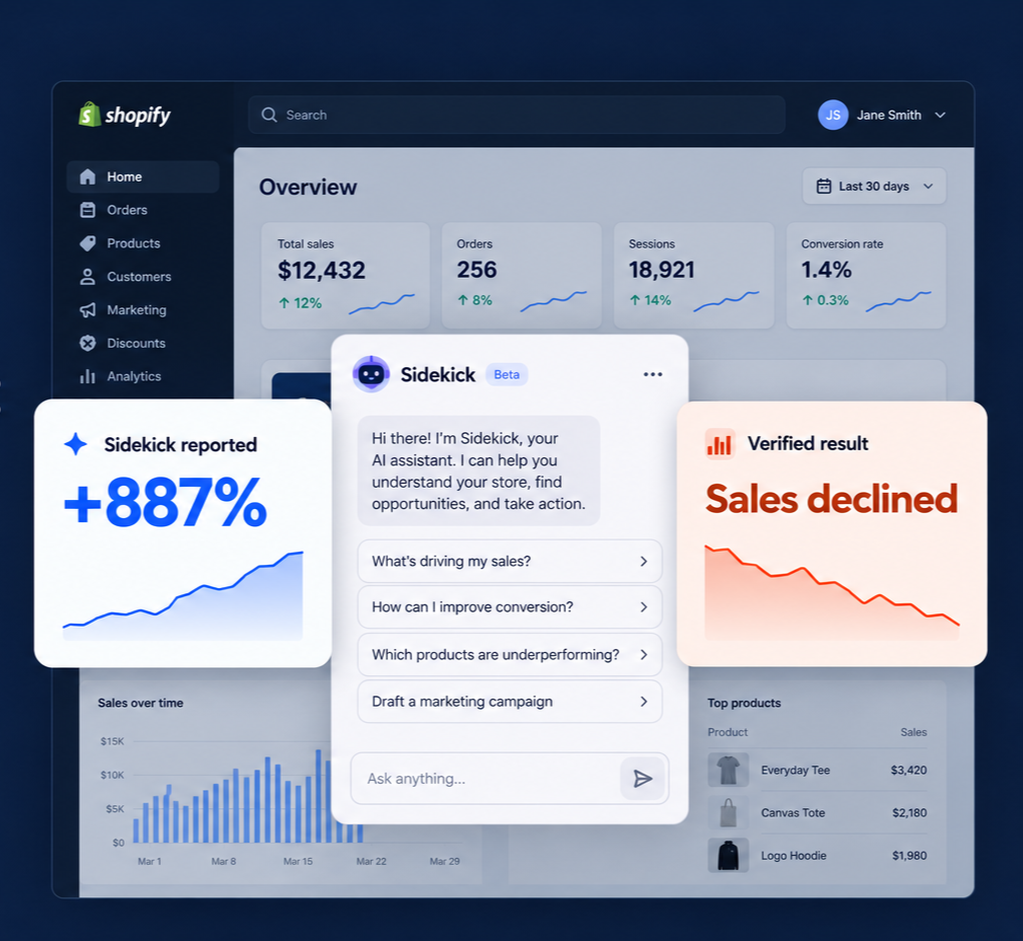
In one independent agency test, Sidekick reported a store had grown 887% in a month when sales had actually declined. In another documented case, a merchant spent five months fighting it as it invented product codes and reverted translated content back to English. Both happened in live stores. Neither is a reason to dismiss the tool, but both are a reason to know exactly where its limits are before you trust it with something that matters.
This is not a takedown and it's not a brochure. It's a map of where Sidekick saves real time, where it wastes it, and the one part of a store it structurally cannot reach, no matter how good the model gets.
TL;DR
- Sidekick is free on every Shopify plan. There's no separate subscription, and the $99.99/month "Sidekick AI" you'll see in the App Store is a different, unrelated product.
- It's genuinely strong at drafting copy, building Shopify Flow automations, and answering "how do I" questions without making you dig through menus.
- It's unreliable for bulk edits, custom code, metafields, and precise numbers. In independent testing it scored 2 out of 10 on data maintenance and theme work.
- Its real flaw isn't any single gap. It's that Sidekick rarely says "I don't know." It guesses, confidently, when it's missing context.
- Sidekick lives in your admin. It can't touch your storefront, and it can't touch your mobile app, which is where most of your customers actually buy.
What is Shopify Sidekick?
Shopify Sidekick is an AI assistant that lives inside your Shopify admin. You open a chat, describe what you want in plain English, and it either answers or does the work: pulling a sales report, drafting a product description, building an automation, editing a theme section. Anything it changes, it shows you first and waits for you to approve.
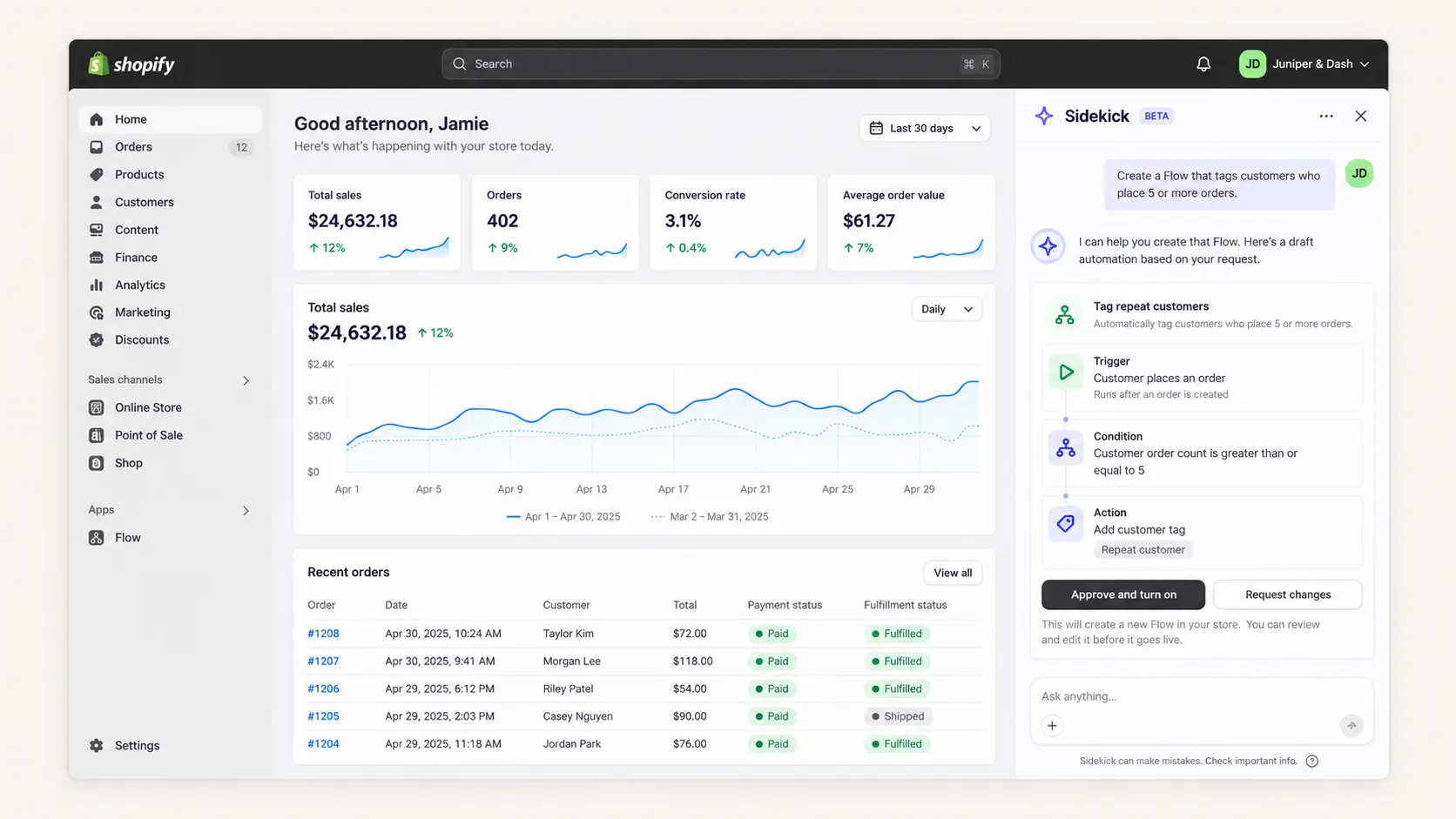
It launched in 2023 as a text-based Q&A tool. Back then it mostly told you things, how to find a setting or what a metric meant, and early reviewers found it underwhelming for exactly that reason. It explained rather than acted.
Since then, Shopify has expanded it well past Q&A. As of 2026, Sidekick can:
- Generate content and images
- Build Shopify Flow automations from a single sentence
- Edit your theme and spin up small custom admin apps
- Surface proactive insights it calls Sidekick Pulse
- Hold context across a conversation and handle multi-step tasks
It works by text or voice, on desktop and in the Shopify mobile app.
Under the hood, Sidekick runs on Anthropic's Claude, served through Google Cloud's Vertex AI. That's confirmed in a joint Shopify and Google Cloud case study. It sets a fair expectation: Sidekick is as capable as the context it's given, and as fallible as any AI model when that context is thin.
Adoption is climbing fast. On its Q1 2026 earnings call, Shopify reported weekly active shops using Sidekick were up 385% year over year, with more than 12,000 custom apps built through it in a single quarter. That tells you merchants are trying it. It doesn't tell you they're happy, which is what the rest of this piece is about.
Wait, there are two "Sidekicks"
One point of confusion worth clearing up first, because it trips up a lot of merchants reading reviews and comparing notes.
Two unrelated products share the name "Sidekick." One is Shopify Sidekick: free, built into your admin, and made to talk to you, the merchant. The other is a paid third-party app on the Shopify App Store that talks to your customers. Different maker, different purpose, different price.
The reason this matters is reviews. A lot of the G2 and Capterra ratings filed under "Sidekick" are actually for that third-party app, not Shopify's native assistant. So if you're trying to judge whether Sidekick is any good and you land on a pricing page or a wall of support-chat complaints, you're looking at the wrong product.
Everything from here is about the free, native one.
Is Shopify Sidekick free?
Yes. Shopify Sidekick is free on every Shopify plan, from Basic to Plus. There's no separate subscription, no per-seat charge, and no usage meter running in the background. If you have a Shopify store, you already have Sidekick.
The catch, if you want to call it one, is that free doesn't mean unlimited in capability. Sidekick being free is exactly why it's low-risk to try, and also why it's positioned as a general assistant rather than a specialist tool you'd pay to rely on. You get broad help at no cost. What you don't get is a guarantee that the help is right
How to use Shopify Sidekick?
Sidekick is already switched on in your admin. There's no install and no setup. Four things to know to actually get value out of it:
1. Find it
Look for the Sidekick icon in the top bar of your Shopify admin, on desktop or in the Shopify mobile app. Click it and a chat panel opens. On mobile you can also talk to it by voice.
2. Tell it what you want, not how to do it
Sidekick works best when you describe the outcome. "Write a product description for this candle in a warm, minimal tone" beats "open the description field." It's an assistant, not a menu.
3. Be specific, and give it context
Vague prompts get vague, sometimes wrong, answers. "How were sales last month?" is fine. "Compare last month's revenue to the same month last year, and flag which collection drove the change" is far better, and far more likely to be right.
4. Check before you approve
Sidekick shows you a preview or a proposed change before anything goes live. Read it. This approval step is the single most important habit with Sidekick, and the reason it stays low-risk even when it's wrong.
Prompts that tend to work well:
- "Draft three subject lines for a back-in-stock email for [product]."
- "Build a Flow that tags customers who spend over $200."
- "Summarize my traffic sources for the last 30 days."
- "Generate a lifestyle background for this product photo."
Prompts to be careful with, because this is where reliability drops off: bulk edits across many products, anything touching custom code or metafields, and questions where an exact number matters. The next section gets specific about why.
What Sidekick is genuinely good at
Sidekick earns its place on a few specific jobs. These aren't marketing claims, they're the areas where independent testers and hands-on reviewers consistently agree it delivers.
1. Building Shopify Flow automations
In a structured six-use-case test by German Shopify Plus agency tante-e, Flow automation scored 7 out of 10, higher than anything else they tried.
You describe the automation in plain English, "tag any customer who orders twice in 30 days," and Sidekick builds the structurally correct Flow, showing you a preview before it applies. For a task that normally means clicking through trigger-and-condition menus, that's a real time save.
2. Drafting first-pass content
Product descriptions, marketing emails, blog copy, the boilerplate that eats a merchant's afternoon. Sidekick produces solid first drafts fast. The consistent caveat across reviews is that the output needs a human edit, it doesn't know your brand voice and won't nail it unprompted.
If AI shopping assistants will read those descriptions too, here's how to optimize product descriptions for AI shopping assistants.
3. Answering "how do I" questions
When you're hunting for a setting or trying to understand a feature, Sidekick is quicker than digging through menus or the Help Center. General orientation is where it's reliable, because the answer doesn't depend on the specific quirks of your store.
4. Editing product images
Background generation, background removal, quick lifestyle scenes for a product photo. Hands-on reviewers rate the image tooling highly, and it's genuinely useful for merchants without a designer on call.
5. Surface-level analytics
Ask it how traffic looked last month or where a metric is trending and it'll give you a fast, readable summary. The key word is surface. Simple metrics are fine. As you'll see next, the moment the numbers get complicated, so does Sidekick's accuracy.
What Shopify Sidekick can't do (the tested list)
Sidekick's weaknesses aren't random, they follow one clear pattern: the more a task depends on the specific details of your store, the less you can trust the result. Here's where it breaks, with the evidence.
1. It can't touch your storefront or theme design
Sidekick can make limited edits inside the theme editor, but it can't redesign a page, restructure a layout, make real visual design decisions or turn your store into a mobile app.
In the tante-e test, theme work scored 2 out of 10, with wrong-page section builds and non-functional CSS that took four to six iterations to fix on simple tasks. It diagnoses layout problems better than it solves them.
2. It's unreliable on bulk operations
Anything that touches many products at once is risky. One documented case had Sidekick ignore explicit rules on an 80-plus product batch job: it blew past character limits, ignored banned-word constraints, and reverted the target language mid-run.
The merchant called it a liability and had to manually audit every record. In testing, bulk data maintenance also scored 2 out of 10, stopping after two records and offering no metafield support. A plain CSV import was faster.
3. It's blind to custom code and metafields
Custom themes, custom functions, and metafield structures are effectively invisible to Sidekick. Instead of saying it can't see them, it guesses.
One merchant's product page was pulling from an empty metafield namespace and showing nothing, the kind of specific, store-level problem Sidekick isn't built to diagnose on its own.
4. It gets confidently wrong on exact numbers
For precise or technical detail, tax settings, plan limits, API and Liquid answers, Sidekick has been reported to state wrong information even when asked to check the docs.
The starkest example: on a complex-variant store, it reported 887% growth when the store had actually declined. Surface metrics are fine. Precision is not its strength.
5. It only works inside Shopify admin
Sidekick can't connect to outside tools. No Zendesk, no Gorgias, no Google Docs, no Confluence. If your workflow lives partly outside Shopify, Sidekick can't see that half of it.
6. It's not customer-facing
Sidekick talks to you, the merchant. It can draft a customer reply, but it doesn't send one and it doesn't handle support conversations. Customer-facing automation is simply outside its scope.
Here's the full scorecard, testing six real use cases on live client stores over several weeks:
|
Use case |
Score |
Verdict |
|
Shopify Flow automation |
7/10 |
Strongest area, structurally correct, previews before applying |
|
General Shopify Q&A |
4/10 |
Fine for orientation, errors climb as questions get specific |
|
KPI analysis |
3/10 |
Simple metrics OK, reported +887% on a store that shrank |
|
B2B customer creation |
2/10 |
Confidently wrong, mis-tagged a customer, broke a discount |
|
Data maintenance / bulk |
2/10 |
Stops after two records, no metafield support |
|
Theme editor |
2/10 |
Wrong-page builds, broken CSS, 4–6 tries for simple tasks |
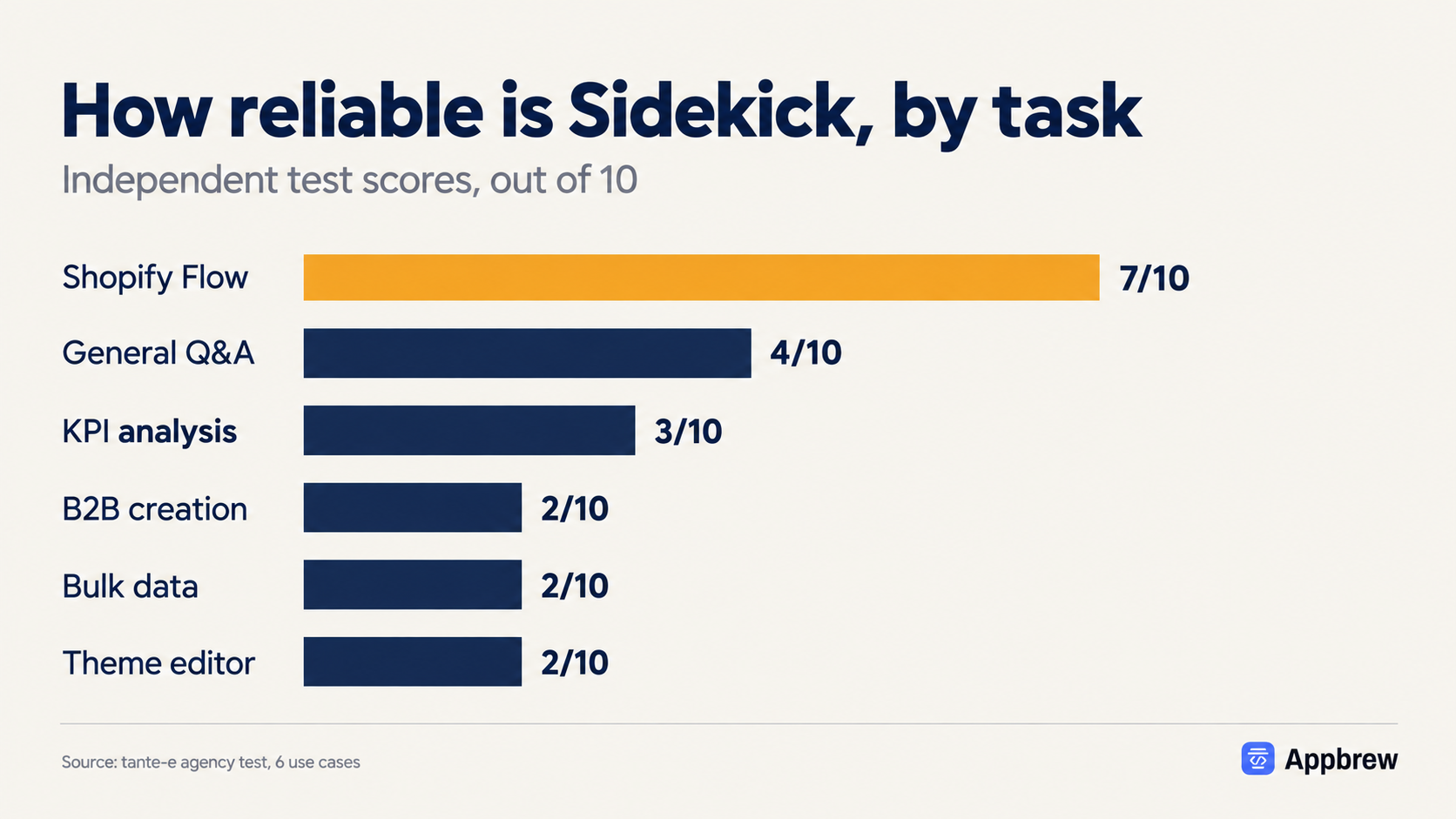
The pattern is hard to miss. Sidekick scores well on the one task that's structurally standard across every Shopify store, and poorly on everything that depends on how your specific store is built.
The real problem: Sidekick rarely says "I don't know"
The most-repeated criticism across independent sources isn't about any single feature. It's a habit: Sidekick doesn't signal uncertainty. When it's missing the context to answer correctly, it produces a confident answer anyway.
That's what turns a small gap into a real risk. One merchant went looking for a setting to prevent this and was told by Shopify support that none exists. Sidekick is built for prose, not precision, and no toggle makes it flag its own guesses. Catching the wrong ones stays your job.
Which is why the approval step matters. On a live store, an unverified confident guess is the expensive kind, and that preview screen is the one thing between a plausible-sounding mistake and your actual data.
{{cta}}
Is Shopify Sidekick safe? A note on prompt injection
Short answer: yes, mainly because Sidekick can't act on your store without your approval. Every change it proposes hits a preview screen first, and nothing goes live until you confirm. That single design choice contains most of the risk.
What prompt injection actually is
Any AI agent that can take actions carries this category of risk. Here's the mechanism in plain terms:
- An AI agent reads text from many places: product data, customer messages, web content.
- A malicious instruction can be hidden inside that text.
- The hidden text tries to trick the agent into doing something you never asked for.
It's an active concern for every action-taking AI tool in commerce, not a flaw unique to Sidekick.
Why Sidekick's design limits it
Because Sidekick presents actions instead of silently executing them, you stay in the loop on anything consequential. A hidden instruction can't quietly push a change live on its own, it still has to clear your preview screen. No security control is perfect, but that gate meaningfully narrows what an injection could achieve.
What this means for you
There's no public evidence of a major prompt-injection incident involving Sidekick specifically. The sensible posture is the same one accuracy already demands:
- Read what Sidekick proposes before approving it.
- Take extra care on anything touching customer data, discounts, or bulk changes.
The habit that protects you from hallucinations protects you here too.
Does Sidekick work with MCP?
Not in the way developers usually mean by "MCP." Sidekick doesn't plug into outside tools through the open Model Context Protocol.
What it does have is Sidekick app extensions. An app can expose its features so you can use them right inside a Sidekick chat, instead of opening that app separately. Sidekick stays inside Shopify and can't reach your other tools. App extensions are how that starts to change, so it's worth watching if the apps you rely on add support for it.
Can Shopify Sidekick build a mobile app?
No. Sidekick can build apps, but only for your admin. Its app generation makes tools that you and your staff use to manage the store; Shopify says these apps "aren't visible to customers". It's available only on the Grow, Advanced and Shopify Plus plans, and only in a desktop browser (checked on 27 Oct 2026).
A mobile app your shoppers download from the App Store or Google Play is a separate build. Our guide shows how to turn your Shopify store into an app, and Milo can build and run it for you. If you're weighing general AI builders instead, see our Lovable vs Replit vs Bolt comparison.
Every limit so far has been about how well Sidekick does a job. This one is about a place it doesn't go at all.
Sidekick lives in your Shopify admin. It runs the back office. What it can't touch is your storefront, and specifically your mobile app, which for most brands is now the highest-converting surface they own:
- Over 85% of ecommerce happens on a phone.
- Native apps convert around 3× higher than mobile web.
- Yet the channel driving the most revenue is the one Sidekick can't operate.
Swapping the homepage hero for a sale banner, moving a collection up the grid, scheduling a cart-recovery push, none of it happens in the admin. It happens in the app, where Sidekick has no reach.
That's the gap Milo was built to close. It's an AI agent for your Shopify mobile app that does for the app what Sidekick does for the admin.
You describe the change in plain language and it makes it on your live app, whether that's editing a screen, scheduling a push, building a campaign link, or reading your funnel.
Sidekick and Milo aren't competitors, they cover different ground. Sidekick runs your admin; Milo runs your app. If your growth depends on the app and you've been stuck filing developer tickets to change it, that's the gap worth closing. For a side-by-side, see Shopify Sidekick vs other AI assistants.
{{cta 2}}
Should you use Shopify Sidekick?
Yes, with clear eyes about what it's for. It's free, it's already in your admin, and the approval step keeps it low-risk to try. There's no real downside to turning it on.
The honest guidance is task-dependent:
Reach for Sidekick when:
- You're building a Shopify Flow automation.
- You need a fast first draft of copy or a product image.
- You're looking for a setting or a quick "how do I" answer.
- You want a surface-level read on traffic or sales.
Verify carefully, or use something else, when:
- You're editing many products at once.
- The task touches custom code, metafields, or a custom theme.
- An exact number or technical detail has to be right.
- You need to change your storefront or your mobile app.
The pattern underneath both lists is the same one from the tante-e scores: Sidekick is reliable on tasks that look the same across every Shopify store, and shaky on anything specific to how yours is built. Treat it as a fast, free assistant for the standard stuff, keep a hand on the wheel for everything else, and it earns its place.
FAQs
Is Shopify Sidekick free?
Yes. Sidekick is included free on every Shopify plan, from Basic to Plus. There's no separate subscription or usage fee. The only "Sidekick" with a price tag is an unrelated third-party app in the Shopify App Store, not Shopify's native assistant.
Why don't I have access to Sidekick?
Availability depends on your plan region, store language, and rollout status. Sidekick has expanded steadily but isn't active for every store in every market yet. If you don't see the icon in your admin top bar, check that your store language is supported and that you're on a current Shopify plan.
Can Sidekick edit my storefront or theme?
Only in a limited way. Sidekick can make small edits in the theme editor, but it can't redesign pages, restructure layouts, or make real visual design decisions. In independent testing, theme work was one of its weakest areas. For storefront and design changes, you'll still need a theme editor, a page builder, or a developer.
Can Shopify Sidekick build a mobile app?
No. Sidekick only builds apps that run inside your Shopify admin, for you and your staff, and only on the Grow, Advanced and Plus plans. To build a mobile app your shoppers download, use a mobile app builder such as Appbrew, whose AI agent Milo builds your Shopify app and helps you run it.
Can Sidekick manage my mobile app?
No. Sidekick works inside the Shopify admin and can't reach your native mobile app at all. For app changes like editing screens, scheduling push, or building campaign links, you need a tool built for the app, such as Milo.
What AI model does Shopify Sidekick use?
Sidekick runs on Anthropic's Claude, served through Google Cloud's Vertex AI. This is confirmed in a joint Shopify and Google Cloud case study.
Is Sidekick safe to use?
Broadly yes, because Sidekick asks for your approval before making any change. Nothing goes live until you confirm it on a preview screen. As with any AI assistant, read what it proposes before approving, especially for anything touching customer data, discounts, or bulk edits.














