




.webp)
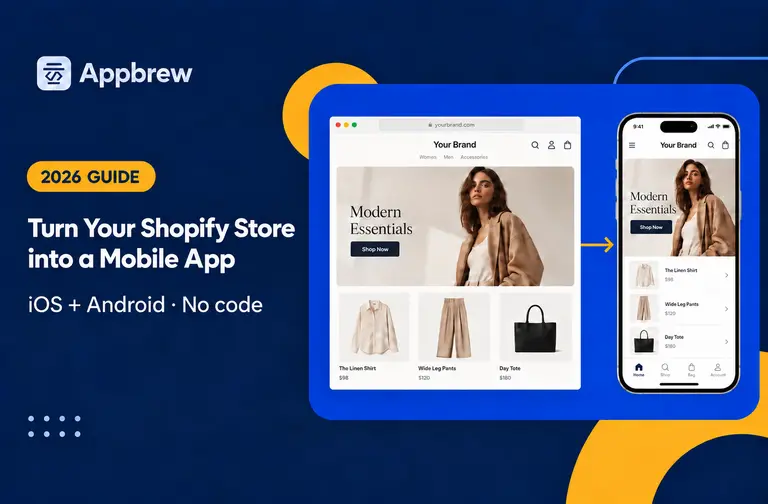

Discover how to turn your Shopify store into a high-performing mobile app with Appbrew. From planning to launch, learn the step-by-step development process and how to integrate powerful features.
Shoppers want a smooth experience — very app-like. If your Shopify store doesn’t have a mobile app, you might be leaving money on the table.
But building an app sounds complicated, right? Not anymore. A Shopify mobile app builder makes it easy—no coding, no months-long wait.
On average, you can launch a fully functional and advanced eCommerce app in just 30 days (as long as there’s no custom development).
In this blog, we’ll break down the app development process using Appbrew, one of the best Shopify mobile app builders in the market.
You’ll see exactly what goes into creating a mobile app, from setup to launch.
If you’ve been thinking about turning your store into an app, this guide will show you just how simple it can be.
Let’s dive right in!
What the Typical Shopify App Development Process Looks Like
With the right Shopify mobile app builder, building your Shopify mobile app is a smooth, step-by-step process.
Here’s what a typical app development journey looks like:
- Kickoff & Requirement Gathering – Understanding your store’s needs, branding, and must-have features.
- Scoping & Access Enablement – Granting necessary Shopify permissions and finalizing the scope of work.
- Account & Content Creation – Setting up developer accounts (Apple, Google Play) and preparing app assets like banners, icons, and product feeds.
- App Generation – Using a Shopify mobile app builder to create the app, integrate features, and configure settings.
- Feedback & Iterations – Reviewing the app, testing it on different devices, and making adjustments based on feedback.
- Go Live – Publishing the app on app stores and launching marketing campaigns to drive downloads.
Note: With Appbrew Shopify mobile app builder, this process can take as little as 30 days.
Let’s understand what goes in this process to give you an app that guarantees performance (engagement, conversion, and retention).
Step 1: Kickstarting the App Development Journey
The app development journey starts with a solid foundation. Before any design or function is built, key setup tasks ensure a smooth and efficient process.
Laying the Foundation
Before diving into development, it’s crucial to set clear goals. What do you want your app to achieve? Faster checkouts? A more personalized shopping experience? Defining these objectives helps create a strong foundation.
Next, choosing the right Shopify mobile app builder, Appbrew. It makes it easier to customize your app without coding. It gives you a quick and hassle-free launch so that you can focus on growth rather than technical complexities.
Initial Setup and Forms
To kick things off with Appbrew, brands need to complete two essential forms: the integration form and the design form.
The integration form provides insights into the Shopify store’s tech stack, ensuring seamless app connectivity. It only takes about five minutes for someone with access to Shopify apps.
The design form is where brands share their logo, fonts, and brand colors—elements that define the app’s look and feel. A designer or creative lead can typically fill it out in 20 minutes, as long as the required assets are ready.
Connecting Your Shopify Store
Once the forms are submitted, the next step is to install the Appbrew app in the Shopify backend. This is a simple process that takes just two minutes but is crucial for syncing store data with the app builder. Granting permissions at this stage allows the builder to pull products, collections, and other essential store elements into the mobile app.
With these initial steps completed, the foundation is set for a smooth development process.
Step 2: Defining the App’s Scope and Compliance
Before development begins, it’s essential to define the app’s scope and ensure all necessary integrations and security measures are in place. This phase sets the groundwork for a seamless and functional mobile app.
Planning the App Features
Before development begins, it’s crucial to define the app’s scope. This involves identifying must-have eCommerce app features that enhance the shopping experience, such as seamless navigation, fast checkout, and personalized product recommendations.
Brands also decide on integrations like advanced search and filters, product reviews, and loyalty programs, ensuring the app aligns with their business goals.
Ensuring Compliance and Security
Security and compliance are key to a smooth app launch. To enable seamless backend development, brands must provide collaborator access to their Shopify store and connected apps. This step takes just a few minutes but ensures that the development team can implement the necessary features without roadblocks.
Additionally, brands need to set up Firebase for push notifications and analytics, as well as a Facebook Developer Account for social login and ad tracking. These accounts help enhance user engagement and provide insights into customer behavior.
With the scope defined and access granted, the app is ready to move into the next critical phase—setting up developer accounts for app distribution.
Step 3: Setting Up Developer Accounts for App Stores
To make the app available to customers, brands must set up developer accounts on Google Play and the Apple App Store.
This step ensures smooth app submission and compliance with platform requirements.
Understanding App Distribution Channels
To launch a mobile app, brands must distribute it through Google Play (Android) and the Apple App Store (iOS). These platforms require developer accounts, which act as official gateways for app submission and updates. Apple also requires a DUNS number, a unique identifier that verifies a business’s legitimacy before granting access to the App Store.
Creating Developer Accounts
Setting up a Google Play Developer Account is simple. The brand needs to register, pay a one-time fee, and agree to Google’s policies.
For Apple, creating an App Store Developer Account takes around 30 minutes, but activation can take 5 to 15 business days due to Apple’s review process.
If a DUNS number isn’t available, brands must apply for one, which can take 2 to 7 business days to process.
Granting Access for Publishing
Once the accounts are set up, brands must provide admin access to the development team. This ensures a seamless submission process when the app is ready to go live. Delays in access can push back the launch timeline, so it’s best to complete this step early.
With developer accounts in place, the app is now ready for the production phase, where the actual development begins.
Step 4: Building the App – Development & Customization
Once the groundwork is set, it’s time to build the app. This phase focuses on structuring the backend, integrating key features, and ensuring smooth functionality.
App Architecture and Backend Setup
The app's structure is designed to ensure speed, reliability, and seamless navigation. Developers work on optimizing performance so that pages load quickly and the checkout process remains frictionless. A well-built backend ensures that product updates, inventory changes, and pricing adjustments sync in real time.
Enabling Essential Integrations
Integrations play a vital role in enhancing user experience. Features like advanced search, product reviews, and CRM tools are set up to improve shopping journeys. Push notifications are also configured through Firebase, allowing brands to engage customers with promotions and updates.
Adding User-Centric Features
A great app prioritizes ease of use. Features like OTP login, social login, and personalized post-purchase experiences make it easier for users to sign in and continue shopping. Each of these elements is developed and tested to ensure a frictionless experience.
On average, app development takes 5–10 days, depending on integrations. With the app structure and features in place, it’s time to test, refine, and ensure a flawless user experience.
Step 5: Testing and Refinements
Before launch, the app undergoes thorough testing. This phase ensures that everything works smoothly and any bugs are fixed before customers use it.
Quality Assurance and Bug Fixing
The development team conducts internal quality assurance (QA) to identify and resolve issues. Testing covers navigation, checkout flow, integrations, and push notifications. Common issues include broken links, slow load times, and UI inconsistencies, all of which are addressed before moving forward.
Brand’s Role in Reviewing the App
Once internal testing is complete, the brand gets access to the test app. As a business owner, testing from a customer’s perspective is crucial. Brands can place test orders, navigate through categories, and check if all features function as expected. Providing clear feedback helps refine the app for launch.
Making Final Adjustments
The last step is refining content and optimizing the UI/UX. Using the Content Management System (CMS), brands can update images, product descriptions, and banners. Any final UI/UX tweaks are made to enhance the look and feel of the app.
With testing completed and refinements made, it’s time for you to prepare for launch!
Discover how to seamlessly integrate your Shopify store with a mobile app to offer a superior shopping experience.
Step 6: Preparing for Launch
In this step, Appbrew helps ensure the app is ready for submission and approval on app stores.
Finalizing App Store Listings
A strong app listing improves visibility and downloads. The brand must provide an engaging app description that highlights key features and benefits. High-quality screenshots and marketing assets are also required to show the app’s interface and functionality.
P.S.: Appbrew helps brands create high-converting app store optimization that boost visibility and downloads. The growth team creates engaging app descriptions that highlight key features and benefits while generating high-quality screenshots and marketing assets to show the app’s interface and functionality effortlessly.
Submitting the App for Review
Once the listing is finalized, the app is submitted to Google Play and the Apple App Store for approval. Google typically reviews apps within 1–3 days, while Apple can take 5–10 business days. Apple’s review process is stricter, often requiring compliance with design and security guidelines.
What Happens if Your App Is Rejected?
If an app is rejected, don’t worry! The review team provides feedback on the issues. Common reasons include missing permissions, guideline violations, or incomplete listings. Appbrew fixes these issues and resubmitting the app ensures it gets approved smoothly.
Once the app passes review, it’s ready for launch, marking the beginning of the post-launch phase.
Step 7: Going Live and Post-Launch Support
After approval, the app officially goes live. But the work doesn’t stop here—monitoring performance and addressing user feedback is crucial.
What to Expect Once the App Is Live
Once published, the app becomes available for download. Brands should monitor early user adoption, reviews, and potential issues. Promoting the app through marketing campaigns helps drive downloads.
Monitoring Performance and User Feedback
The first few weeks are critical. Using eCommerce app analytics, brands can track user engagement, crash reports, and drop-off points. Feedback from early users helps identify areas for improvement. Common post-launch fixes include UI adjustments, bug patches, and feature optimizations.
Ongoing Maintenance and Updates
Keeping the app updated is key to long-term success. Regular updates introduce new features, security enhancements, and performance improvements. Brands should plan app updates every few months to keep users engaged.
A successful app launch is just the beginning. With continuous monitoring, user engagement, and updates, the app remains a valuable extension of the Shopify store!
Build your Shopify mobile app with Appbrew!
Appbrew simplifies the entire app development process, making it seamless for brands to launch their mobile apps without hassle.
From integrations like search, reviews, and loyalty programs to custom-developed features, you have complete flexibility to build the app you envision.
But it’s not just about design—Appbrew delivers best-in-class performance to ensure fast load times, smooth navigation, and a frictionless checkout experience.
A well-built app means better customer engagement, higher conversions, and increased repeat purchases.
And don’t be surprised if more of your existing customers start preferring your app over your website. That’s a good thing! It means they’re ordering more often, leading to higher lifetime value (LTV) and brand loyalty.
Ready to take your Shopify store to the next level? Book a demo with Appbrew today!
Appbrew apps go live in days, not weeks, without a dedicated engineering team.














