



.webp)
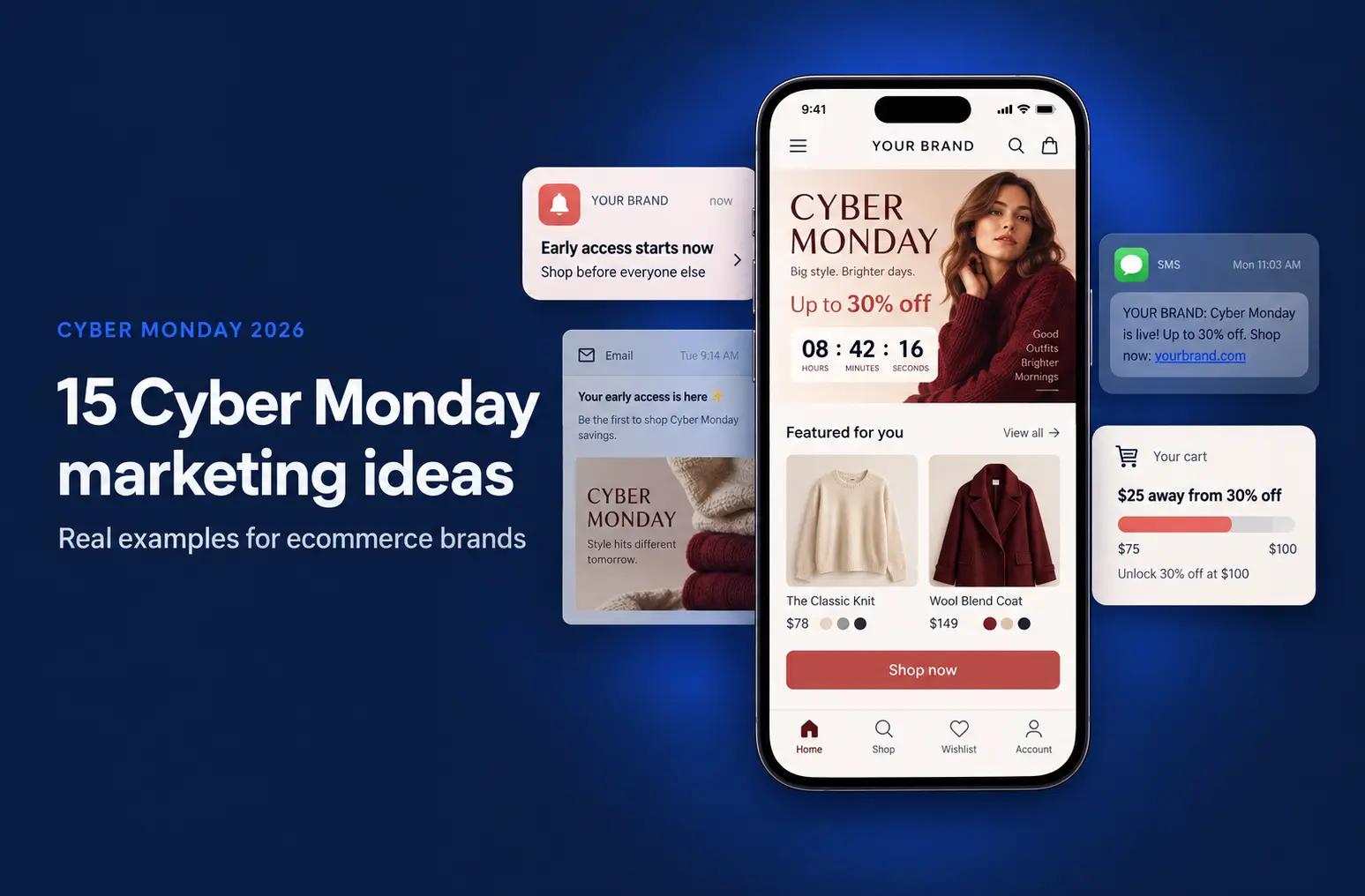
Boost customer engagement and sales with effective push notifications for your Shopify app. Learn 10 strategies to keep users engaged and drive revenue.
Apps are a great way to keep customers engaged with your Shopify store. However, just having an app isn't enough; you need to be proactive in bringing customers back. This is where app push notifications come into play.
They allow you to send timely messages directly to your users' devices, keeping your brand top of mind. When used as part of your engagement strategy, push notifications can increase app retention rates by up to 300% during the first 90 days of customer onboarding.
In this blog, we'll explore how to use push notifications effectively to engage customers and boost your Shopify store's success.
10 Most Effective Ways to Use Shopify Mobile App Push Notifications
Here are 10 ways you can use Shopify mobile app push notification to increase your customer engagement rate:
1. Welcome Notifications
Many customers feel overwhelmed after downloading an app, often delaying purchases because they don't know where to start.
To help guide them, set a trigger to send a warm welcome message when they first install your app. This notification can include a special offer or discount to encourage their first purchase.
If you have existing data for the customer from Shopify, you can take it a step further by recommending a product in the welcome message, paired with a discount.
This personal touch not only makes the customer feel valued but also gives them a nudge toward completing a purchase.
Templates:
- "Welcome to [Your Store]! 🎉 Enjoy 10% off on your first order. Tap to explore our bestsellers now!"
- "Hello [Customer Name]! We're excited to have you. Here's a 15% discount on [Recommended Product]. Shop now!"
2. Abandoned Cart Reminders
Potential buyers often abandon items in their carts for various reasons—high shipping costs, hidden fees, or a complicated checkout process. To recover these lost sales, send an abandoned cart reminder that addresses the issue.
You must personalize the message by mentioning the specific items in their cart and offer an incentive like a discount or free shipping to encourage them to complete the purchase.
Creating urgency can also be effective; consider including a limited-time offer or countdown timer in the notification to prompt immediate action.
Templates:
- "Oops! You left [Product Name] in your cart. Complete your purchase now and get 10% off! 🛒"
- "Your cart is waiting! 🎯 Finish your checkout within the next 24 hours and enjoy free shipping."
3. Personalized Product Recommendations
App push notifications are highly targeted marketing tools that offer extensive opportunities for personalization.
After a customer has used your app for a while, you'll have enough data to understand their preferences. Use this data to send personalized push notifications that align with their interests.
You can recommend products, curate flash sales, or offer special discounts tailored to their shopping behavior.
These personalized notifications not only make customers feel special but also nurture loyalty, drawing them back to your store. You can also share new arrivals or bestsellers that align with their interests.
Templates:
- "Hi [Customer Name], we thought you'd love these! Enjoy 20% off on [Recommended Product] today. 🌟"
- "New arrivals just for you! 🎉 Check out our latest [Category] collection—tailored to your taste!"
4. Exclusive Offers and Discounts
To drive more sales from your Shopify mobile app, you need to give customers a reason to keep using it.
Engaging customers with app-exclusive deals, discounts, or early access to sales can do just that. However, you must mention that these offers are only available through the app to encourage more engagement.
Use push notifications to alert customers about flash sales, limited-time offers, or special promotions. This exclusivity not only incentivizes app use but also helps build a sense of loyalty and excitement around your brand.
Note: While push notifications work best in combination with other marketing channels, offering exclusive app-only deals makes the most impact for loyal, logged-in customers.
Templates:
- "Flash Sale Alert! 🚀 Exclusive 30% off for app users only. Hurry, offer ends in 4 hours!"
- "Early access just for you! 🎉 Shop our weekend sale now and save up to 50%—only on the app!"
5. Back in Stock and Price Drop Alerts
Sometimes customers browse your Shopify mobile app only to find that the product they want is out of stock, leading to disappointment. While you can't change their initial experience, you can turn things around by notifying them as soon as the product is back in stock.
The same strategy applies to price drop alerts, which are especially useful for high-priced items that customers may be waiting to buy at a lower cost. Sending these notifications keeps customers engaged and encourages them to act quickly.
💡Pro tip: If you've turned your Shopify store into mobile app using Appbrew, you can use the deep linking feature to direct users straight to the product page, making it easier for them to act on the notification.
Templates:
- "Good news! 🎉 [Product Name] is back in stock. Grab yours now before it sells out again!"
- "Price Drop Alert! 🎯 [Product Name] is now available at [New Price]. Hurry, this deal won't last!"
6. Order and Shipping Updates
Keeping customers informed about their order status is crucial for a positive shopping experience.
You can use app push notifications to send timely updates on order confirmations, shipping statuses, and delivery alerts. This not only reduces anxiety about the purchase but also keeps customers engaged with your brand throughout the buying journey.
By providing real-time updates, you build trust and enhance the overall customer experience, leading to higher satisfaction and repeat purchases.
Templates:
- "Your order is on its way! 🚚 Track your shipment here: [Tracking Link]"
- "Delivered! 🎉 We hope you love your [Product Name]. Let us know what you think!"
7. Loyalty Program Reminders
Loyalty programs are a great way to retain customers, and push notifications can remind them of the benefits they have yet to use.
Send notifications about their loyalty points, upcoming rewards, or special milestones they can achieve with additional purchases.
Encouraging customers to use their rewards not only boosts engagement but also drives repeat sales.
Personalized reminders make customers feel valued and motivate them to stay connected with your brand.
Templates:
- "You have [X] points! 🎁 Redeem them on your next purchase and save big."
- "You're [X] points away from your next reward! Shop now to unlock exclusive discounts."
8. Re-engagement Campaigns
Re-engage inactive users with curated mobile app push notifications that offer incentives to return. This could be a personalized discounting strategy, a reminder of items left in their wishlist, or a sneak peek of new collections.
Re-engagement notifications can also promote seasonal sales or exclusive events, giving customers a compelling reason to revisit your store. This strategy helps revive interest in your app and encourages customers to explore new products or complete previous actions.
Note: Re-engagement campaigns are typically triggered at 30, 60, and 90 days, helping to revive customer interest at key intervals.
Templates:
- "We miss you! 😢 Here's 15% off your next order. Come back and explore what's new!"
- "Your wishlist items are waiting! 🛍️ Shop now and get an exclusive 10% discount."
9. Seasonal and Holiday Promotions
Seasonal events and holiday sale campaign like Black Friday Cyber Monday (BFCM) are a golden opportunity for special promotions. Send themed notifications to highlight relevant products or announce holiday sales.
Create urgency by including countdowns to major shopping events, encouraging customers to act quickly. Whether it's Valentine's Day, Christmas, or summer sales, these promotions can boost engagement and drive higher sales during peak shopping periods. We recommend planning these notifications in advance as a part of the marketing calendar and automating them to remain timely.
Templates:
- "BFCM is here! 🎉 Grab up to 50% off storewide. Sale ends in 24 hours!"
- "Holiday Special! 🎄 Enjoy 20% off on selected items. Hurry, offer ends soon!"
10. Feedback and Review Requests
Post-purchase engagement is crucial for building trust and improving your store. After a customer receives their order, send a push notification requesting feedback or a review. Highlight how valuable their input is in helping you enhance your products and services.
You can also offer incentives like discounts or loyalty points for leaving a review, which not only encourages feedback but also builds social proof for your store.
Note: A general recommendation for requesting reviews is within 48 to 72 hours after product delivery, but this can vary based on customer behavior and should be refined as more data becomes available.
Templates:
- "We’d love to hear your thoughts on [Product Name]! 📝 Leave a review and get 10% off your next purchase."
- "Your feedback matters! 🌟 Share your experience and earn [X] loyalty points today."
Best Practices to Use App Push Notifications for eCommerce Customer Engagement
Here are a few tips on how to harness the many advantages of app push notifications for eCommerce:
- Craft the Essentials: Focus on all five key elements: push title, content copy, URL, CTA button, and image. These elements must be well-created to grab attention and drive action.
- Keep it Clear and Concise: Send crisp, straightforward messages that align with your brand voice. Avoid ambiguity to ensure your message is easily understood.
- Incorporate Social Proof: Include elements like customer reviews or ratings to enhance credibility and encourage clicks.
- Create Urgency: Use scarcity tactics, like "Only 2 left!" or "Sale ends in 3 hours," to prompt immediate action.
- Segment Your Audience: Tailor notifications to specific customer groups based on their behavior, preferences, or purchase history for targeted engagement.
- Timing is Key: Optimize the timing of push notifications, considering the receiver’s time zone for maximum engagement.
- A/B Test Notifications: Experiment with different messages, visuals, and CTAs to find the most effective combinations.
- Analyze Performance: Monitor KPIs such as open rates, click-through rates, and conversions to assess and refine your strategy.
- Use Rich Media and Emojis: Enhance notifications with emojis and images to increase open and click-through rates.
- Automate Event-Triggered Notifications: Set up automated app push notifications based on user actions, like cart abandonment or purchase completion, to boost engagement.
Have queries about what you can and can't do with your Shopify mobile app? These Shopify mobile app FAQs will cover all your concerns.
Go from app push notifications to engagement with Appbrew!
Customer engagement is your gateway to direct revenue, and push notifications are among the best tools to drive that engagement!
Whether you want to boost sales, nurture customer loyalty, or simply keep your brand top-of-mind, push notifications can help you achieve those goals. But it's not just about sending messages; it's about using them effectively to provide value and encourage action.
This is where Appbrew, a Shopify mobile app builder, steps in. With features like customer data, segmentation, rich media, and the eCommerce mobile app deep link feature, Appbrew gives you everything you need to make your push notification strategy effective.
Moreover, the Shopify mobile apps built with Appbrew are built for engagement and conversion. It enables you to send highly personalized, relevant messages that resonate with your audience and drive results.
Ready to take your customer engagement to the next level? Book a demo with Appbrew today and discover how you can use push notifications to use your eCommerce app's full potential.
Appbrew makes it simple to send high-converting push campaigns.














