



.webp)



What is a PWA? Learn how progressive web apps work, their benefits, real-world examples, limitations, and how they compare with native apps in 2026.
Your mobile site loads fine, converts okay, and costs almost nothing to maintain. Then you look at where the money actually comes from, and nearly all of it is mobile, yet your mobile experience is the weakest link in your funnel.
That gap is what pushed progressive web apps into the mainstream. A PWA closes part of the distance between a website and an app without forcing you to build a separate app for every platform.
This guide covers what a PWA is, how it works, what it does well, where it still falls short in 2026, and when a store is better off with a native app instead.
TL;DR
- A progressive web app is a website that behaves like an installable app: home-screen icon, offline access, and push notifications, all delivered through a browser and a single codebase.
- The three technical requirements are a service worker, a web app manifest, and HTTPS.
- PWAs win on reach, cost, and instant updates. They lose to native apps on iOS push reliability, deep device access, and retention.
- Mobile now drives around 59% of global ecommerce sales (Statista). How you handle mobile is a first-order decision.
- For most ecommerce brands the real choice is not PWA or website. It is a PWA for reach and a native app for retention.
What is a progressive web app?
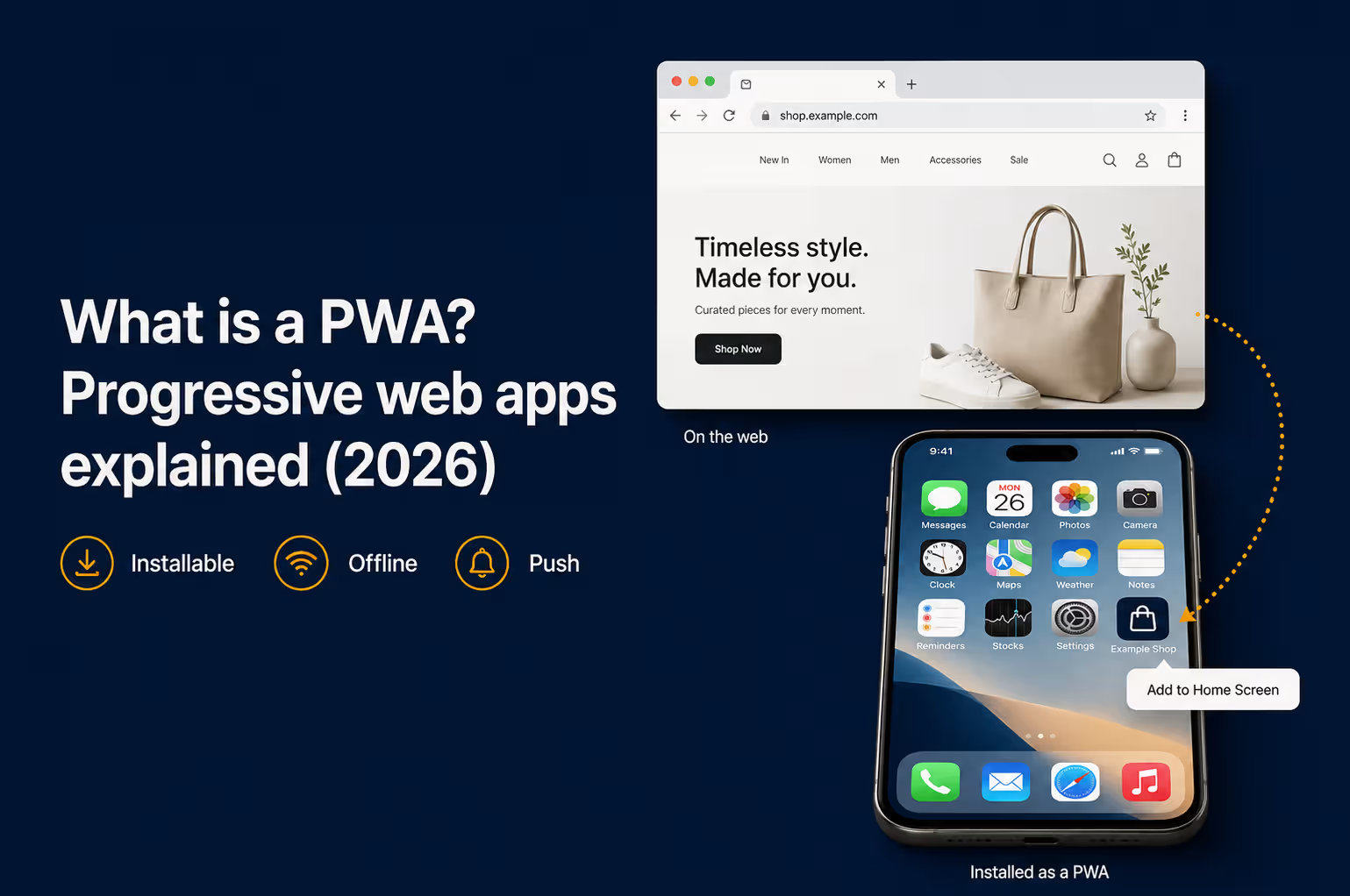
A progressive web app (PWA) is a website built with modern web technologies that gives users an app-like experience in the browser. It can be installed to the home screen, work offline, and send push notifications, all from one codebase that runs on any device.
There is no app store download. A shopper visits a URL and, if they choose, installs it with a tap. No large download, no store review, no separate iOS and Android builds.
What "progressive" actually means
The name comes from progressive enhancement. A PWA starts with a baseline that works for everyone, then adds advanced features when the browser and device support them. A shopper on an older phone still gets a working store. A shopper on a modern browser gets offline mode, an install prompt, and push.
PWA vs website vs native app
The three options trade reach for capability. A traditional website reaches every device but does the least on it. A native app does the most on the device but reaches only the people who install it. A PWA sits in the middle, and the table below shows where it lands on each axis that matters to a store.
|
Aspect |
Traditional website |
PWA |
Native app |
|
Install |
No |
Optional, one tap |
Required, from app store |
|
Works offline |
No |
Yes |
Yes |
|
Push on iOS |
No |
Limited, home-screen only |
Full |
|
Reach and SEO |
High, indexable |
High, indexable |
Low, behind the app store |
|
Device access |
Minimal |
Moderate |
Full |
|
Build cost |
Low |
Low to moderate |
High |
|
Best for |
Content and discovery |
Mobile reach on a budget |
Retention and repeat buyers |
A PWA gives you most of the app-like behavior while keeping the reach and search visibility of the web. The one column where it clearly trails is iOS push, which is where a native app pulls ahead.
A brief history of PWAs
The term was coined in 2015 by Google engineer Alex Russell and designer Frances Berriman. They were naming a pattern they saw emerging, not inventing a technology: websites that used new browser capabilities to feel like native apps.
Chrome championed the idea first. The bigger milestone came in 2018, when Apple added service worker support to Safari, bringing core PWA features to the iPhone. That is the moment PWAs stopped being an Android-only story.
How does a PWA work?
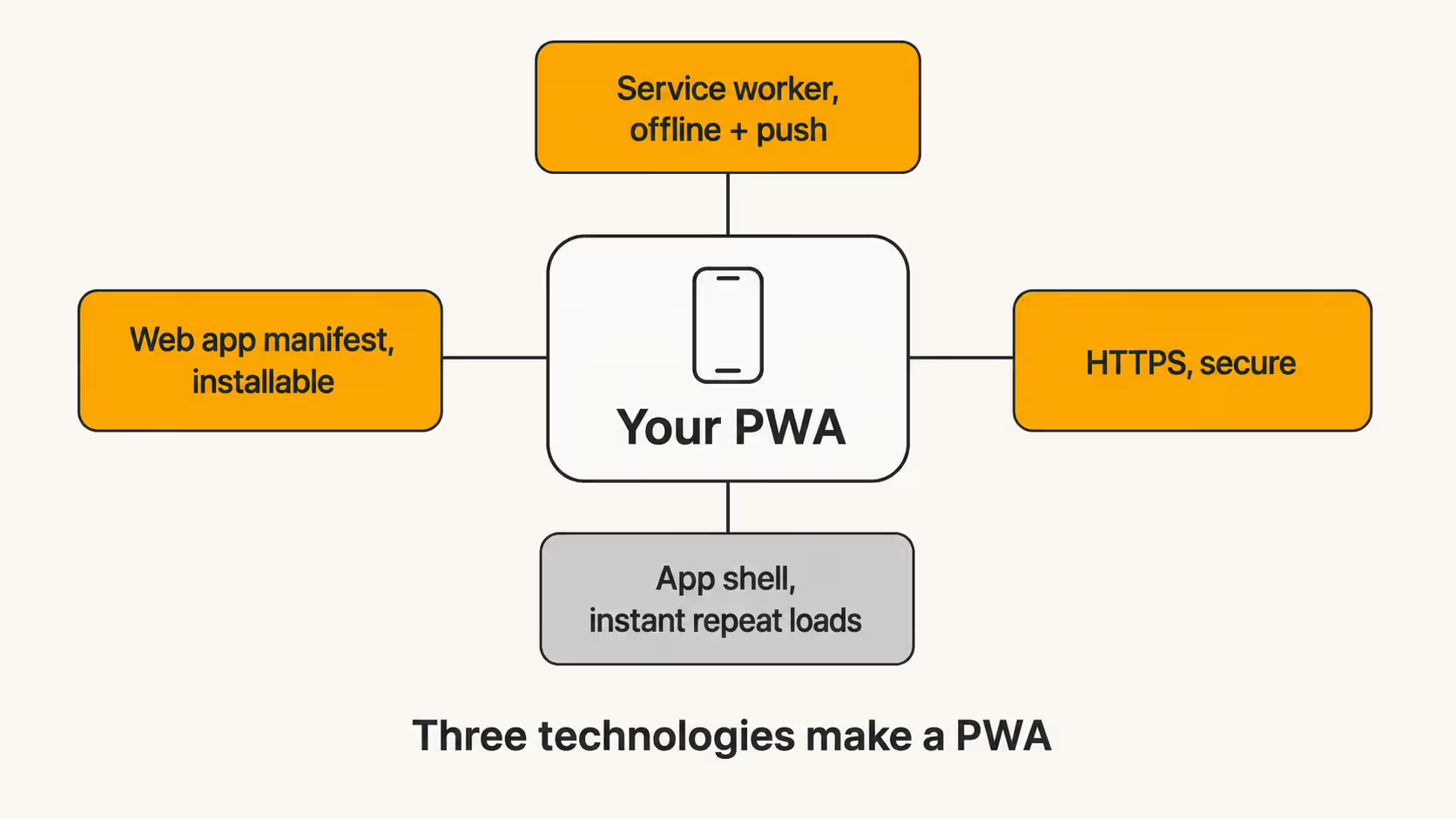
Three technologies do the work, plus one architectural pattern. Miss any of the first three and you have a regular website, not a PWA.
Service worker
A service worker is a JavaScript file that runs in the background, separate from the web page, and sits between the app and the network. It caches files locally, serves them when the connection drops, and handles incoming push messages. This is the piece that makes offline access and notifications possible.
Web app manifest
The manifest is a small JSON file that tells the browser how the app should behave once installed: its name, icon, start URL, and whether it opens in a standalone window. It is what makes the site installable and gives it a presence next to native apps.
HTTPS
Every PWA has to be served over HTTPS. Service workers are powerful enough that browsers only allow them on secure connections. If your store already runs on HTTPS, and it should, this box is checked.
The app shell
The app shell is the minimal HTML, CSS, and JavaScript that powers the interface, cached on first visit and reused on every visit after. Content loads into that shell. This is why a returning shopper sees the layout appear instantly while the products fill in.
Key features and advantages of a PWA
The service worker and manifest above are what produce the features shoppers actually notice. Six capabilities separate a PWA from an ordinary mobile site, and each maps to a specific commercial outcome.
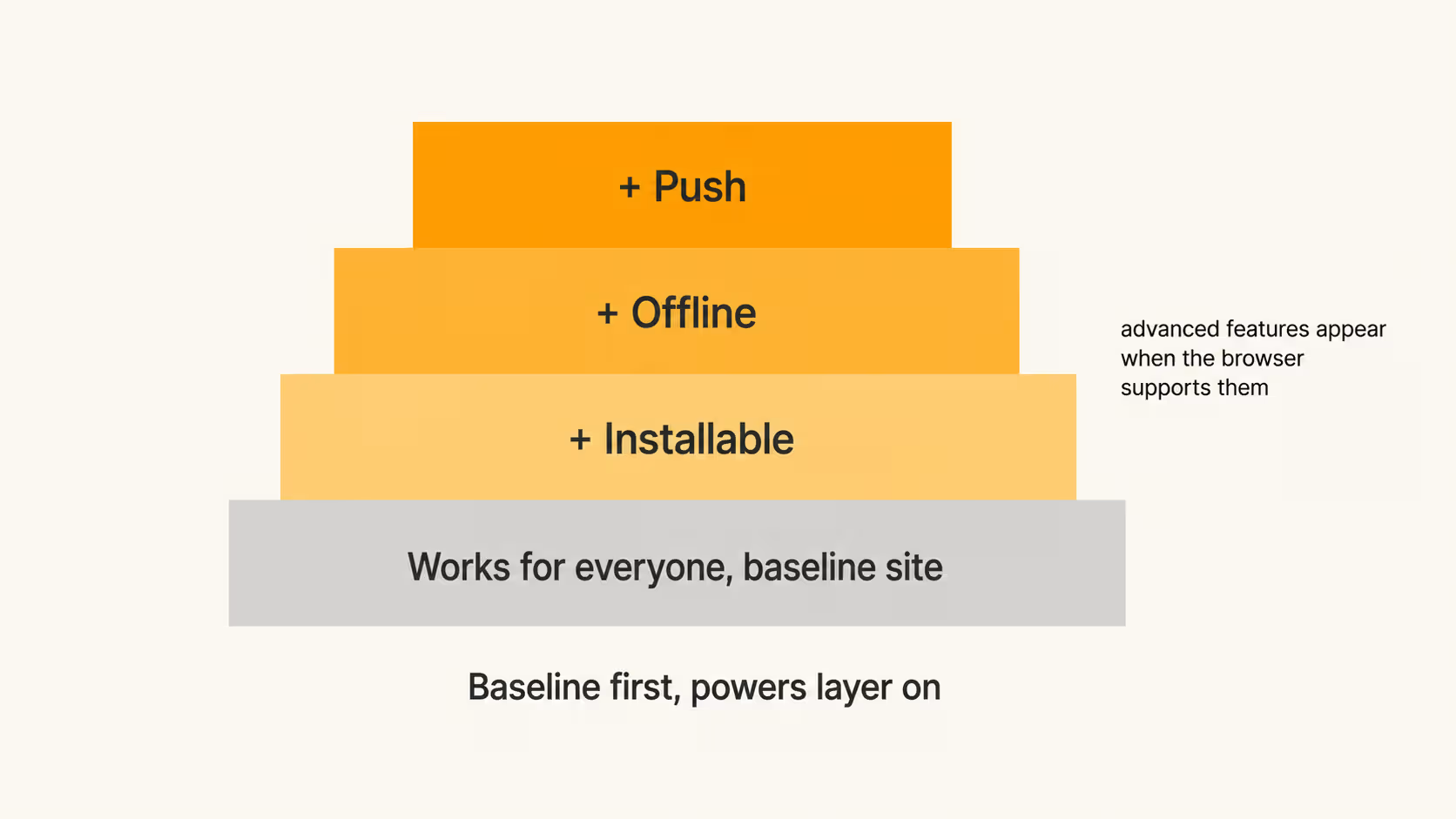
- Installable. A home-screen icon means a shopper reaches you in one tap instead of retyping a URL. That lowers the friction on repeat visits, which is where most revenue hides.
- Works offline or on weak networks. Cached pages load when the signal is bad. A shopper on a train can still browse your catalog and build a cart.
- Fast on repeat visits. The app shell loads instantly from cache, so the second visit feels quicker than the first.
- Re-engageable through push. You can pull shoppers back with a notification, though on iOS this comes with conditions covered below.
- Discoverable and shareable. Because it is still a website, Google indexes every page and shoppers can share any URL. A native app can do neither.
- HTTPS by default. Encryption is a requirement rather than an add-on, so payment and account data travel securely.
The business advantage sits underneath all six. One codebase serves every device, so you skip the cost of separate iOS and Android builds, and updates go live server-side with no app store review. That mix of low cost and full web reach is why a PWA became the default upgrade for a mobile storefront.
PWA benchmarks: What the numbers show
Those features translate into measurable performance, and the pattern is consistent: on mobile, app-based experiences convert and retain better than the mobile web, and a PWA lifts the web side of that gap. The table puts the two channels side by side.
|
Metric |
Mobile web |
Mobile app |
|
Share of mobile ecommerce transactions |
46% |
54% |
|
Relative conversion rate |
1x baseline |
~3x higher |
|
Share of mobile time spent |
~6% |
~94% |
|
90-day retention with regular push |
baseline |
up to ~3x |
Source: Criteo (2025), Sensor Tower State of Mobile (2026), Venn Apps (2025)
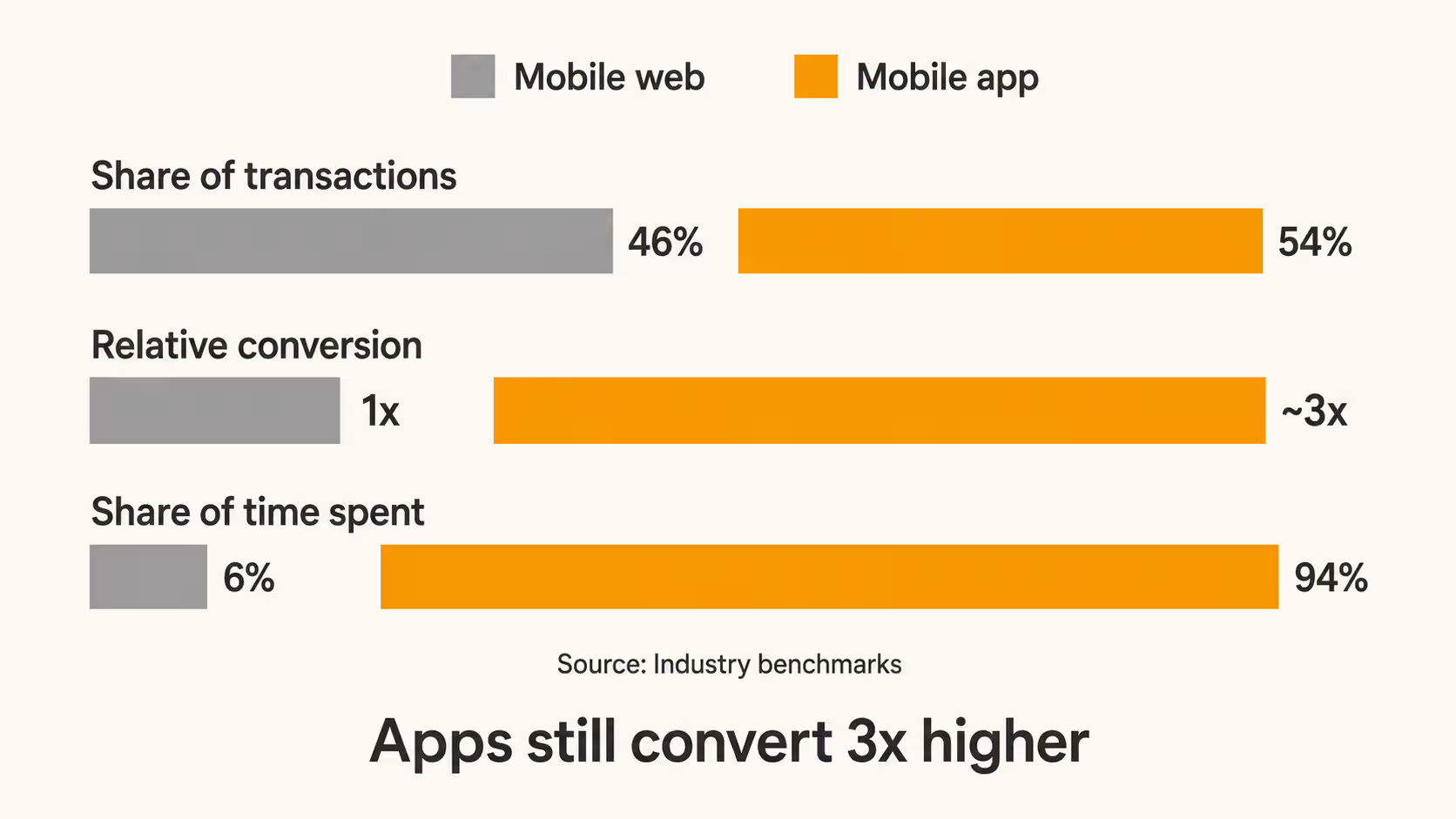
Two figures set the context. Desktop still carries a higher average order value, $155 against $112 on mobile (Kibo Commerce), but the volume has moved to mobile, which is about 59% of global ecommerce (Statista). The traffic is on mobile even when the largest baskets are not.
A PWA captures the mobile-web column and lifts it. On its own it does not reach the app column. That ceiling is set mostly by iOS.
Progressive web app examples
These brands run PWAs in production, which is the fastest way to see what the technology does in practice.
- Starbucks. Its PWA lets customers browse the full menu, customize an order, and build a cart offline, then sync when the connection returns. It stays usable on low bandwidth where a heavier app would stall.
- Pinterest. Pinterest rebuilt its mobile web experience as a PWA for fast, app-like browsing that loads without an install.
- Uber. Uber's PWA is built to load on low-end devices and slow networks, so a rider can book a trip without downloading the native app.
- Spotify. Spotify ships its web player as an installable PWA on desktop and mobile, with playback controls that feel native.
- Tinder. Tinder built a PWA that is a fraction of the size of its native app, aimed at users on slower connections and cheaper devices.
For a longer set broken down by industry and by what each brand built, see progressive web app examples.
What are the limits of PWAs in 2026?
Apple is the reason PWAs still carry an asterisk. Support has improved, but gaps remain, and they matter most for retention.
Web push arrived on iPhone with iOS 16.4 in March 2023, and Safari 18.4 later added Declarative Web Push. The catch: push only works if the shopper adds your PWA to their home screen first, and on iOS, browsers have historically all run on WebKit, so Chrome and Firefox inherit the same rules.
|
Capability |
iOS PWA (2026) |
Native app |
|
Push notifications |
Yes, only if added to Home Screen (iOS 16.4+) |
Yes, on install |
|
Install prompt |
Manual only, no automatic prompt |
App Store listing |
|
Offline storage |
Limited, can be cleared after inactivity |
Full, persistent |
|
Background sync |
Not supported |
Supported |
|
Bluetooth / NFC / deep hardware |
Not supported |
Supported |
|
Home-screen icon, standalone window |
Yes |
Yes |
The manual-install requirement is the quiet killer for ecommerce. Push is your single best retention lever on mobile, and on iOS a shopper has to install the PWA before you can send a single notification. Most never do.
{{cta}}
PWA vs native app: which should you build?
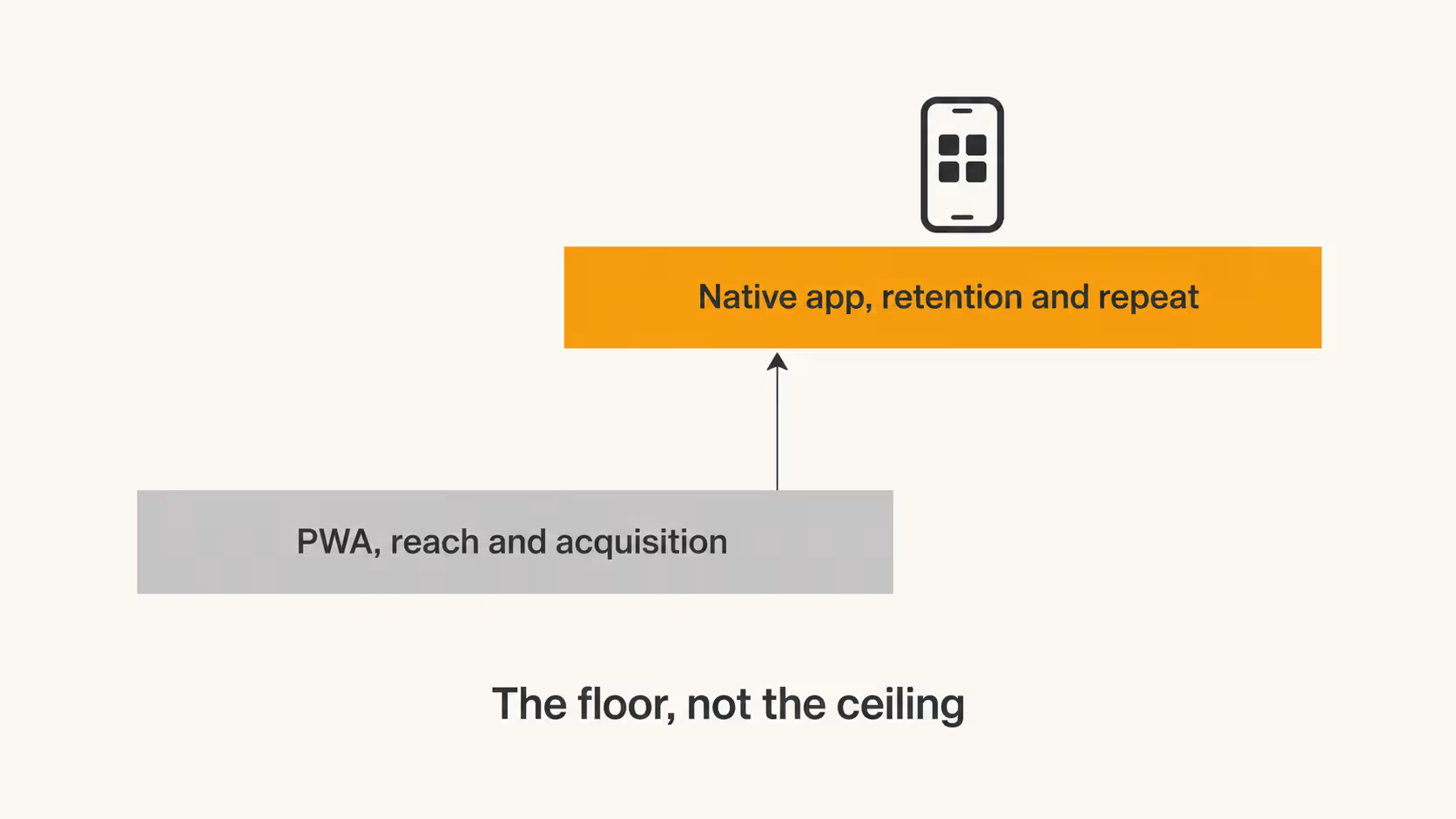
A PWA wins on reach and cost. A native app wins on retention, push reliability, and performance. For a store deciding where to put the first dollar, the honest answer is usually a PWA for acquisition and a native app for your best customers. The full decision, with a cost and retention comparison, is in PWA vs native app.
Can search engines and AI find a PWA?
Yes, and this is a real edge over native apps that sit behind app stores. A PWA is a website, so Google can crawl and index it, and AI answer engines like Google's AI Overviews, ChatGPT, and Perplexity can read its content.
The one variable that decides both is rendering. Content that appears only after client-side JavaScript runs can be missed by crawlers and summarized thinly by AI models. A PWA that renders its core content server-side stays readable to both. The full technical approach, including rendering strategies and Core Web Vitals, is in PWA SEO.
PWAs for ecommerce and commerce platforms
For an online store, a PWA usually means a headless storefront. The shopping front end is decoupled from the backend and rebuilt as a fast, installable web app, while the platform keeps handling the catalog, checkout, and orders.
Most major commerce platforms support this setup:
- Shopify through Hydrogen, its React framework for custom storefronts, paired with a service worker and manifest.
- Adobe Commerce (Magento) through PWA Studio, a toolset for building a PWA front end on a Magento backend.
- BigCommerce and commercetools through their headless APIs, with the storefront served as a PWA.
The tradeoff is control against overhead. A headless PWA storefront gives you speed and design freedom, but it adds hosting, ongoing maintenance, and the work of keeping the front end in sync with the backend.
For many brands that cost only pays off at scale, which is why smaller stores often reach the same app-like experience through a native app built on top of the platform they already run.
How to build a PWA
The build turns an existing site into an installable, offline-capable app in six steps. The order matters, because each step depends on the one before it.
- Build a fast, responsive site first. The PWA layer enhances a solid mobile site, it does not rescue a slow one. Fix load times and responsive layout before adding anything else.
- Add a web app manifest. This JSON file sets the app name, icons, start URL, and display mode, and it is what makes the site installable to the home screen.
- Register a service worker. The service worker handles caching, offline behavior, and push. This is the most technical step and the one that defines how the app behaves with no connection.
- Serve everything over HTTPS. Service workers only run on secure connections, so a valid certificate across the entire site is required, not optional.
- Test on real devices. Check Chrome, Safari, Edge, and Firefox, and test offline behavior on actual iOS and Android hardware, since iOS behaves differently from Android.
- Audit with Lighthouse. Google's Lighthouse scores the PWA against the install and performance criteria and flags exactly what to fix before launch.
Cost and timeline
Converting an existing site into a PWA is far cheaper than building a native app from scratch. A straightforward conversion runs in the range of a few weeks and a low-five-figure budget, while a complex custom PWA with advanced features costs more and takes longer. The heavy lifting is the service worker and caching logic, which is where experienced front-end work earns its keep.
When a PWA is the wrong choice for your store
A PWA is the wrong first move when the outcomes you need depend on capabilities that iOS restricts. Three situations tip the decision toward a native app.
- Retention runs on push. For most ecommerce brands, push notifications are the single most effective way to bring shoppers back. On iOS a PWA can only send push after the shopper manually installs it, and few do, so you lose your best retention channel with your highest-value customers.
- You need deep device features. Background sync, Bluetooth, NFC, and reliable long-term offline storage are missing or unstable in iOS PWAs. If your experience depends on any of them, the web cannot deliver it.
- App store presence matters. A listing in the App Store and Play Store is a discovery and trust signal a PWA cannot replicate. Shoppers who search the stores for your brand will not find a PWA there.
This is where the either-or framing falls apart. The strongest mobile setup uses the web for reach and a native app for the customers who come back.
How Appbrew turns your store into a native app
A native app used to mean a six-figure build and a months-long timeline, which is why so many brands settled for a PWA. That tradeoff no longer holds.
Appbrew is an AI-native platform that turns a Shopify store into a native iOS and Android app without the custom build, and keeps it synced to the store you already run. What it does:
- Native performance on React Native. The app is genuinely native rather than a webview wrapper, so loads and transitions stay fast. React Native is the same framework behind Shopify's own Shop app, Instagram, and Discord.
- Real-time Shopify sync. Products, collections, pricing, inventory, and discounts update automatically from your existing backend, so there is no second catalog to manage.
- AI personalization. Recommendations and merchandising adapt to each shopper, which is where much of the conversion lift comes from.
- Reliable push notifications. Native push works without the iOS install barrier that limits a PWA, so restock alerts, drops, and cart reminders reach every app user.
- 120+ integrations. Reviews, loyalty, search, and marketing tools connect to the app, so your existing stack carries over.
The results show up in the retention metrics. Across 250+ DTC brands, Appbrew reports roughly 3x higher conversion, 30% higher AOV, and 6x higher LTV against mobile web.
- Karma and Luck (home decor): 50% higher conversions and 25% higher AOV after moving to Appbrew.
- Bacca Bucci (fashion): 3.5x higher conversion rate on the app than on the web.
The practical sequence for most stores: keep the mobile web as the acquisition front door, and add a native app as the owned channel for repeat buyers.
{{cta2}}
FAQs
Do PWAs work offline?
Yes. A service worker caches key files and pages on the device, so a PWA serves content when the connection is weak or gone. How much works offline depends on what the developer chose to cache.
Can a PWA send push notifications on an iPhone?
Only under conditions. Since iOS 16.4, a PWA can send web push, but the shopper must first add it to the home screen. Push does not work from a regular Safari tab, and iOS browsers have historically shared this limit because they run on WebKit.
Is a PWA cheaper than a native app?
Usually. One codebase serves every device and updates ship without store review, so development and maintenance cost less than separate iOS and Android apps. The gap narrows if you use a platform that produces a native app from your existing store.
Can I put a PWA in the App Store?
Not as a plain PWA on iOS. Apple does not accept standalone PWAs, though you can wrap one to submit it. Google Play accepts PWAs through a packaging step.
Do PWAs help SEO?
Yes, because a PWA is indexable like any website, which native apps are not. The requirement is that your content renders in a way crawlers can read, which comes down to your rendering strategy.
PWA or native app for a Shopify store?
Use both, in order. A PWA improves the mobile web experience you already have and pulls in search traffic. A native app is the retention and push channel for repeat buyers, where the conversion and LTV numbers are strongest.
Mobile is where your customers already are. A PWA is the floor of what you can do with that traffic, not the ceiling.














